Many readers have asked us why their menu isn’t showing up on their website, or if it’s possible to create different menus for specific pages or posts. The answer to both questions is yes, but the process for adding menus in WordPress posts and pages… Read More »
Have you thought about turning off plugin updates in WordPress? Many website owners wonder about this, often because they worry updates might break their site. We’ve worked with lots of WordPress sites over the years, and we’ve seen what happens when you don’t update plugins.… Read More »
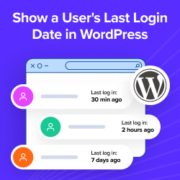
If you run a WordPress site with multiple users, you’ve probably wondered how to show a user’s last login date in WordPress. Whether you’re managing a membership site, an online store, or a blog with several authors, tracking user activity can help you spot inactive accounts… Read More »
Over the past few years of running WordPress sites, I’ve learned that speaking your audience’s language is very important if you want them to engage with your content. That’s one reason the team and I have translated WPBeginner into many different languages, such as Japanese,… Read More »
At WPBeginner, we have found that one often overlooked aspect of running a multi-author WordPress blog is keeping authors in the loop, especially when their articles go live. Timely communication ensures that authors know when their work is published, helping them feel more connected to… Read More »
Sometimes the most helpful thing you can do for your readers is point them to the right resource – even if it’s not on your own WordPress site. But by default, WordPress doesn’t make that easy. Every post title links back to your post, even… Read More »
WordPress only shows update notifications when you log in, which makes it easy to miss critical updates. Without automatic updates, your site could become vulnerable without you even realizing it. Staying on top of updates is challenging if you don’t check your admin dashboard regularly.… Read More »
While RSS (Really Simple Syndication) isn’t as popular as it used to be, some WPBeginner readers still use it to follow their favorite blogs. We’ve gotten questions about offering special content just for RSS subscribers. Giving exclusive content to RSS subscribers can be good for… Read More »
Did you come across annoying things in WordPress and now looking for ways to fix them? Like most things in life, WordPress also has its fair share of annoying things. Dealing with these annoyances is very easy with the right system and processes. In this… Read More »
When I managed other blog writers, I had a list of guidelines they were supposed to follow, but it worried me that these guidelines, like forbidden words, would be missed. Even with clear instructions, writers would sometimes use titles that didn’t match our brand voice… Read More »
Used to store interaction and conversion data for campaigns in conjunction with Revenue Attribution.
1 year
_gat_omTracker*
Set, controlled and used by Google Analytics to collect and store data and then send that data to Google Analytics. OptinMonster provides the name if there is no existing tracker found on that page.
-
omCountdown-{id}-{elementId}
Used for countdown elements {elementId} in campaigns {id} to determine when it should complete.
-
om-{id}-closed / omSlideClosed-{id}
Used specifically with slide-in campaigns {id} to determine if it has been closed or not by a visitor.
30 days
om-success-cookie / omSuccessCookie
Used to determine if a visitor has successfully opted in to any campaign on your site to unlock content when using our Content Locking feature.
365 days
om-success-{id} / omSuccess-{id}
Used to determine if a visitor has successfully opted in to a campaign with the ID of {id} on your site.
365 days
omSeen-{id}
Used to determine if a visitor has been shown a campaign by the slug.
30 days
om-{id}
Used to determine if a visitor has interacted with a campaign ID of {id} on your site.
30 days
_omappvs
Used to determine when a new visitor becomes a returning visitor.