


Choosing the right WordPress payment plugin depends on what you’re selling.
In this guide, I will share the best free and paid options across services, online stores, digital products, donations, memberships, and event tickets.
Our partner brands sell products and subscriptions online, so I tested every plugin the same way, on a real site and with real transactions, instead of comparing feature lists.
My Verdict – Best WordPress Payment Plugins
| Plugin | Best For | Pricing |
|---|---|---|
| WP Simple Pay | Stripe payments for services and subscriptions | Free + paid from $49.50/yr |
| WPForms | Order and payment forms | Free + paid from $49.50/yr |
| WooCommerce | Selling physical products | Free |
| Easy Digital Downloads | Selling digital products | Free + paid from $99.50/yr |
| WP Charitable | Donation forms | Free + paid from $69/yr |
| MemberPress | Membership sites | Paid from $199.50/yr |
| Sugar Calendar | Event tickets and registrations | Free + paid from $49.50/yr |
How I Test And Review WordPress Payment Plugins
I’ve worked directly with plugins like WP Simple Pay, MemberPress, and WPForms to accept payments on my own websites.
Plus, I personally tested every other plugin on this list to make sure it worked well and could process payments without issues. Here’s what my testing process looked like:
- I installed each plugin on a WordPress test site. This helped me see how easy (or complicated) it is to get started, connect payment gateways like Stripe or PayPal, and configure the basic settings.
- I simulated real payments. I ran test transactions using test mode and checked if payments went through smoothly, how the plugin handled errors, and whether things like taxes, coupons, or recurring payments worked as expected.
- I checked for compatibility issues. I tested the plugin alongside popular WordPress tools and themes to make sure everything plays nicely together.
- I reviewed security and updates. Payment data is sensitive, so I also looked at how the plugin handles security, whether it’s regularly updated, and if the developers follow WordPress best practices.
- I rated user-friendliness. Finally, I looked at how beginner-friendly the plugin is. Are the settings clear? Is the setup wizard helpful? Would a first-time user get overwhelmed or feel confident?
By the time a plugin makes it onto my recommendation list, it’s been through all of this and more.
Understanding Payment Security and PCI Compliance
Accepting payments on WordPress is safe as long as you use a plugin that connects to a trusted gateway like Stripe or PayPal.
These payment processors handle sensitive card data on their secure systems. Since your site never touches raw card details, this reduces how much PCI compliance work falls on you.
It also helps to know the difference between a payment gateway and a payment plugin. A payment gateway, like Stripe, PayPal, or Square, is the service that processes the transaction and moves the money.
A payment plugin, like WooCommerce or WP Simple Pay, is the WordPress tool that connects your site to that gateway and builds the payment form, cart, or checkout your customers use.
You need both to work together to accept payments.
1. WP Simple Pay – Best for Stripe Payment Forms
| Best For | Stripe payments for services and subscriptions |
| Pricing | Free + paid from $49.50/yr |
| Pros | • Support 10+ payment methods, like credit cards, US bank transfers, and more • Supports Buy Now, Pay Later through Klarna or Afterpay / Clearpay • Flexible billing intervals for subscriptions • Built-in coupon codes and promotional discounts • Option to pass processing fees to customers |
| Cons | • Only works with Stripe; no other payment processors |
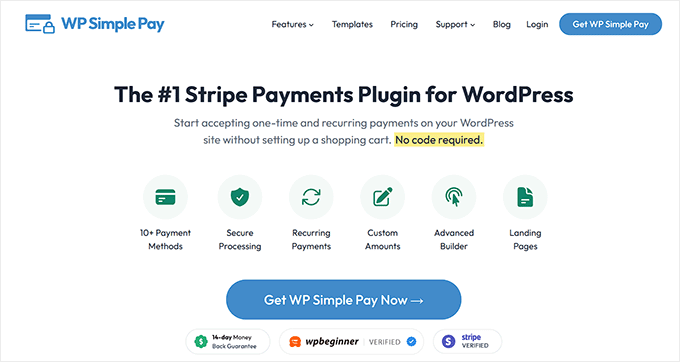
WP Simple Pay is the simplest way to accept Stripe payments on WordPress without building a full online store. This makes it ideal for service providers, subscription businesses, and membership sites.
The free version handles basic forms well, though it adds a 3% fee per transaction on top of Stripe’s own fees. That fee disappears once you upgrade to a paid plan starting at $49.50 a year.
Our Experience
When I first tested this plugin, I quickly built a working Stripe payment form without any of the complexity that comes with eCommerce platforms.
Our team covered all the details in the WP Simple Pay review.
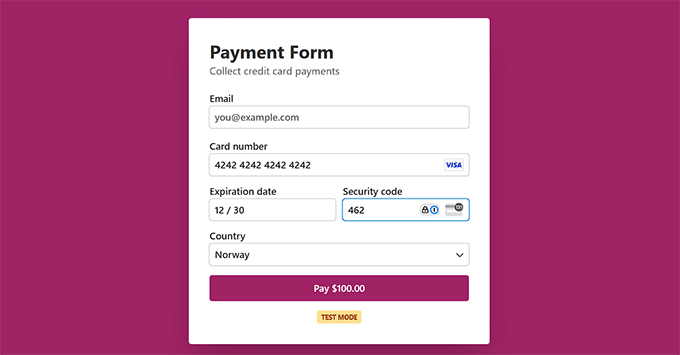
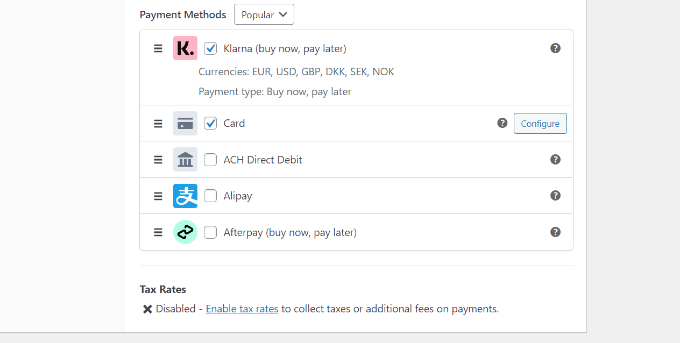
The free version covers Stripe Checkout along with several international payment methods and basic subscriptions.
The paid plans unlock Apple Pay, Google Pay, on-site embedded forms, Buy Now Pay Later options like Klarna and Afterpay, and installment plans for high-value services.
However, what stood out to me was the customization control.
You can brand the entire payment form page to match your business, with clean URLs, custom background colors, and layout adjustments that make checkout feel like part of your site.
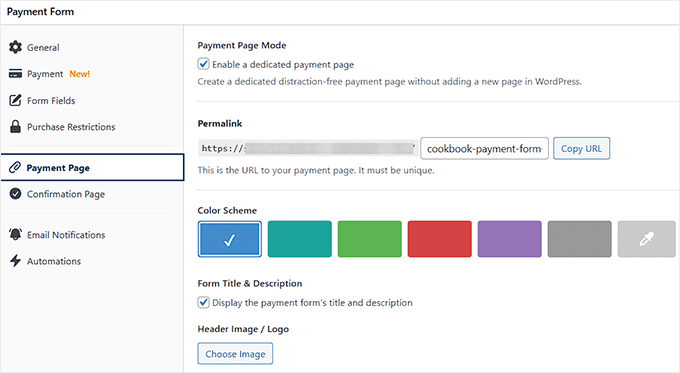
It handles the payment complexity while keeping your WordPress site fast and reliable. To get started, see our tutorial on how to accept Stripe payments in WordPress.
2. WPForms – Best for Order and Payment Forms
| Best For | Order and payment forms (Stripe, Square, PayPal) |
| Pricing | Free + paid from $49.50/yr (Transaction fee removed in Pro for $199.50/yr) |
| Pros | • Stripe, Square, and PayPal (with Venmo) all work in the free version • Over 2,000 pre-made form templates • Drag-and-drop builder that’s genuinely beginner-friendly • Supports one-time payments and recurring subscriptions • Coupon code fields for checkout discounts |
| Cons | • Free version and lower paid plans charge an additional 3% transaction fee • Mercado Pago available on the Pro plan, and only the Elite plan includes Authorize.net |
WPForms is the best option for collecting customer information alongside payments, such as registration forms, order forms with custom fields, or surveys that include payment option.
It’s the pick for anyone who needs more than a simple payment button.
Our Experience
We use WPForms here at WPBeginner for our contact forms and annual surveys, so I’ve seen how reliable and flexible this plugin can be.
If you’re curious about everything it can do, we go over it in more detail in our WPForms review.
A key advantage of WPForms is how it combines powerful form building with payment processing. You’re not limited to simple “pay now” buttons.
Instead, you can create comprehensive forms that gather the information your business needs while processing payments securely.
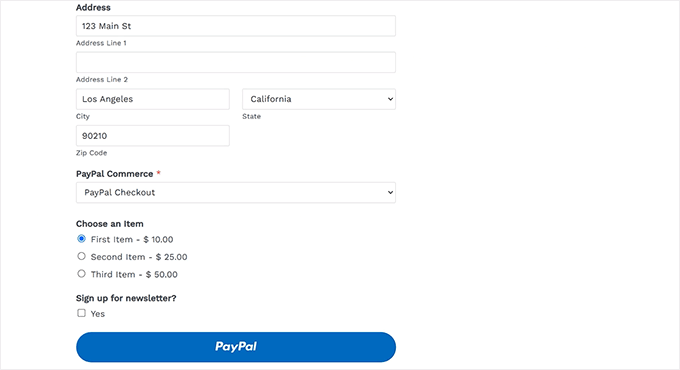
WPForms also comes with a variety of payment fields.
You can add single-item payments, multiple items, dropdowns for selecting products or quantities, and donation fields with preset or custom amounts.
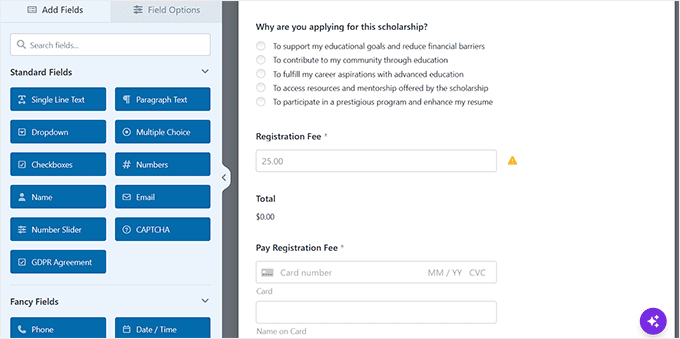
One feature I found particularly helpful is the plugin’s AI-powered form builder. It speeds up the design process by generating form templates you can customize with simple prompts.
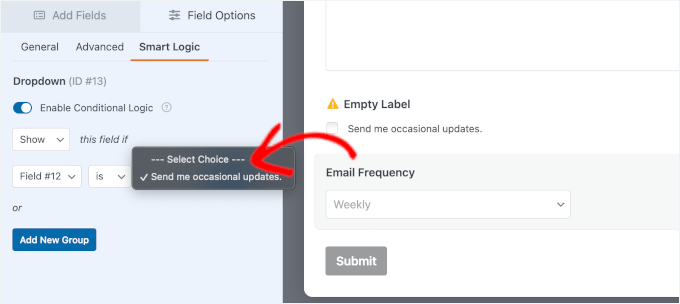
The conditional logic feature is also powerful. Forms can show or hide fields based on user selections, so your customers only see the options relevant to them.
For more information, see our tutorial on how to add a PayPal payment form in WordPress.
3. WooCommerce – Best for Selling Physical Products
| Best For | Selling physical products |
| Pricing | Free |
| Pros | • WooPayments is built in with no added plugin fee • Accepts diverse payment methods, including cash on delivery and bank transfers • Free Stripe and PayPal plugin options from FunnelKit and Angell EYE • Hundreds of payment-related extensions in the marketplace |
| Cons | • Doesn’t support subscription or recurring payments by default • Requires more setup and maintenance than simple payment form plugins |
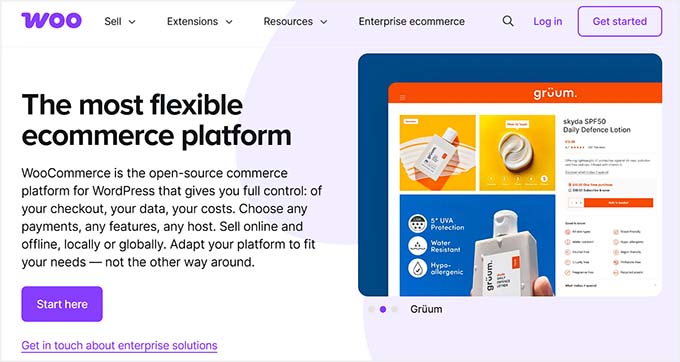
WooCommerce is the best WordPress payment plugin for selling physical products, and it’s completely free to install.
Anyone who wants a complete online store gets inventory, shipping, tax, and payment management from one dashboard.
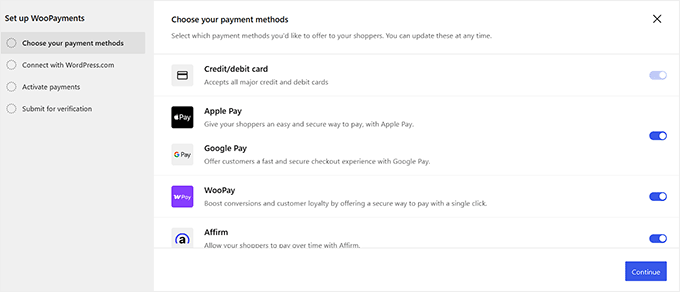
For payments, WooCommerce’s own WooPayments gateway is built in and ready to go out of the box. It supports credit and debit cards, Apple Pay and Google Pay.
For more information, take a look at our WooCommerce review.
Our Experience
WooCommerce also lets you integrate with several payment plugins powered by Stripe and PayPal if you’d rather use those. For example, I tested the free FunnelKit Stripe plugin and got a fast Stripe integration with a polished checkout.
For a site that preferred PayPal, I tried Angell EYE’s free PayPal plugin, and it set up just as easily.

Since WooCommerce doesn’t support subscription payments out of the box, I turned to Sublium, a free subscriptions plugin built by the FunnelKit team.
Its free version let me set up unlimited subscriptions with Stripe, Square, PayPal, Apple Pay, and Google Pay without hitting a paywall.

I love WooCommerce because of the control it gives over your store’s design and functionality.
Whether I was setting up five products or five thousand, it scaled well every time. To get started, see our beginner’s guide on WooCommerce made simple.
4. Easy Digital Downloads – Best for Selling Digital Products
| Best For | Selling digital products |
| Pricing | Free + paid from $99.50/yr |
| Pros | • Cart and checkout system optimized for digital products • Stripe, PayPal, Apple Pay, and Google Pay all supported • Test mode for simulating transactions before going live • Instant digital delivery after payment |
| Cons | • Free plan locks out advanced features • Not suitable for physical product sales |
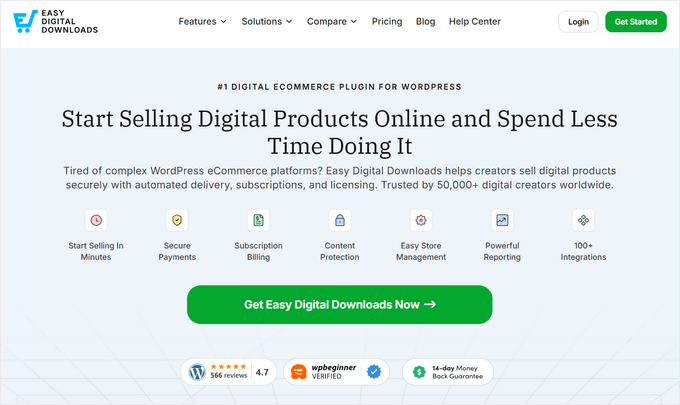
If you’re selling digital products, like eBooks, software, PDFs, or music, then Easy Digital Downloads is the ideal tool for the job.
Selling digital goods comes with its own challenges, like instant delivery, license management, and download tracking, and EDD handles all three.
The plugin supports Stripe natively, and it also lets you accept payments via PayPal, Apple Pay, Google Pay, Square, and Authorize.net.
Our Experience
Our partner brands have been using EDD to sell their premium plugins, and it’s consistently delivered excellent results.
See our detailed review of EDD for a closer look.
What makes EDD perfect for digital sales is how it handles the entire customer journey.
When someone buys your digital product, they instantly receive download links, account access, and professional receipts, with no work required on your end.

EDD also lets you pass payment processing fees to customers.
This might seem minor, but over time it saves real money in transaction costs, especially when selling lower-priced digital items.
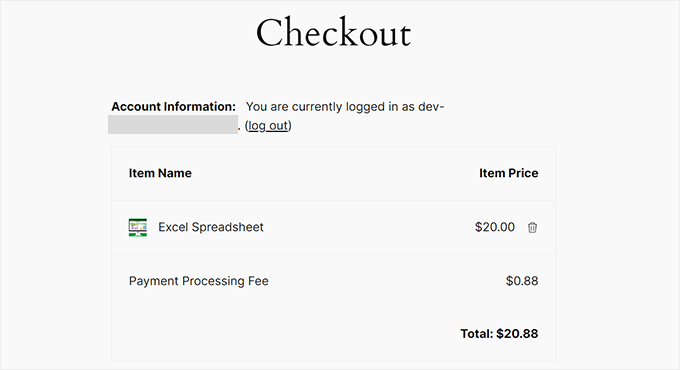
You can also set up one-time or recurring payments, offer discount codes, and create custom checkout fields without needing a developer.
For step-by-step instructions, see our tutorial on how to sell digital downloads in WordPress.
5. WP Charitable – Best for WordPress Donation Forms
| Best For | Donation forms |
| Pricing | Free + paid from $69/yr |
| Pros | • Unlimited donation campaigns with individual goals and forms • Custom checkout fields for donor details and dedications • Multi-currency support for international fundraising • Automated donor communication and receipt generation |
| Cons | • Recurring donations and premium payment gateways require a paid plan • Limited to donation forms, not general-purpose like WPForms |
WP Charitable is the best payment plugin for accepting donations in WordPress, especially if you’re running a nonprofit or a cause-based website.
Organizations that need more than basic payment collection use it to manage donor relationships, track campaign progress, and build long-term fundraising success.
Instead of complicated checkout flows, you get simple, clean donation forms that integrate well with Stripe, PayPal, and other popular gateways.
Our Experience
Our team has tested this plugin extensively, both through demo campaigns and real-world use for our founder’s education nonprofit, the Balkhi Foundation. You can get the complete details in our Charitable review.
One thing that stood out was how customizable Charitable’s donation forms are.
You can set suggested amounts, let donors enter custom amounts, create recurring donation options, and add goal meters to encourage participation.
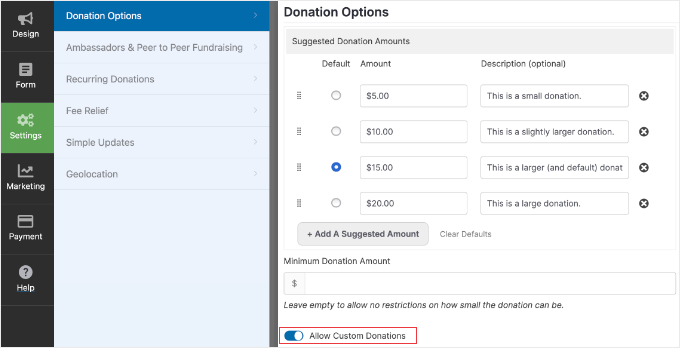
Recurring donations and additional gateways require the Plus plan and up.
Charitable also supports campaign management, so you can run multiple fundraisers at once.
Each campaign gets its own dedicated page, donation tracking, and goal visualization, which helps create urgency and transparency for donors.

I also appreciate Charitable’s email integrations, which automate thank-you emails and donation receipts, something that matters for nonprofit transparency and tax purposes.
You can start the process by following our article on creating a nonprofit website in WordPress.
6. MemberPress – Best for WordPress Membership Websites
| Best For | Membership sites |
| Pricing | Paid from $199.50/yr (no free version) |
| Pros | • Multiple membership levels with different pricing tiers • Immediate content access after payment processing • Automated payment reminders and failed transaction handling • Paywall feature for teasing premium content |
| Cons | • No free version • Launch plan charges a 4.9% transaction fee on top of Stripe (Growth and up removes it) • PayPal and Square require the Growth plan; Authorize.net requires Scale |
If you’re planning to sell subscriptions, memberships, or online courses on your WordPress website, MemberPress is my top pick.
It combines payment processing with content protection and access control for your membership business.
MemberPress integrates with Stripe, PayPal, Square, and Authorize.net, but gateway availability depends on your plan. See our MemberPress review for a full look at how it works.
Our Experience
We’ve used MemberPress to set up free online courses at WPBeginner, and love its advanced yet straightforward access control and content protection features.
The payment gateway setup is straightforward across all supported processors. You can offer one-time payments, free trials, recurring subscriptions, and access tiers.
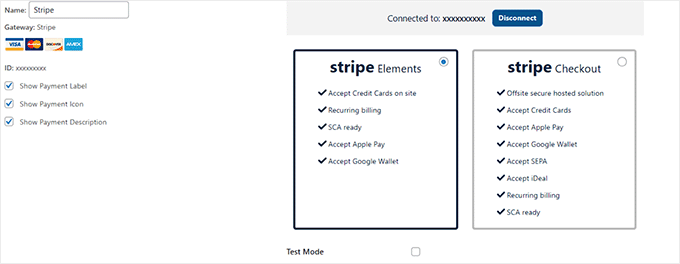
What makes MemberPress well-suited for membership sites is how well everything integrates. When someone signs up, MemberPress manages their access instantly.
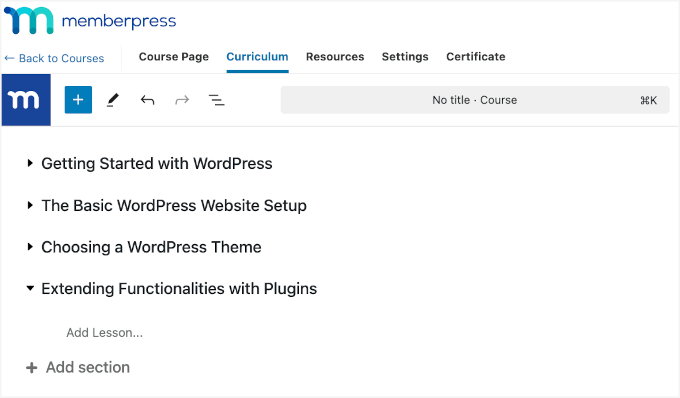
The tool is also built for online courses.
With the MemberPress Courses addon, you can create lessons and lock premium content on the Launch plan, while assignments require Growth and the gradebook feature requires Scale.
To learn more, see our ultimate guide on creating a membership site.
Alternative: If you want a plugin focused on protecting content behind a paywall rather than running courses, WishList Member is a solid alternative. Thrive Apprentice is also a good option if you want to build an online course business around Stripe and the rest of the Thrive Suite.
7. Sugar Calendar – Best for Event Tickets and Registrations
| Best For | Event tickets and registrations |
| Pricing | Free + paid from $49.50/yr |
| Pros | • Ticket sales via Stripe available even on the Basic plan • Multiple ticket tiers with custom pricing and capacity limits • Built-in attendee registration form at checkout • Recurring event support with speaker and venue management |
| Cons | • Basic plan tickets carry a 3% Stripe fee; the Event Ticketing addon on Plus and up removes it • Advanced integrations may require extensions • Focused on events and ticketing, not general eCommerce |
Sugar Calendar is the best way to sell event tickets and manage registrations on WordPress.
Anyone running workshops, classes, or conferences gets pricing tiers and payment collection built directly into the event.
Ticket sales run through Stripe, and that works even on the Basic plan, though tickets carry a 3% Stripe fee. You’ll need the Event Ticketing addon on the Plus plan and up to remove it.
Our Experience
I tested it for a workshop with tiered ticket pricing, and setup took only a few minutes from picking a date to publishing the registration form.
Creating an event is straightforward. You set the date, venue, and ticket types, like VIP, General Admission, or Early Bird, each with its own price and capacity limit.
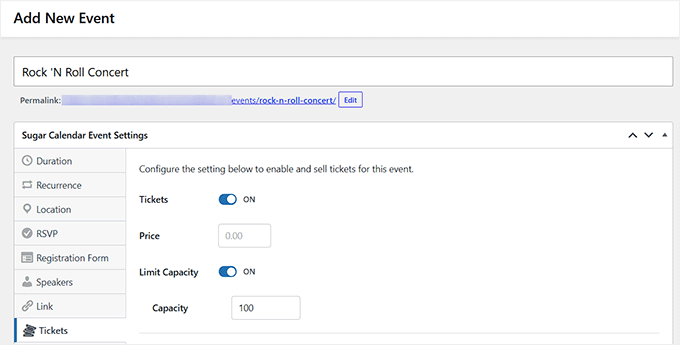
Sugar Calendar has its own built-in registration form at ticket checkout, so I didn’t need a separate forms plugin to collect attendee details.
I also liked the calendar views. You can switch between month, week, day, grid, and list layouts, track speakers and venues, and manage RSVPs.
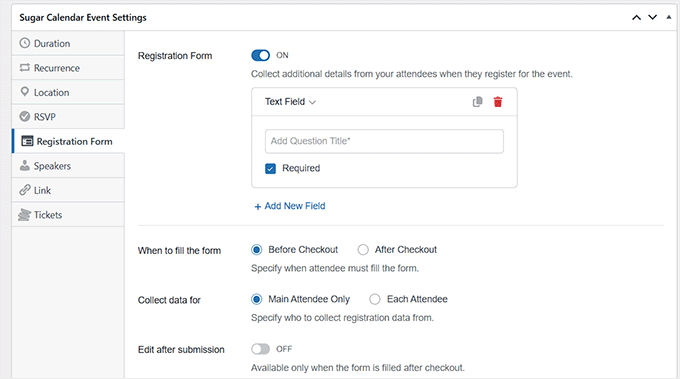
Stripe handles payments directly, so you don’t need extra platforms or wait on separate payouts.
If you’re interested, take a look at our tutorial on selling event tickets using WordPress.
Payment Plugins FAQs
Can I test WordPress payments before going live?
Most quality plugins, including WP Simple Pay, WPForms, WooCommerce, and Easy Digital Downloads, offer a sandbox or test mode that lets you test payments.
I recommend enabling this before launching to avoid errors and make sure everything works smoothly. To get started, see our tutorial on how to test Stripe payments in WordPress.
Can I accept payments on WordPress without WooCommerce?
Plugins like WP Simple Pay, WPForms, and MemberPress let you accept payments without setting up a full online store. This makes them great for selling services, subscriptions, or digital downloads.
Can WordPress handle payments?
Yes. WordPress can handle payments, but you’ll need a plugin to add this functionality. Tools like WooCommerce, WP Simple Pay, and WPForms connect your website to payment services such as Stripe or PayPal, so you can accept payments from customers.
Related Guides: Managing Payments in WordPress
- How to Add Stripe QR Code Payment in WordPress
- How to Reduce Stripe Transaction Fees in WordPress (Expert Tips)
- WordPress Payment Processing: The Ultimate Guide for Beginners
- Stripe vs. PayPal: Which Is Better for Your WordPress Site?
If you liked this article, then please subscribe to our YouTube Channel for WordPress video tutorials. You can also find us on Twitter and Facebook.



Have a question or suggestion? Please leave a comment to start the discussion.