WPBeginner WordPress tutorials help you learn WordPress, so you can improve your website. Our step by step WordPress tutorials are easy to understand and will help you follow the WordPress best practices. Don't waste your time buying WordPress books or outdated WordPress tutorial PDFs that cover just the basics. Our WordPress tutorials are written by experts with 15+ years of WordPress experience, and it contains real-life examples and tips that allows you to learn WordPress faster. We also keep our tutorials up to date.
You can find our other latest free WordPress tutorials below, and you can always use the search feature on our site to find helpful WordPress tutorials faster.
If you don't see a WordPress tutorial that you're looking for, then please reach out to your team and let us know. All our WordPress tutorial ideas are suggested by our users over the last 13+ years.
Do you want to increase your Snapchat followers using your WordPress site? Recently one of our readers asked if it was possible to add Snapchat follow button on the site. Snapchat offers snapcodes which other Snapchat users can scan to follow you. In this article,… Read More »
When you first start using WordPress, the admin area feels clean and simple. Everything is neatly arranged, and finding what you need is easy. But as you install plugins, tweak settings, and grow your site, the dashboard evolves with you. New menus appear, widgets start… Read More »
By default WordPress automatically adds a nofollow tag to all links in the comments. Recently one of our readers asked if it was possible to remove the nofollow from WordPress comments? In this article, we will show you how to remove nofollow from WordPress comment… Read More »
Are you seeing ‘Googlebot cannot access CSS and JS files’ warning in Google webmaster tools account for your WordPress site? The message contains links to instructions on how to fix this issue, but those instructions are not very easy to follow. In this article, we… Read More »
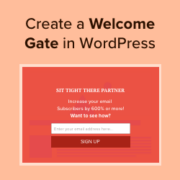
Using a welcome gate is one of the most effective email list-building techniques out there. It instantly captures the user’s attention and helps you boost conversions. We regularly use welcome gate campaigns on WPBeginner and our other products to grow our email list and increase… Read More »
Don’t like the formatting shortcuts that were introduced in WordPress 4.3? Find it a bit distracting? Recently, one of our users asked us how to disable visual editor formatting shortcuts in WordPress. In this article, we will show you how to disable visual editor formatting… Read More »
Seeing the ‘This site ahead contains harmful programs’ warning can be alarming and damaging to your site’s reputation. It signals that your WordPress site may have been affected by malware or malicious code and that it can be a risk to visitors. That’s why addressing this… Read More »
We’ve worked on blogs with hundreds of internal links, and one thing that used to drive us crazy was the flood of self-pingbacks in the comments section. Every time we linked to our own content, WordPress would treat it like a new comment. It clutters… Read More »
You likely installed Contact Form 7 on your WordPress site because it is free and widely supported. However, you may have noticed that the default forms look quite plain on your live site. That basic gray styling can clash with the rest of your site… Read More »
When readers kept asking us how we learned WordPress, we realized that we needed a better way to share our knowledge beyond just blog posts. That’s why we created WPBeginner’s free video course website – to help people learn WordPress step by step. Creating that… Read More »
Used to store interaction and conversion data for campaigns in conjunction with Revenue Attribution.
1 year
_gat_omTracker*
Set, controlled and used by Google Analytics to collect and store data and then send that data to Google Analytics. OptinMonster provides the name if there is no existing tracker found on that page.
-
omCountdown-{id}-{elementId}
Used for countdown elements {elementId} in campaigns {id} to determine when it should complete.
-
om-{id}-closed / omSlideClosed-{id}
Used specifically with slide-in campaigns {id} to determine if it has been closed or not by a visitor.
30 days
om-success-cookie / omSuccessCookie
Used to determine if a visitor has successfully opted in to any campaign on your site to unlock content when using our Content Locking feature.
365 days
om-success-{id} / omSuccess-{id}
Used to determine if a visitor has successfully opted in to a campaign with the ID of {id} on your site.
365 days
omSeen-{id}
Used to determine if a visitor has been shown a campaign by the slug.
30 days
om-{id}
Used to determine if a visitor has interacted with a campaign ID of {id} on your site.
30 days
_omappvs
Used to determine when a new visitor becomes a returning visitor.