WPBeginner WordPress tutorials help you learn WordPress, so you can improve your website. Our step by step WordPress tutorials are easy to understand and will help you follow the WordPress best practices. Don't waste your time buying WordPress books or outdated WordPress tutorial PDFs that cover just the basics. Our WordPress tutorials are written by experts with 15+ years of WordPress experience, and it contains real-life examples and tips that allows you to learn WordPress faster. We also keep our tutorials up to date.
You can find our other latest free WordPress tutorials below, and you can always use the search feature on our site to find helpful WordPress tutorials faster.
If you don't see a WordPress tutorial that you're looking for, then please reach out to your team and let us know. All our WordPress tutorial ideas are suggested by our users over the last 13+ years.
It’s disappointing to see your WordPress forms get plenty of views but not many submissions. You spend time setting them up, only for visitors to stop halfway through. Over the years, we’ve tested a variety of methods to make online forms more effective – from… Read More »
After running a multi-author blog for more than a decade, we’ve learned that one small detail makes a huge difference. Adding a simple author info box is one of the fastest ways to build trust with your readers and with search engines. It’s that finishing… Read More »
At WPBeginner, we’ve helped thousands of WordPress users set up their sites, and we often see the same mistake: overlooking the permalink structure. It feels like a small detail, but getting it wrong can make your URLs confusing and hurt your chances of ranking on… Read More »
It’s a frustrating moment for any website owner. You’ve just moved your site or made a big change, but you’re still seeing the old version or, worse, an error message. We get questions about this issue all the time here at WPBeginner, and the fix… Read More »
I remember spending hours picking the perfect featured image for an early blog post. But when I hit publish, visitors couldn’t tell the photo was from my sunrise hike in Jasper National Park. Without a caption, a stunning cover photo loses its meaning and story.… Read More »
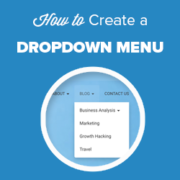
Do you want to create a dropdown menu in WordPress? A dropdown menu shows a list of links when you hover your mouse over a menu item. You can use these menus to show lots of options in a small space and help visitors find… Read More »
WordPress is one of the most popular website builders in the world because it offers powerful features and a secure codebase. However, this popularity makes it a target for DDoS attacks. Hackers use DDoS attacks to slow down websites down and make them inaccessible to… Read More »
Want a business phone number that’s as memorable as your brand? Many companies use vanity phone numbers to make their business more memorable and easier to promote. Vanity phone numbers are business phone numbers that are easy to remember, like 1-800-FLOWERS for a popular flower… Read More »
A reader recently emailed us in a panic after a tiny URL tweak took their entire WordPress site offline. We remember that sinking feeling from our early days of building websites. Updating your site address is a delicate process. One wrong step can break your… Read More »
Since we run a pretty large WordPress blog, sometimes we come across RSS feed errors that can be quite frustrating. That’s because these errors can prevent our subscribers from getting updates about our new content, which is crucial for maintaining our audience engagement. Even a… Read More »
Used to store interaction and conversion data for campaigns in conjunction with Revenue Attribution.
1 year
_gat_omTracker*
Set, controlled and used by Google Analytics to collect and store data and then send that data to Google Analytics. OptinMonster provides the name if there is no existing tracker found on that page.
-
omCountdown-{id}-{elementId}
Used for countdown elements {elementId} in campaigns {id} to determine when it should complete.
-
om-{id}-closed / omSlideClosed-{id}
Used specifically with slide-in campaigns {id} to determine if it has been closed or not by a visitor.
30 days
om-success-cookie / omSuccessCookie
Used to determine if a visitor has successfully opted in to any campaign on your site to unlock content when using our Content Locking feature.
365 days
om-success-{id} / omSuccess-{id}
Used to determine if a visitor has successfully opted in to a campaign with the ID of {id} on your site.
365 days
omSeen-{id}
Used to determine if a visitor has been shown a campaign by the slug.
30 days
om-{id}
Used to determine if a visitor has interacted with a campaign ID of {id} on your site.
30 days
_omappvs
Used to determine when a new visitor becomes a returning visitor.