WPBeginner WordPress tutorials help you learn WordPress, so you can improve your website. Our step by step WordPress tutorials are easy to understand and will help you follow the WordPress best practices. Don't waste your time buying WordPress books or outdated WordPress tutorial PDFs that cover just the basics. Our WordPress tutorials are written by experts with 15+ years of WordPress experience, and it contains real-life examples and tips that allows you to learn WordPress faster. We also keep our tutorials up to date.
You can find our other latest free WordPress tutorials below, and you can always use the search feature on our site to find helpful WordPress tutorials faster.
If you don't see a WordPress tutorial that you're looking for, then please reach out to your team and let us know. All our WordPress tutorial ideas are suggested by our users over the last 13+ years.
When WordPress 5.4 rolled out, it switched the editor to fullscreen mode by default, and we heard from many users who weren’t thrilled. Suddenly, the familiar admin menu was gone, leaving a distraction-free but sometimes confusing writing space. While the clean fullscreen look is helpful… Read More »
Having trouble logging into WordPress? We see this problem pop up all the time – that annoying loop where the login page just keeps refreshing. It’s enough to make anyone frustrated! Over the years, we’ve helped countless users get back into their WordPress dashboards. While… Read More »
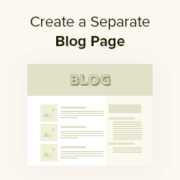
By default, WordPress displays your blog posts on the home page. However, if you are making a business website or simply want to customize your homepage, then you may want a separate page for your blog section. This setup not only helps you keep your… Read More »
If you’re trying to use regular blog posts for everything – product listings, testimonials, portfolio items – you’ve probably noticed how quickly things become a confusing mess. We’ve been there too. At WPBeginner, we use custom post types for things like our Deals and Glossary… Read More »
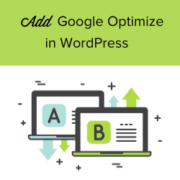
Are you looking to add Google Optimize to your WordPress site? Google Optimize is a free tool by Google that helps website owners optimize their sites by running A/B split tests. It allows you to compare two versions of a page and see which one… Read More »
The ‘Error establishing a database connection’ notice in WordPress is a fatal error that makes your site inaccessible to users. It happens when WordPress is unable to connect to the database. Since multiple factors can affect this connection, the error can be a bit difficult… Read More »
You finally get a new lead through your WordPress contact form… but the message never shows up in your inbox. It’s frustrating, and worse, it can cost your business real opportunities. That’s because relying only on email notifications is risky. A strict spam filter or… Read More »
We’ve seen this happen a lot: someone starts filling out a form on your WordPress site, then abandons it halfway through. Maybe the form asks for details they’ve already provided, or maybe it just feels too long. That’s where dynamic field population can help. It… Read More »
Building a forum on your WordPress site is a great way to bring people together and keep them engaged. It lets visitors share ideas, ask questions, and help one another, which can make your site more useful over time. It can also reduce the number… Read More »
Do you ever wonder if your content is actually reaching the right people? When we launched our first WordPress sites, that question was always on our minds. Discovering the exact search terms people used to find our articles was a major turning point. It gave… Read More »
Used to store interaction and conversion data for campaigns in conjunction with Revenue Attribution.
1 year
_gat_omTracker*
Set, controlled and used by Google Analytics to collect and store data and then send that data to Google Analytics. OptinMonster provides the name if there is no existing tracker found on that page.
-
omCountdown-{id}-{elementId}
Used for countdown elements {elementId} in campaigns {id} to determine when it should complete.
-
om-{id}-closed / omSlideClosed-{id}
Used specifically with slide-in campaigns {id} to determine if it has been closed or not by a visitor.
30 days
om-success-cookie / omSuccessCookie
Used to determine if a visitor has successfully opted in to any campaign on your site to unlock content when using our Content Locking feature.
365 days
om-success-{id} / omSuccess-{id}
Used to determine if a visitor has successfully opted in to a campaign with the ID of {id} on your site.
365 days
omSeen-{id}
Used to determine if a visitor has been shown a campaign by the slug.
30 days
om-{id}
Used to determine if a visitor has interacted with a campaign ID of {id} on your site.
30 days
_omappvs
Used to determine when a new visitor becomes a returning visitor.