WPBeginner WordPress tutorials help you learn WordPress, so you can improve your website. Our step by step WordPress tutorials are easy to understand and will help you follow the WordPress best practices. Don't waste your time buying WordPress books or outdated WordPress tutorial PDFs that cover just the basics. Our WordPress tutorials are written by experts with 15+ years of WordPress experience, and it contains real-life examples and tips that allows you to learn WordPress faster. We also keep our tutorials up to date.
You can find our other latest free WordPress tutorials below, and you can always use the search feature on our site to find helpful WordPress tutorials faster.
If you don't see a WordPress tutorial that you're looking for, then please reach out to your team and let us know. All our WordPress tutorial ideas are suggested by our users over the last 13+ years.
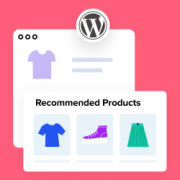
Helping our clients and readers build WordPress eCommerce stores has shown us how valuable smart product recommendations can be. The best stores use them to help customers find items they might not discover through search alone. Many WooCommerce shops recommend similar products, upgraded versions, or… Read More »
Moving a WordPress site or switching SEO plugins can be terrifying. A single mistake could wipe out the search rankings and traffic you worked so hard to build. At WPBeginner, we have helped migrate dozens of websites over the last 16 years, and this checklist… Read More »
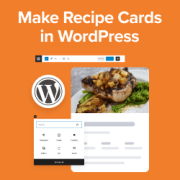
Are you looking to add recipe cards to your WordPress content? Millions of people online are searching for recipes every single day. Whether it’s for whipping up a quick weekday dinner or impressing guests with a show-stopping dessert, recipe cards with easy-to-follow instructions can guide… Read More »
In WordPress, you will run into the ‘your PHP installation appears to be missing the MySQL extension which is required by WordPress’ error every now and then. When this error appears, it prevents users from viewing your website. If it occurs frequently, then it can… Read More »
A squeeze page is a great way to collect email addresses from your visitors. By offering something valuable, like a free guide or discount, you can get their email in exchange. However, without the right design or message, it might seem pushy or fail to… Read More »
When we launched our first blog, WordPress archive pages were a real headache. These automatically generated pages created duplicate content issues that hurt our SEO rankings, and it took a lot of trial and error to get them under control. The good news is that… Read More »
Scrolling through a cluttered WordPress block menu to find a simple heading or image is a waste of time, especially when you never use half of the available options. Several of our writers have disabled unnecessary blocks in their Gutenberg editor to keep the interface… Read More »
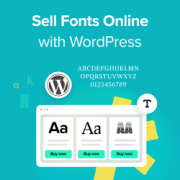
We’ve been selling our own digital products for a long time, so we know it’s a great way to create passive income. We personally sell our WordPress software, but if you’re a typographer or type designer, then you can sell your own fonts. The best… Read More »
A featured image not showing up in WordPress can be a major headache. These images are important to help grab your visitors’ attention and boost your click-through rates. When they don’t appear, it can be frustrating and impact your site’s performance. We’ve faced this issue… Read More »
Building a successful digital agency doesn’t always require a full team of WordPress developers. In fact, white-labeling can help businesses of any size deliver professional WordPress services. But finding the right white-label partnership is crucial. It’s not just about outsourcing development – it’s about finding… Read More »
Used to store interaction and conversion data for campaigns in conjunction with Revenue Attribution.
1 year
_gat_omTracker*
Set, controlled and used by Google Analytics to collect and store data and then send that data to Google Analytics. OptinMonster provides the name if there is no existing tracker found on that page.
-
omCountdown-{id}-{elementId}
Used for countdown elements {elementId} in campaigns {id} to determine when it should complete.
-
om-{id}-closed / omSlideClosed-{id}
Used specifically with slide-in campaigns {id} to determine if it has been closed or not by a visitor.
30 days
om-success-cookie / omSuccessCookie
Used to determine if a visitor has successfully opted in to any campaign on your site to unlock content when using our Content Locking feature.
365 days
om-success-{id} / omSuccess-{id}
Used to determine if a visitor has successfully opted in to a campaign with the ID of {id} on your site.
365 days
omSeen-{id}
Used to determine if a visitor has been shown a campaign by the slug.
30 days
om-{id}
Used to determine if a visitor has interacted with a campaign ID of {id} on your site.
30 days
_omappvs
Used to determine when a new visitor becomes a returning visitor.