WPBeginner WordPress tutorials help you learn WordPress, so you can improve your website. Our step by step WordPress tutorials are easy to understand and will help you follow the WordPress best practices. Don't waste your time buying WordPress books or outdated WordPress tutorial PDFs that cover just the basics. Our WordPress tutorials are written by experts with 15+ years of WordPress experience, and it contains real-life examples and tips that allows you to learn WordPress faster. We also keep our tutorials up to date.
You can find our other latest free WordPress tutorials below, and you can always use the search feature on our site to find helpful WordPress tutorials faster.
If you don't see a WordPress tutorial that you're looking for, then please reach out to your team and let us know. All our WordPress tutorial ideas are suggested by our users over the last 13+ years.
Many users now want to move away from Webflow because of its high costs and limited flexibility for website owners. Migrating from Webflow to WordPress can seem complicated, but it’s worth it. WordPress is flexible, more affordable, and offers many customization options through plugins and… Read More »
If your SSL certificate expires, then users will see a warning message in their browsers telling them that your site may be unsafe. This is bad for your site’s user experience and search engine rankings. That’s why we recommend always having an up-to-date SSL certificate… Read More »
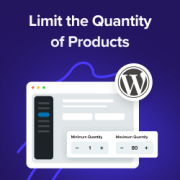
Ever noticed how some online stores seem to have the perfect balance – customers buy just the right amounts, popular items stay in stock longer, and everything runs smoothly? That’s not luck. It’s smart quantity management at work. Setting purchase limits might seem like a… Read More »
Running a WordPress agency means balancing two big tasks: keeping client sites running smoothly and clearly showing the work you do behind the scenes. The tricky part? Clients don’t always notice the updates, security checks, and performance tweaks that keep their website healthy — they… Read More »
Running into the “WordPress Database Error Disk Full” issue can be frustrating, especially when it prevents your site from functioning properly. This error usually happens when your server’s disk space is full, preventing WordPress from accessing or saving essential database files, which can slow down… Read More »
Imagine logging in to your WordPress dashboard and finding out that an important plugin is completely missing. It’s a stressful moment that can disrupt your workflow, especially if that plugin powers a contact form or sales page. At WPBeginner, we have helped countless users troubleshoot… Read More »
An SEO dashboard acts as your personal command center, giving you a clear view of your website’s SEO health. We use it daily to track our SEO progress, identify areas for improvement, and drive more organic traffic to our sites. Here at WPBeginner, we’re all… Read More »
Running a nonprofit often feels like a constant race to find new donors before resources run dry. Peer-to-peer fundraising solves this by empowering your most loyal supporters to raise money on your behalf. However, setting up the technical side of these individual campaign pages can… Read More »
Writing affiliate product reviews on your WordPress site allows you to earn money online. It can also help your audience make an informed decision about the product that you are reviewing. However, crafting a review that is both authentic and persuasive requires more than just… Read More »
There’s nothing more frustrating than clicking a link on your own site only to land on a “Page Not Found” error. It’s a small issue that can cause big problems, from confusing your visitors to hurting your hard-earned search engine rankings. Here at WPBeginner, we’ve… Read More »
Used to store interaction and conversion data for campaigns in conjunction with Revenue Attribution.
1 year
_gat_omTracker*
Set, controlled and used by Google Analytics to collect and store data and then send that data to Google Analytics. OptinMonster provides the name if there is no existing tracker found on that page.
-
omCountdown-{id}-{elementId}
Used for countdown elements {elementId} in campaigns {id} to determine when it should complete.
-
om-{id}-closed / omSlideClosed-{id}
Used specifically with slide-in campaigns {id} to determine if it has been closed or not by a visitor.
30 days
om-success-cookie / omSuccessCookie
Used to determine if a visitor has successfully opted in to any campaign on your site to unlock content when using our Content Locking feature.
365 days
om-success-{id} / omSuccess-{id}
Used to determine if a visitor has successfully opted in to a campaign with the ID of {id} on your site.
365 days
omSeen-{id}
Used to determine if a visitor has been shown a campaign by the slug.
30 days
om-{id}
Used to determine if a visitor has interacted with a campaign ID of {id} on your site.
30 days
_omappvs
Used to determine when a new visitor becomes a returning visitor.