WPBeginner WordPress tutorials help you learn WordPress, so you can improve your website. Our step by step WordPress tutorials are easy to understand and will help you follow the WordPress best practices. Don't waste your time buying WordPress books or outdated WordPress tutorial PDFs that cover just the basics. Our WordPress tutorials are written by experts with 15+ years of WordPress experience, and it contains real-life examples and tips that allows you to learn WordPress faster. We also keep our tutorials up to date.
You can find our other latest free WordPress tutorials below, and you can always use the search feature on our site to find helpful WordPress tutorials faster.
If you don't see a WordPress tutorial that you're looking for, then please reach out to your team and let us know. All our WordPress tutorial ideas are suggested by our users over the last 13+ years.
Want to make your WordPress site look more professional? A hero image is your best bet. A hero image is what people see first when they land on your site. And you’ve only got about 3 seconds to grab their attention, so it’s important to… Read More »
Creating recurring events on your WordPress site is a great way to save time and automate tasks. It helps streamline your events so you don’t have to create them repeatedly. With this approach, you can simply add an event once and have it automatically reoccur… Read More »
You have an HTML form ready to use, but adding it to WordPress turns into trial and error. The reason is simple: WordPress doesn’t handle forms the same way a regular HTML website does. If you just copy and paste the form code, it often… Read More »
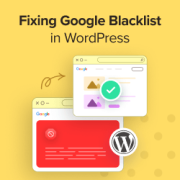
Seeing a ‘Deceptive Site Ahead’ warning on your own website is a scary experience. It usually means Google has flagged your site as unsafe for visitors. This can cause your traffic to drop instantly and hurt your reputation. Most people call this the Google Blacklist,… Read More »
More people than ever are using voice commands to find answers online instead of typing queries into a search bar. If your site isn’t optimized for these conversational searches, you could be missing out on a massive amount of traffic from smart speakers and mobile… Read More »
When we first started looking at Snapchat advertising for WooCommerce stores, we were amazed by how many businesses were running ads without proper pixel tracking. In fact, stores with correctly added Snapchat pixels typically see up to 30% better ad performance. The challenge isn’t just… Read More »
Have you ever created a detailed WordPress form, only to see your completion rates drop? Visitors glance at the long list of questions and bail. It’s frustrating, especially when you need that information. That’s where conditional logic comes in. 💡 It helps you show only… Read More »
Running members-only events in WordPress can be a powerful way to engage your community, generate revenue, and offer exclusive experiences. By restricting access to specific content and activities, you can create a sense of exclusivity and loyalty among your members. That said, WordPress doesn’t come… Read More »
It is frustrating to spend hours writing a blog post only to see it get zero traffic. You might feel like your hard work is going unnoticed by the very people you want to reach. The problem might not be your writing quality. It often… Read More »
The ‘Avoid an excessive DOM size’ warning in WordPress means your page has too many HTML elements, which slows it down. The best ways to fix this are by using a performance plugin like WP Rocket, optimizing how images and galleries are loaded, and choosing… Read More »
Used to store interaction and conversion data for campaigns in conjunction with Revenue Attribution.
1 year
_gat_omTracker*
Set, controlled and used by Google Analytics to collect and store data and then send that data to Google Analytics. OptinMonster provides the name if there is no existing tracker found on that page.
-
omCountdown-{id}-{elementId}
Used for countdown elements {elementId} in campaigns {id} to determine when it should complete.
-
om-{id}-closed / omSlideClosed-{id}
Used specifically with slide-in campaigns {id} to determine if it has been closed or not by a visitor.
30 days
om-success-cookie / omSuccessCookie
Used to determine if a visitor has successfully opted in to any campaign on your site to unlock content when using our Content Locking feature.
365 days
om-success-{id} / omSuccess-{id}
Used to determine if a visitor has successfully opted in to a campaign with the ID of {id} on your site.
365 days
omSeen-{id}
Used to determine if a visitor has been shown a campaign by the slug.
30 days
om-{id}
Used to determine if a visitor has interacted with a campaign ID of {id} on your site.
30 days
_omappvs
Used to determine when a new visitor becomes a returning visitor.