Often beginners get confused when trying to pick the right WordPress plugins for their needs. We frequently get questions like what is the best WordPress plugin to build an online store, add testimonials, accept payments, create a contact form, and so much more. Unlike other sites, our expert team at WPBeginner tests and review the best WordPress plugins for each task and create step-by-step installation guides to make your life easier. We do the research, so you don't have to.
If you're just getting started, then you may want to start with our popular WordPress plugin guides:
We also have a WPBeginner Solutions Center where we have our expert reviews and our community reviews of top WordPress plugins and tools.
You can find our other latest WordPress plugin guides below, and you can always use the search feature on our site to find helpful WordPress tutorials faster.
If you don't see a WordPress plugin guide that you're looking for, then please reach out to your team and let us know. All our WordPress content ideas are suggested by our users over the last 15+ years.
One of our readers recently asked how to display the latest YouTube videos on their WordPress site. It’s a great question, and we’ve got a simple solution. We regularly update our own YouTube channel with helpful WordPress tutorials here at WPBeginner. We’ve learned firsthand how… Read More »
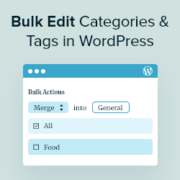
Do you want to merge and bulk edit categories and tags in WordPress? As your blog grows and changes, there may be some categories and tags that you no longer use. This clutter can make it more difficult for visitors to navigate your site and… Read More »
Here’s something that might surprise you: many WordPress users who try to add audio files to their site end up driving visitors away instead of engaging them. The culprit is usually huge files that slow down their sites, broken music players, and audio that refuses… Read More »
Most WordPress theme shops and marketplaces utilize a theme demo bar to make it easier for their users to preview themes. A theme demo bar is a toolbar that appears on top of a website with a theme selector menu. It allows you to create… Read More »
Sometimes, it’s more convenient to download an article as a PDF rather than bookmarking it or printing it out. This allows users to save content for offline reading or future reference. While many devices offer a “Save as PDF” option when printing, not all visitors… Read More »
At WPBeginner, we’ve been helping small businesses and non-profits create awesome websites for years. We’ve seen firsthand how tight budgets can make it challenging to invest in specialized software. This is especially true for libraries looking to digitize their collections and better serve their local… Read More »
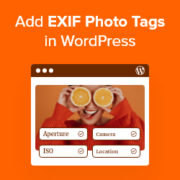
I remember staring at a folder of 500 edited photos, dreading the moment I had to upload them. It wasn’t the uploading that scared me. It was manually typing the aperture, shutter speed, and ISO for every single image caption. Sharing technical details helps your… Read More »
Have you ever lost a potential customer simply because they weren’t sure what your prices meant in their own currency? It’s a common problem for online stores that sell around the world. A currency converter solves this by letting visitors quickly check exchange rates without… Read More »
Plain WordPress comments can be hard to read. Visitors want to share their ideas or gain insights, but without simple formatting options, their key points, links, or emphasis can get lost in a wall of text. One of the easiest ways to fix this is… Read More »
If visitors can’t find what they’re looking for on your WordPress site, they’ll likely leave — even if you have exactly what they need. Unfortunately, the default WordPress search isn’t great at connecting people with your content. We’ve seen this happen to many site owners,… Read More »
Used to store interaction and conversion data for campaigns in conjunction with Revenue Attribution.
1 year
_gat_omTracker*
Set, controlled and used by Google Analytics to collect and store data and then send that data to Google Analytics. OptinMonster provides the name if there is no existing tracker found on that page.
-
omCountdown-{id}-{elementId}
Used for countdown elements {elementId} in campaigns {id} to determine when it should complete.
-
om-{id}-closed / omSlideClosed-{id}
Used specifically with slide-in campaigns {id} to determine if it has been closed or not by a visitor.
30 days
om-success-cookie / omSuccessCookie
Used to determine if a visitor has successfully opted in to any campaign on your site to unlock content when using our Content Locking feature.
365 days
om-success-{id} / omSuccess-{id}
Used to determine if a visitor has successfully opted in to a campaign with the ID of {id} on your site.
365 days
omSeen-{id}
Used to determine if a visitor has been shown a campaign by the slug.
30 days
om-{id}
Used to determine if a visitor has interacted with a campaign ID of {id} on your site.
30 days
_omappvs
Used to determine when a new visitor becomes a returning visitor.