Often beginners get confused when trying to pick the right WordPress plugins for their needs. We frequently get questions like what is the best WordPress plugin to build an online store, add testimonials, accept payments, create a contact form, and so much more. Unlike other sites, our expert team at WPBeginner tests and review the best WordPress plugins for each task and create step-by-step installation guides to make your life easier. We do the research, so you don't have to.
If you're just getting started, then you may want to start with our popular WordPress plugin guides:
We also have a WPBeginner Solutions Center where we have our expert reviews and our community reviews of top WordPress plugins and tools.
You can find our other latest WordPress plugin guides below, and you can always use the search feature on our site to find helpful WordPress tutorials faster.
If you don't see a WordPress plugin guide that you're looking for, then please reach out to your team and let us know. All our WordPress content ideas are suggested by our users over the last 15+ years.
Highlighting the most commented posts on your WordPress site can help visitors find your best content and increase pageviews. It can also encourage further discussion among your readers. On the WPBeginner blog, we have displayed the most commented posts and noticed a significant boost in… Read More »
Do you want to offer ebooks, spreadsheets, videos, and other free content but require visitors to tweet before they can download the file? If you offer file downloads on your WordPress site, then you too can add the pay with tweet feature to your site.… Read More »
Subtitles are that small text that appears right after your main headline. After blogging for years, we’ve found this to be a helpful element for encouraging users to dive deeper into our content. A well-crafted subtitle can provide that extra context or intrigue that turns… Read More »
As a WordPress site grows, managing comments can become more challenging than rewarding. Spam increases, meaningful discussions are harder to maintain, and the default comment system can start to feel limiting on busier sites. We ran into these same challenges ourselves, which led us to… Read More »
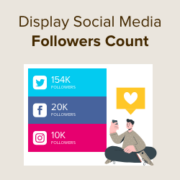
Displaying your social media follower count on your WordPress site can be a powerful way to boost your brand’s credibility. When visitors see that you have an established presence on platforms like Instagram, Twitter, or Facebook, it gives them confidence that your brand is trusted… Read More »
You’ve probably heard security experts emphasizing on using strong passwords and even forcing your users to do the same. What if we were to tell you that you no longer have to remember a complex strong password, and you can login to your WordPress site… Read More »
Do you want to set the WordPress featured image automatically? If you recently switched to a theme that uses thumbnails, then there may be lots of empty space on your homepage and blog pages. However, adding the missing featured images to your previous posts can… Read More »
All WordPress websites are capable of publishing RSS feeds. WordPress also has built-in support to fetch any RSS feed and display them on your site. You can simply go to Appearance » Widgets and drag the RSS widget to your sidebar, which will allow you… Read More »
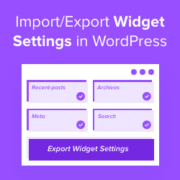
Ever spent hours perfecting your WordPress widget setup, only to realize you need to replicate it on another site? Or worse, lost all your carefully crafted widget settings during a theme change? We know firsthand how frustrating it can be to recreate widget configurations from… Read More »
Do you feel like your WordPress categories and tags are out of control? Many beginners start by creating new categories for every post, only to realize later that their site structure is a mess. In my experience, a disorganized site makes it hard for visitors… Read More »
Used to store interaction and conversion data for campaigns in conjunction with Revenue Attribution.
1 year
_gat_omTracker*
Set, controlled and used by Google Analytics to collect and store data and then send that data to Google Analytics. OptinMonster provides the name if there is no existing tracker found on that page.
-
omCountdown-{id}-{elementId}
Used for countdown elements {elementId} in campaigns {id} to determine when it should complete.
-
om-{id}-closed / omSlideClosed-{id}
Used specifically with slide-in campaigns {id} to determine if it has been closed or not by a visitor.
30 days
om-success-cookie / omSuccessCookie
Used to determine if a visitor has successfully opted in to any campaign on your site to unlock content when using our Content Locking feature.
365 days
om-success-{id} / omSuccess-{id}
Used to determine if a visitor has successfully opted in to a campaign with the ID of {id} on your site.
365 days
omSeen-{id}
Used to determine if a visitor has been shown a campaign by the slug.
30 days
om-{id}
Used to determine if a visitor has interacted with a campaign ID of {id} on your site.
30 days
_omappvs
Used to determine when a new visitor becomes a returning visitor.