Often beginners get confused when trying to pick the right WordPress plugins for their needs. We frequently get questions like what is the best WordPress plugin to build an online store, add testimonials, accept payments, create a contact form, and so much more. Unlike other sites, our expert team at WPBeginner tests and review the best WordPress plugins for each task and create step-by-step installation guides to make your life easier. We do the research, so you don't have to.
If you're just getting started, then you may want to start with our popular WordPress plugin guides:
We also have a WPBeginner Solutions Center where we have our expert reviews and our community reviews of top WordPress plugins and tools.
You can find our other latest WordPress plugin guides below, and you can always use the search feature on our site to find helpful WordPress tutorials faster.
If you don't see a WordPress plugin guide that you're looking for, then please reach out to your team and let us know. All our WordPress content ideas are suggested by our users over the last 15+ years.
You spend all this time creating content for your WordPress blog, people finally start leaving comments… and then they disappear. That’s the tricky part. The readers who are most interested (the ones who actually comment) don’t really have a clear next step. One helpful trick… Read More »
Website security shouldn’t feel complicated or overwhelming. A good WordPress firewall plugin quietly protects your site in the background, so you can focus on growing your business instead of worrying about attacks. A firewall blocks common website threats before they can affect your website. However,… Read More »
Building a strong social media presence for your WordPress site starts with choosing the right tools. At WPBeginner, we actively share our content across platforms like Instagram, YouTube, and X (Twitter), and we also run a Facebook group with over 98,000 members. Over time, we’ve… Read More »
Here at WPBeginner, we regularly optimize our database to ensure our site runs at peak speed. A cluttered database can drag down your performance and hurt your search rankings. When spam comments and old post revisions pile up, your pages take much longer to load.… Read More »
Securing your WordPress website is essential in today’s digital world. One of the best ways to protect your site from hackers is by using the Wordfence security plugin. Wordfence is a widely used plugin that offers robust security features to keep your site safe. It… Read More »
A growing content library usually means your WordPress site is doing well, but it can quickly become a headache for your visitors. When you have hundreds of posts, finding one specific tutorial or guide feels impossible. We’ve managed some large-scale blogs where readers were leaving… Read More »
I once managed a site where my Spanish articles kept ranking for English search terms. It confused our visitors and created a massive headache for our SEO efforts. That is when I discovered hreflang tags, which act like a GPS for search engines. They point… Read More »
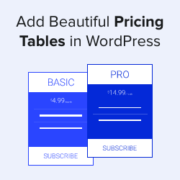
Adding beautiful pricing tables that are easy to scan allows users to select the right product and simplifies the decision-making process. Several of our partner brands offer different pricing plans and have created pricing tables to showcase them. They make their tables visually appealing with… Read More »
I remember the first time I tried to customize a WordPress login page. It was for a friend’s membership site, and the default WordPress login screen just didn’t align with their brand. I wanted a solution that was both visually appealing and easy to use.… Read More »
Used to store interaction and conversion data for campaigns in conjunction with Revenue Attribution.
1 year
_gat_omTracker*
Set, controlled and used by Google Analytics to collect and store data and then send that data to Google Analytics. OptinMonster provides the name if there is no existing tracker found on that page.
-
omCountdown-{id}-{elementId}
Used for countdown elements {elementId} in campaigns {id} to determine when it should complete.
-
om-{id}-closed / omSlideClosed-{id}
Used specifically with slide-in campaigns {id} to determine if it has been closed or not by a visitor.
30 days
om-success-cookie / omSuccessCookie
Used to determine if a visitor has successfully opted in to any campaign on your site to unlock content when using our Content Locking feature.
365 days
om-success-{id} / omSuccess-{id}
Used to determine if a visitor has successfully opted in to a campaign with the ID of {id} on your site.
365 days
omSeen-{id}
Used to determine if a visitor has been shown a campaign by the slug.
30 days
om-{id}
Used to determine if a visitor has interacted with a campaign ID of {id} on your site.
30 days
_omappvs
Used to determine when a new visitor becomes a returning visitor.