Often beginners get confused when trying to pick the right WordPress plugins for their needs. We frequently get questions like what is the best WordPress plugin to build an online store, add testimonials, accept payments, create a contact form, and so much more. Unlike other sites, our expert team at WPBeginner tests and review the best WordPress plugins for each task and create step-by-step installation guides to make your life easier. We do the research, so you don't have to.
If you're just getting started, then you may want to start with our popular WordPress plugin guides:
We also have a WPBeginner Solutions Center where we have our expert reviews and our community reviews of top WordPress plugins and tools.
You can find our other latest WordPress plugin guides below, and you can always use the search feature on our site to find helpful WordPress tutorials faster.
If you don't see a WordPress plugin guide that you're looking for, then please reach out to your team and let us know. All our WordPress content ideas are suggested by our users over the last 15+ years.
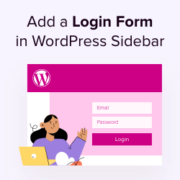
Have you ever noticed how frustrating it is when you have to hunt for the login page on a website? A simple login form in the sidebar can fix that problem on your WordPress website by letting people sign in from anywhere. For eCommerce stores,… Read More »
Analytics help you discover how people find and use your website. This way, you can keep them coming back. When you add a stats dashboard to your WordPress admin area, you can get a clearer view of who uses your site without having to load… Read More »
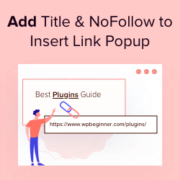
We add a title attribute to every link and a nofollow tag to specific external links on WPBeginner. These small tweaks give visitors a helpful preview of where a link goes and guide search engines on handling our site’s authority. By default, WordPress doesn’t include… Read More »
Normally, you can only sell single-user subscriptions on a membership website. However, you may want to sell group memberships so that businesses can easily add all their team members to the same account. Over the years, we’ve sold different types of memberships to users. We’ve… Read More »
One of the most common questions we hear from WordPress users is: “I want to customize my theme, but I don’t know which file to edit.” And honestly, that confusion makes total sense. Editing the wrong file can break your site or cause your changes… Read More »
Every day, potential customers are deciding whether to visit your business or go somewhere else. Often, that decision comes down to convenience – how easy is it to find you, get directions, and confirm if you’re open? A well-designed Google Maps store locator removes all… Read More »
We’ve been running our own video membership website for the past few years, and it has helped us grow our email list significantly. That being said, not all membership sites have the same needs. For example, we’ve found that some membership sites should not release… Read More »
Do you want your website visitors to stick around longer? If they can’t quickly find the specific answer they are looking for, they will often leave your site. Adding a table of contents (TOC) solves this problem instantly. It acts as a roadmap for your… Read More »
Referral marketing is one of the most effective ways to grow your WordPress site — especially when you make it easy for users to invite their friends. The challenge is, most WordPress invite systems are clunky, difficult to manage, or prone to spam. After testing… Read More »
Clear navigation is the foundation of a great website experience. When visitors can easily understand where each link will take them, they feel more confident exploring your content. External link icons make this possible by providing instant visual feedback about outbound links. These tiny indicators… Read More »
Used to store interaction and conversion data for campaigns in conjunction with Revenue Attribution.
1 year
_gat_omTracker*
Set, controlled and used by Google Analytics to collect and store data and then send that data to Google Analytics. OptinMonster provides the name if there is no existing tracker found on that page.
-
omCountdown-{id}-{elementId}
Used for countdown elements {elementId} in campaigns {id} to determine when it should complete.
-
om-{id}-closed / omSlideClosed-{id}
Used specifically with slide-in campaigns {id} to determine if it has been closed or not by a visitor.
30 days
om-success-cookie / omSuccessCookie
Used to determine if a visitor has successfully opted in to any campaign on your site to unlock content when using our Content Locking feature.
365 days
om-success-{id} / omSuccess-{id}
Used to determine if a visitor has successfully opted in to a campaign with the ID of {id} on your site.
365 days
omSeen-{id}
Used to determine if a visitor has been shown a campaign by the slug.
30 days
om-{id}
Used to determine if a visitor has interacted with a campaign ID of {id} on your site.
30 days
_omappvs
Used to determine when a new visitor becomes a returning visitor.