Are you a WordPress beginner who is wondering what is managed WordPress hosting? During your research, you probably came across numerous providers and found that prices of managed WordPress hosting is quite higher than the average shared hosting which you can get for as low… Read More »
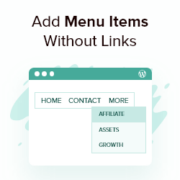
We are often asked by our users if there is a way to add titles to the WordPress menu without adding a link. Over the years, we’ve helped thousands of users get started with WordPress. Setting up a menu is one of the most important… Read More »
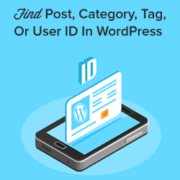
Have you ever found yourself in a situation where you had to find a WordPress page ID, post ID, category ID, tag ID, comment ID, or user ID? While working on WordPress, you may need these IDs to add certain features to your website. An… Read More »
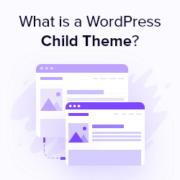
‘WordPress child theme’ – it’s a term you’ve probably heard, but what does it really mean for your website? Many WordPress users, especially those just starting out, aren’t sure if they should be using child themes or not. Over the years, we’ve worked with countless… Read More »
Finding the perfect image for a blog post can take hours. You want your site to look professional, but expensive stock photo subscriptions are often out of budget. Worse yet, accidentally using a copyrighted image can lead to scary legal notices and fines. At WPBeginner,… Read More »
One of the first, and most confusing, decisions a new website owner faces is choosing between WordPress.com and WordPress.org. We get this question all the time from readers, and we completely understand the uncertainty. The names are nearly identical, but choosing between them is like… Read More »
If you’ve ever struggled with a WordPress problem, you know how frustrating it can be. But here’s the thing: in the open-source world of WordPress, how you ask for help can make a huge difference. It can mean the difference between quick, helpful answers and… Read More »
Uploading videos directly to WordPress might seem convenient, but it often slows your site, eats up storage, and can hurt your SEO, leaving you frustrated and your visitors waiting. You don’t have to compromise performance to share video content. The smarter approach is simple: host… Read More »
We still remember how shocked we were when we first discovered WordPress back in 2008. Like many, we couldn’t believe such a powerful website platform was completely free! After building tons of WordPress sites and helping thousands of people through WPBeginner, we’ve heard this same… Read More »
You try to log in to your WordPress site. Wrong password. You click “Lost your password?” No email. Now you’re worried you might lose access to your entire site. The good news is that you’re not stuck. WordPress actually gives you several reliable ways to… Read More »
Used to store interaction and conversion data for campaigns in conjunction with Revenue Attribution.
1 year
_gat_omTracker*
Set, controlled and used by Google Analytics to collect and store data and then send that data to Google Analytics. OptinMonster provides the name if there is no existing tracker found on that page.
-
omCountdown-{id}-{elementId}
Used for countdown elements {elementId} in campaigns {id} to determine when it should complete.
-
om-{id}-closed / omSlideClosed-{id}
Used specifically with slide-in campaigns {id} to determine if it has been closed or not by a visitor.
30 days
om-success-cookie / omSuccessCookie
Used to determine if a visitor has successfully opted in to any campaign on your site to unlock content when using our Content Locking feature.
365 days
om-success-{id} / omSuccess-{id}
Used to determine if a visitor has successfully opted in to a campaign with the ID of {id} on your site.
365 days
omSeen-{id}
Used to determine if a visitor has been shown a campaign by the slug.
30 days
om-{id}
Used to determine if a visitor has interacted with a campaign ID of {id} on your site.
30 days
_omappvs
Used to determine when a new visitor becomes a returning visitor.