Sticky posts in WordPress are a hidden gem. And adding one requires just a simple trick with powerful results. When used strategically, sticky posts can keep important content at the top of your blog. This ensures your key messages always get noticed and helps boost… Read More »
Did you notice the scroll bar in your WordPress editor is missing? Recently one of our users asked if it was possible to disable the full-height post editor in WordPress and bring back the scroll bar. In this article, we will show you how to… Read More »
Facebook likes serve as social proof for your online business, which can attract more users and help you expand your social reach. Plus, you can gain more of a Facebook audience even when users aren’t actively using the social network. Over the years, we’ve grown… Read More »
Deciding when to change your WordPress hosting provider can be challenging, especially if you’re unsure of the signs to look for. Many users stay with a hosting provider despite issues simply because they don’t know when it’s time to switch. Problems like poor customer support,… Read More »
For years, people have asked us about the secret to building an engaged online community with WordPress. The answer always starts with the same foundation: proper user registration. It’s something we learned early on while growing WPBeginner into the largest WordPress resource site today. Along… Read More »
WordPress has a few default date and time formats that you can choose from. If you are not happy with these options, then you can also create a custom format for your website. Whether you are running a blog, a business site, or an online… Read More »
At WPBeginner, we moderate dozens of WordPress comments every day. One thing we’ve learned is that a well-managed comment section doesn’t just spark conversations – it protects your site, boosts trust, and keeps readers coming back. But getting everything set up the right way can… Read More »
When you’re launching a new website, every decision feels huge. We remember staring at the screen wondering if we should use ‘www’ in our domain, worried that the wrong choice could hurt our SEO from day one. After building and growing many successful websites here… Read More »
Sometimes, you need to share a WordPress page without making it public. Maybe you’re working on a draft that isn’t ready yet, or you want to give a client or subscriber exclusive access. The challenge is finding a way to keep that content private while… Read More »
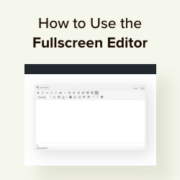
We’ve found that writing great content is much easier when you have a clean, focused workspace. When there are too many buttons and sidebars on the screen, it is easy to get distracted and lose your train of thought. The Distraction-Free Fullscreen Editor in WordPress… Read More »
Used to store interaction and conversion data for campaigns in conjunction with Revenue Attribution.
1 year
_gat_omTracker*
Set, controlled and used by Google Analytics to collect and store data and then send that data to Google Analytics. OptinMonster provides the name if there is no existing tracker found on that page.
-
omCountdown-{id}-{elementId}
Used for countdown elements {elementId} in campaigns {id} to determine when it should complete.
-
om-{id}-closed / omSlideClosed-{id}
Used specifically with slide-in campaigns {id} to determine if it has been closed or not by a visitor.
30 days
om-success-cookie / omSuccessCookie
Used to determine if a visitor has successfully opted in to any campaign on your site to unlock content when using our Content Locking feature.
365 days
om-success-{id} / omSuccess-{id}
Used to determine if a visitor has successfully opted in to a campaign with the ID of {id} on your site.
365 days
omSeen-{id}
Used to determine if a visitor has been shown a campaign by the slug.
30 days
om-{id}
Used to determine if a visitor has interacted with a campaign ID of {id} on your site.
30 days
_omappvs
Used to determine when a new visitor becomes a returning visitor.