Over the years, we’ve helped thousands of beginners launch their first websites through WPBeginner. The most common reaction we hear is, “I wish I knew it could be this easy!” Many people put off creating their websites because they think they need technical skills or… Read More »
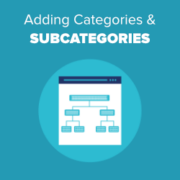
In WordPress, your posts can be organized into different categories and tags. You can even create subcategories for further organization. Using categories and subcategories can help your readers find the content they’re most interested in and improve your website’s SEO rankings. Over the past 16… Read More »
WordPress comes with a built-in user management system. This lets you add users with different roles and permission levels. In our 16+ years of experience managing a successful WordPress blog, we’ve added multiple new users and authors. The process has now become very simple, and… Read More »
When we first started WPBeginner, one of the most useful features on our site was the blogroll – a curated list of resources that helped our readers discover other valuable WordPress content. Today, we still use blogrolls across our sites to share partner links and… Read More »
Thinking about starting a side business online this year, but not sure where to begin? Many of our most successful projects didn’t start with big budgets or complicated ideas. Instead, they started with simple websites that solved a clear problem and slowly turned into reliable… Read More »
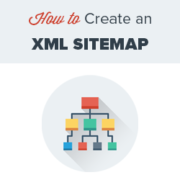
Imagine writing the perfect blog post, but nobody reads it simply because Google doesn’t know it exists. This is a common fear for many website owners, but the solution is simpler than you might think. You need a way to tell search engines exactly where… Read More »
We’ve all had that sinking feeling after deleting a page by mistake. It happens in a flash, and suddenly, an important page or product disappears. And it’s not just beginners. Even experienced WordPress users can make this mistake. That’s why we always remind beginners that… Read More »
Moving your WordPress site can be challenging, especially for beginners. Whether you’re switching to a new hosting provider, creating a staging site for development, or simply wanting a backup, exporting your site is the first crucial step. However, exporting your WordPress site is easier than… Read More »
We’re often asked by beginners: what is VoIP and how does VoIP work? If you’re a non-techy user, then you may have heard that you could use VoIP to add a business phone number for your website. VoIP is a more cost-effective way to get… Read More »
It can be disheartening to build a new website only to find it’s invisible on Google. We get this question a lot, and it often comes down to one simple step many beginners miss. At WPBeginner, we learned early on that you have to tell… Read More »
Used to store interaction and conversion data for campaigns in conjunction with Revenue Attribution.
1 year
_gat_omTracker*
Set, controlled and used by Google Analytics to collect and store data and then send that data to Google Analytics. OptinMonster provides the name if there is no existing tracker found on that page.
-
omCountdown-{id}-{elementId}
Used for countdown elements {elementId} in campaigns {id} to determine when it should complete.
-
om-{id}-closed / omSlideClosed-{id}
Used specifically with slide-in campaigns {id} to determine if it has been closed or not by a visitor.
30 days
om-success-cookie / omSuccessCookie
Used to determine if a visitor has successfully opted in to any campaign on your site to unlock content when using our Content Locking feature.
365 days
om-success-{id} / omSuccess-{id}
Used to determine if a visitor has successfully opted in to a campaign with the ID of {id} on your site.
365 days
omSeen-{id}
Used to determine if a visitor has been shown a campaign by the slug.
30 days
om-{id}
Used to determine if a visitor has interacted with a campaign ID of {id} on your site.
30 days
_omappvs
Used to determine when a new visitor becomes a returning visitor.