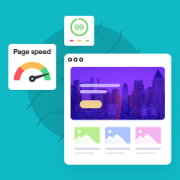
It is incredibly frustrating when your website takes forever to load. You run a speed test, only to be met with a confusing jumble of technical jargon that leaves you wondering where to even start. After helping thousands of WordPress users over the last decade,… Read More »
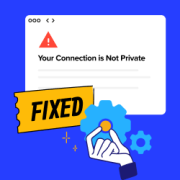
The “Your Connection is Not Private” error can be frustrating for both website owners and visitors because it blocks access to your site and raises security concerns. This error is displayed when the browser is not able to determine the security of the website you… Read More »
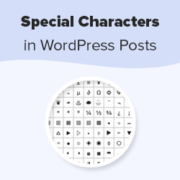
Special characters can transform your WordPress content from ordinary to professional. At WPBeginner, we often use a special character (») in our blog posts to guide readers through specific pages or tabs, like directing them to the Plugins » Installed Plugins page. This symbol makes… Read More »
You’ve just launched your new WordPress site, but it doesn’t appear in the results when you search for it on Google. That feeling of confusion and frustration is something we’ve heard about from thousands of our readers. They often wonder if they missed a critical… Read More »
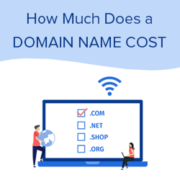
Finding the perfect domain name for your new idea is an exciting first step. But when you get to the checkout page, it’s easy to feel a bit of sticker shock from unexpected fees and add-ons. It’s one of the most common questions we get… Read More »
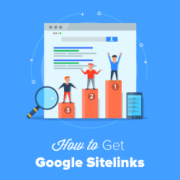
Seeing extra links appear under a main Google search result makes any brand look instantly official. Many website owners feel frustrated trying to figure out how to claim this prime search real estate for themselves. Earning these sitelinks might seem confusing, but they are a… Read More »
When we first started building our email list, we made the classic beginner mistake of adding just a single “Subscribe” form and hoping for the best. Spoiler alert: it didn’t work. It took years of testing and fine-tuning to figure out what actually drives email… Read More »
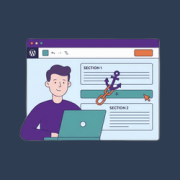
Ever opened a long WordPress post and felt a little lost trying to find what you needed? We’ve all been there. It can be frustrating to scroll through walls of text just to get to the part that matters to you. That’s exactly why we… Read More »
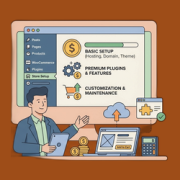
Knowing how much it costs to build an eCommerce website helps you plan your budget and avoid surprises when starting an online business. The tricky part is that eCommerce costs are not one-size-fits-all. Hosting, design, payments, and tools all add up, and without a clear… Read More »
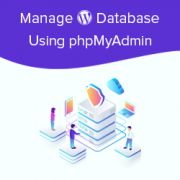
One of our top recommendations for WordPress users is to learn how to maintain their WordPress databases. WordPress is written using PHP as its scripting language and MySQL as its database management system. In order to use WordPress, you don’t really need to learn either… Read More »
Used to store interaction and conversion data for campaigns in conjunction with Revenue Attribution.
1 year
_gat_omTracker*
Set, controlled and used by Google Analytics to collect and store data and then send that data to Google Analytics. OptinMonster provides the name if there is no existing tracker found on that page.
-
omCountdown-{id}-{elementId}
Used for countdown elements {elementId} in campaigns {id} to determine when it should complete.
-
om-{id}-closed / omSlideClosed-{id}
Used specifically with slide-in campaigns {id} to determine if it has been closed or not by a visitor.
30 days
om-success-cookie / omSuccessCookie
Used to determine if a visitor has successfully opted in to any campaign on your site to unlock content when using our Content Locking feature.
365 days
om-success-{id} / omSuccess-{id}
Used to determine if a visitor has successfully opted in to a campaign with the ID of {id} on your site.
365 days
omSeen-{id}
Used to determine if a visitor has been shown a campaign by the slug.
30 days
om-{id}
Used to determine if a visitor has interacted with a campaign ID of {id} on your site.
30 days
_omappvs
Used to determine when a new visitor becomes a returning visitor.