The most experienced team of WordPress experts and educators.
Over 16+ years of WordPress and web development experience.
The team that advises some of the largest WordPress plugins in the industry used by over 25 million websites.
Led by WPBeginner founder, Syed Balkhi, a well-respected WordPress expert.
Experience
Our editorial staff includes a dedicated team of programmers, writers, video creators, and editors with over 16 years of experience in WordPress, web hosting, eCommerce, SEO, and online marketing.
Our editorial team manages every piece of content we publish at WPBeginner. Unlike other copycat tutorial websites, every person in our team is a true WordPress practitioner. You can learn more about our Editorial Process here.
The team is led by the most well-known and well-respected WordPress expert in the world, Syed Balkhi. He graduated from University of Florida and have been building WordPress websites since 2006.
Syed is also the founder of some of the most popular WordPress plugins in the market.
About WPBeginner
WPBeginner is the largest free WordPress resource for beginners to learn WordPress. We are part of the Awesome Motive family and reach over 100 million visitors every year. Our content is fact checked and reviewed by our Editorial team for accuracy and integrity. You can learn more about us and our editorial process.
When our website first started growing, we found it difficult to manage the expanding user base. This became even more challenging as the number of team members grew, and we expanded our WordPress website to offer memberships. That’s when we started turning to WordPress user… Read More »
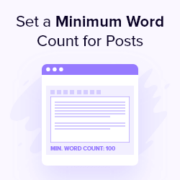
Here’s something we learned the hard way at WPBeginner: a minimum word count makes a real difference in content quality. When our writers know a post needs to hit a certain length, they naturally dig deeper into the topic instead of skimming the surface, and… Read More »
Are you tired of relying on platforms like Substack to run your paid newsletter? As website owners who have built dozens of subscription-based sites ourselves, we’ve discovered that creating your own paid newsletter system gives you complete control and helps you keep more of your… Read More »
We still remember the excitement of building WPBeginner — a small tech blog that grew into something much bigger. Since then, we’ve used WordPress to create business websites, online stores, membership sites, portfolios, and even full communities. If you have an idea you care about,… Read More »
As a team that manages multiple WordPress sites, we know how frustrating it can be to keep track of posts waiting for review. When we first started, we’d constantly have to log in and check the dashboard to see if any new content needed our… Read More »
Facebook is one of the largest social media sites in the world, with almost 3 billion active users. By sharing your blog posts on Facebook, you can drive more visitors to your site and get more pageviews. At WPBeginner, we understand the power of social… Read More »
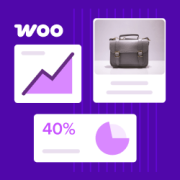
Running an online store means making decisions based on real data, but WooCommerce’s built-in reports often don’t give you the full picture. It can feel difficult to understand where your sales are coming from, which products are performing well, and what’s actually driving growth. That’s… Read More »
Are you having trouble sending emails from your WordPress site? Well, you’re not alone. Sometimes, when your WordPress site tries to send emails, they don’t always go to your users’ inboxes. That can be pretty annoying, but AWS SES (Amazon Simple Email Service) can help.… Read More »
Integrating WordPress with a customer relationship management (CRM) tool allows you to easily manage customer interactions on your website and follow up with leads. This will let you improve customer interaction, nurture leads, and provide better customer service. At WPBeginner, we use a combination of… Read More »
One of the things we love about WordPress is that it comes with a simple but powerful user management system. Each user has different capabilities based on their assigned role, which makes it easy to control access across your site. However, there are times when… Read More »
Used to store interaction and conversion data for campaigns in conjunction with Revenue Attribution.
1 year
_gat_omTracker*
Set, controlled and used by Google Analytics to collect and store data and then send that data to Google Analytics. OptinMonster provides the name if there is no existing tracker found on that page.
-
omCountdown-{id}-{elementId}
Used for countdown elements {elementId} in campaigns {id} to determine when it should complete.
-
om-{id}-closed / omSlideClosed-{id}
Used specifically with slide-in campaigns {id} to determine if it has been closed or not by a visitor.
30 days
om-success-cookie / omSuccessCookie
Used to determine if a visitor has successfully opted in to any campaign on your site to unlock content when using our Content Locking feature.
365 days
om-success-{id} / omSuccess-{id}
Used to determine if a visitor has successfully opted in to a campaign with the ID of {id} on your site.
365 days
omSeen-{id}
Used to determine if a visitor has been shown a campaign by the slug.
30 days
om-{id}
Used to determine if a visitor has interacted with a campaign ID of {id} on your site.
30 days
_omappvs
Used to determine when a new visitor becomes a returning visitor.