The most experienced team of WordPress experts and educators.
Over 16+ years of WordPress and web development experience.
The team that advises some of the largest WordPress plugins in the industry used by over 25 million websites.
Led by WPBeginner founder, Syed Balkhi, a well-respected WordPress expert.
Experience
Our editorial staff includes a dedicated team of programmers, writers, video creators, and editors with over 16 years of experience in WordPress, web hosting, eCommerce, SEO, and online marketing.
Our editorial team manages every piece of content we publish at WPBeginner. Unlike other copycat tutorial websites, every person in our team is a true WordPress practitioner. You can learn more about our Editorial Process here.
The team is led by the most well-known and well-respected WordPress expert in the world, Syed Balkhi. He graduated from University of Florida and have been building WordPress websites since 2006.
Syed is also the founder of some of the most popular WordPress plugins in the market.
About WPBeginner
WPBeginner is the largest free WordPress resource for beginners to learn WordPress. We are part of the Awesome Motive family and reach over 100 million visitors every year. Our content is fact checked and reviewed by our Editorial team for accuracy and integrity. You can learn more about us and our editorial process.
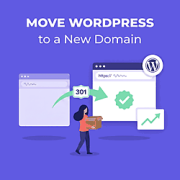
Moving your WordPress site to a new domain can feel risky. You don’t want to lose your hard-earned SEO rankings, and you need to make sure visitors who use your old domain are automatically sent to the new one. In this guide, we will show… Read More »
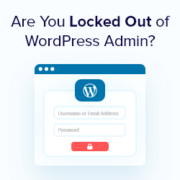
One of the most common issues that our readers have is being locked out of their WordPress admin areas. This can be caused by a lot of different reasons, which makes it tricky for beginners to troubleshoot. Fortunately, we have 16+ years of experience troubleshooting… Read More »
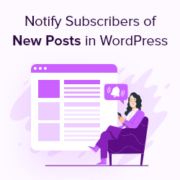
Keeping your website subscribers informed about the latest posts on your WordPress blog is a powerful way to maintain engagement and foster a loyal community. You create opportunities to draw them back to your site, encouraging them to explore and interact with your latest content.… Read More »
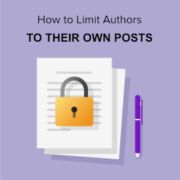
At WPBeginner, we typically customize the user roles on our websites. We find that when you only allow users to perform tasks that are necessary for their role, you reduce the chance of errors and improve website security. Some of our readers have asked if… Read More »
We’ve investigated a lot of different ways to make money online, from blogging and affiliate marketing to reseller hosting. Although we don’t offer reseller hosting from our own business, we think it can be a great fit for web designers, developers, and agencies. Reseller hosting… Read More »
It happens more often than you’d think: a visitor uses your site’s search bar, but gets no results, even though the content is definitely there. So what’s the problem? By default, WordPress search is pretty limited. It only looks at post titles and the main… Read More »
At some point, many online businesses outgrow their eCommerce platform. For Shopify store owners, that often means wanting more flexibility, lower costs, or greater control over their store and data. That’s where WooCommerce comes in. The challenge is moving your products, customers, and orders without… Read More »
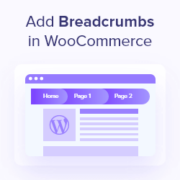
Have you ever wandered through a massive store, losing track of where you started and how to get back to the main aisle? Navigating a large online store can feel the same way. Breadcrumbs are small navigational trails that show you the path you’ve taken… Read More »
You publish new posts, see comments come in, and maybe even notice more people subscribing to your site. But when you try to see who’s actually following your WordPress site, there’s no clear answer. This is a common frustration for WordPress users. The platform doesn’t… Read More »
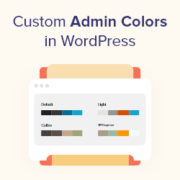
While the default WordPress admin color scheme is functional, it can feel a bit uninspired. So, you may want to change the admin color scheme in WordPress. Changing the color scheme of the WordPress admin lets you create a custom dashboard for you and your… Read More »
Used to store interaction and conversion data for campaigns in conjunction with Revenue Attribution.
1 year
_gat_omTracker*
Set, controlled and used by Google Analytics to collect and store data and then send that data to Google Analytics. OptinMonster provides the name if there is no existing tracker found on that page.
-
omCountdown-{id}-{elementId}
Used for countdown elements {elementId} in campaigns {id} to determine when it should complete.
-
om-{id}-closed / omSlideClosed-{id}
Used specifically with slide-in campaigns {id} to determine if it has been closed or not by a visitor.
30 days
om-success-cookie / omSuccessCookie
Used to determine if a visitor has successfully opted in to any campaign on your site to unlock content when using our Content Locking feature.
365 days
om-success-{id} / omSuccess-{id}
Used to determine if a visitor has successfully opted in to a campaign with the ID of {id} on your site.
365 days
omSeen-{id}
Used to determine if a visitor has been shown a campaign by the slug.
30 days
om-{id}
Used to determine if a visitor has interacted with a campaign ID of {id} on your site.
30 days
_omappvs
Used to determine when a new visitor becomes a returning visitor.