The most experienced team of WordPress experts and educators.
Over 16+ years of WordPress and web development experience.
The team that advises some of the largest WordPress plugins in the industry used by over 25 million websites.
Led by WPBeginner founder, Syed Balkhi, a well-respected WordPress expert.
Experience
Our editorial staff includes a dedicated team of programmers, writers, video creators, and editors with over 16 years of experience in WordPress, web hosting, eCommerce, SEO, and online marketing.
Our editorial team manages every piece of content we publish at WPBeginner. Unlike other copycat tutorial websites, every person in our team is a true WordPress practitioner. You can learn more about our Editorial Process here.
The team is led by the most well-known and well-respected WordPress expert in the world, Syed Balkhi. He graduated from University of Florida and have been building WordPress websites since 2006.
Syed is also the founder of some of the most popular WordPress plugins in the market.
About WPBeginner
WPBeginner is the largest free WordPress resource for beginners to learn WordPress. We are part of the Awesome Motive family and reach over 100 million visitors every year. Our content is fact checked and reviewed by our Editorial team for accuracy and integrity. You can learn more about us and our editorial process.
WordPress search works great for posts and pages, but it completely ignores comments. That’s a problem if your blog gets thoughtful replies, helpful tips, or long discussions. Readers might remember a comment, not the post it was on, and there’s no easy way to find… Read More »
Many WordPress users have shared horror stories of lost data, hacked sites, and the frustration of not having a reliable backup when they needed it most. We get it. The thought of losing your hard work is terrifying, and the technical jargon around backups can… Read More »
Have you ever wished your WordPress menu could be smarter? Maybe you want to show different navigation options to logged-in members, or display specific menu items only on certain pages. By default, WordPress shows the same static menu to everyone, which can make your site… Read More »
Feeling like your WordPress site isn’t quite capturing the look or feel you’re going for? If you put a lot of care into your content, it only makes sense to give the design that same attention. Sometimes, a small tweak, like updating your fonts, can… Read More »
When you first look at your WordPress files and folders, it can seem like a confusing maze. It’s natural to worry that one wrong click could bring your entire website crashing down. Our team has worked with thousands of WordPress sites, so we understand that… Read More »
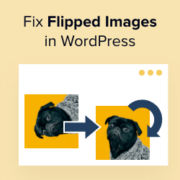
Do you want to fix upside down or flipped images in WordPress? When you upload images from mobile devices, these images may occasionally appear flipped or upside down in the WordPress media library. This seems to happen most often when you upload images from iPhone… Read More »
Do you want to allow users to attach images and files in WordPress comments? Images and comments are both powerful tools to boost user engagement on your WordPress site. Depending on your site’s niche and target audience, allowing visitors to upload images in comments can… Read More »
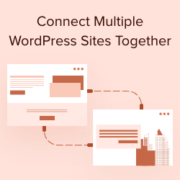
Managing multiple WordPress sites can be a smart move for your business. It allows you to target different customer groups and keep your main site secure. But linking these sites and making them work together can be a bit challenging. Don’t worry—it’s easier than you… Read More »
Building a WordPress website used to mean working around your theme’s limits. You might like the overall design, but the header, footer, or layout never quite matched what you had in mind. Full Site Editing (FSE) changed that. With FSE, you can customize every part… Read More »
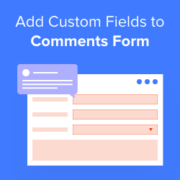
Have you noticed how the default WordPress comment form only asks for a name, email, website, and a message? That’s fine for simple blogs, but it can feel limiting when you want more context from readers. For example, if you run a review site, you… Read More »
Used to store interaction and conversion data for campaigns in conjunction with Revenue Attribution.
1 year
_gat_omTracker*
Set, controlled and used by Google Analytics to collect and store data and then send that data to Google Analytics. OptinMonster provides the name if there is no existing tracker found on that page.
-
omCountdown-{id}-{elementId}
Used for countdown elements {elementId} in campaigns {id} to determine when it should complete.
-
om-{id}-closed / omSlideClosed-{id}
Used specifically with slide-in campaigns {id} to determine if it has been closed or not by a visitor.
30 days
om-success-cookie / omSuccessCookie
Used to determine if a visitor has successfully opted in to any campaign on your site to unlock content when using our Content Locking feature.
365 days
om-success-{id} / omSuccess-{id}
Used to determine if a visitor has successfully opted in to a campaign with the ID of {id} on your site.
365 days
omSeen-{id}
Used to determine if a visitor has been shown a campaign by the slug.
30 days
om-{id}
Used to determine if a visitor has interacted with a campaign ID of {id} on your site.
30 days
_omappvs
Used to determine when a new visitor becomes a returning visitor.