The most experienced team of WordPress experts and educators.
Over 16+ years of WordPress and web development experience.
The team that advises some of the largest WordPress plugins in the industry used by over 25 million websites.
Led by WPBeginner founder, Syed Balkhi, a well-respected WordPress expert.
Experience
Our editorial staff includes a dedicated team of programmers, writers, video creators, and editors with over 16 years of experience in WordPress, web hosting, eCommerce, SEO, and online marketing.
Our editorial team manages every piece of content we publish at WPBeginner. Unlike other copycat tutorial websites, every person in our team is a true WordPress practitioner. You can learn more about our Editorial Process here.
The team is led by the most well-known and well-respected WordPress expert in the world, Syed Balkhi. He graduated from University of Florida and have been building WordPress websites since 2006.
Syed is also the founder of some of the most popular WordPress plugins in the market.
About WPBeginner
WPBeginner is the largest free WordPress resource for beginners to learn WordPress. We are part of the Awesome Motive family and reach over 100 million visitors every year. Our content is fact checked and reviewed by our Editorial team for accuracy and integrity. You can learn more about us and our editorial process.
WordPress 4.3 was released just a few minutes ago. This is the second major WordPress release this year. It has some great new features and fixes many issues. In this article, we will show you what’s new in WordPress 4.3 and which features you should… Read More »
We’ve been running online stores through WordPress for a long time, so we know that using plugins can be a huge help. From setting up coupons to automated sales funnels, WooCommerce plugins can instantly transform your store. There are tons of free and paid WooCommerce… Read More »
Seeing the ‘This site ahead contains harmful programs’ warning can be alarming and damaging to your site’s reputation. It signals that your WordPress site may have been affected by malware or malicious code and that it can be a risk to visitors. That’s why addressing this… Read More »
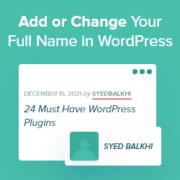
Your name is an important part of your online presence, especially if you run a personal blog, manage an author profile, or handle a professional website. Displaying your full name accurately in WordPress adds a personal touch, boosts credibility, and ensures consistency across your site.… Read More »
Sending a client a messy list of links often looks unprofessional and can cost you the project. Many creatives worry that building a proper portfolio requires expensive software or complex coding. You might feel stuck because you want to stand out but do not know… Read More »
We’ve worked on blogs with hundreds of internal links, and one thing that used to drive us crazy was the flood of self-pingbacks in the comments section. Every time we linked to our own content, WordPress would treat it like a new comment. It clutters… Read More »
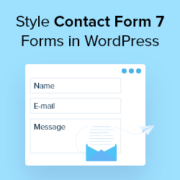
You likely installed Contact Form 7 on your WordPress site because it is free and has been one of the most popular contact form plugins for WordPress. However, you may have noticed that the default forms look quite plain on your live site. That basic… Read More »
Long-form content is fantastic for SEO and providing value to your readers, but there’s one small problem: people like to know what they’re getting into. When someone lands on a 3,000-word tutorial, they want to understand their commitment upfront. Progress bars solve this beautifully by… Read More »
Your website’s color scheme is one of the first things visitors notice, which makes it an important part of your overall design. The right combination of colors can grab attention, reinforce your brand identity, and create a positive user experience. A poorly chosen palette, on… Read More »
When readers kept asking us how we learned WordPress, we realized that we needed a better way to share our knowledge beyond just blog posts. That’s why we created WPBeginner’s free video course website – to help people learn WordPress step by step. Creating that… Read More »
Used to store interaction and conversion data for campaigns in conjunction with Revenue Attribution.
1 year
_gat_omTracker*
Set, controlled and used by Google Analytics to collect and store data and then send that data to Google Analytics. OptinMonster provides the name if there is no existing tracker found on that page.
-
omCountdown-{id}-{elementId}
Used for countdown elements {elementId} in campaigns {id} to determine when it should complete.
-
om-{id}-closed / omSlideClosed-{id}
Used specifically with slide-in campaigns {id} to determine if it has been closed or not by a visitor.
30 days
om-success-cookie / omSuccessCookie
Used to determine if a visitor has successfully opted in to any campaign on your site to unlock content when using our Content Locking feature.
365 days
om-success-{id} / omSuccess-{id}
Used to determine if a visitor has successfully opted in to a campaign with the ID of {id} on your site.
365 days
omSeen-{id}
Used to determine if a visitor has been shown a campaign by the slug.
30 days
om-{id}
Used to determine if a visitor has interacted with a campaign ID of {id} on your site.
30 days
_omappvs
Used to determine when a new visitor becomes a returning visitor.