The most experienced team of WordPress experts and educators.
Over 16+ years of WordPress and web development experience.
The team that advises some of the largest WordPress plugins in the industry used by over 25 million websites.
Led by WPBeginner founder, Syed Balkhi, a well-respected WordPress expert.
Experience
Our editorial staff includes a dedicated team of programmers, writers, video creators, and editors with over 16 years of experience in WordPress, web hosting, eCommerce, SEO, and online marketing.
Our editorial team manages every piece of content we publish at WPBeginner. Unlike other copycat tutorial websites, every person in our team is a true WordPress practitioner. You can learn more about our Editorial Process here.
The team is led by the most well-known and well-respected WordPress expert in the world, Syed Balkhi. He graduated from University of Florida and have been building WordPress websites since 2006.
Syed is also the founder of some of the most popular WordPress plugins in the market.
About WPBeginner
WPBeginner is the largest free WordPress resource for beginners to learn WordPress. We are part of the Awesome Motive family and reach over 100 million visitors every year. Our content is fact checked and reviewed by our Editorial team for accuracy and integrity. You can learn more about us and our editorial process.
Regular backups are important for peace of mind. But what if you have only a database backup? Restoring a WordPress site from a backup can seem daunting, but it’s easier than you might think. At WPBeginner, we’ve seen many cases where users relied on a… Read More »
Adding a YouTube video gallery to your WordPress site can make it more engaging. While WordPress lets you embed YouTube videos in posts, the built-in Embed block isn’t ideal for creating a clean gallery layout. The good news is there are great plugins to help… Read More »
You hit publish on a WordPress blog post you’re proud of. It gets some views, maybe even a few shares, but no comments. It’s frustrating, especially when you know the content is genuinely helpful. Unfortunately, getting people to comment on your blog isn’t just about… Read More »
Development for WordPress 4.4 started with full momentum immediately after the release of WordPress 4.3. We followed the development closely, and we are excited to report that it is expected to be released during the second week of December 2015. In this article, we will… Read More »
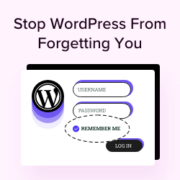
Nothing’s more frustrating than getting logged out of your WordPress dashboard right in the middle of editing a post or updating a plugin. One minute you’re working – the next, you’re staring at the login screen again. By default, the ‘Remember Me’ feature only keeps… Read More »
In the past, adding a Frequently Asked Questions (FAQ) section to your website was difficult. You had to make it look good for visitors while also adding complex technical SEO code for Google. After testing dozens of tools on our own sites, we found that… Read More »
A WordPress comment section full of random clickable links can make your website look suspicious. For many site owners, that’s where the trouble starts. Spammers abuse it, search engines may flag it, and even genuine comments with useful links can end up looking suspicious. At… Read More »
Have you ever noticed how some tweets pop with big images while others look like boring plain text? It is frustrating when you work hard on a post, only for it to get lost in the feed because it lacks visual appeal. At WPBeginner, we… Read More »
Managing a WordPress site often involves making changes across many posts and pages. One common task is searching for specific content and replacing it with something new. We know firsthand how time-consuming it can be to search for and replace content manually. If you aren’t… Read More »
Making more money with Google AdSense isn’t just about adding more ads to your website. It’s about smart optimization and making the ads you already have work better. At WPBeginner, we’ve helped many website owners improve their AdSense earnings through simple but effective changes. While… Read More »
Used to store interaction and conversion data for campaigns in conjunction with Revenue Attribution.
1 year
_gat_omTracker*
Set, controlled and used by Google Analytics to collect and store data and then send that data to Google Analytics. OptinMonster provides the name if there is no existing tracker found on that page.
-
omCountdown-{id}-{elementId}
Used for countdown elements {elementId} in campaigns {id} to determine when it should complete.
-
om-{id}-closed / omSlideClosed-{id}
Used specifically with slide-in campaigns {id} to determine if it has been closed or not by a visitor.
30 days
om-success-cookie / omSuccessCookie
Used to determine if a visitor has successfully opted in to any campaign on your site to unlock content when using our Content Locking feature.
365 days
om-success-{id} / omSuccess-{id}
Used to determine if a visitor has successfully opted in to a campaign with the ID of {id} on your site.
365 days
omSeen-{id}
Used to determine if a visitor has been shown a campaign by the slug.
30 days
om-{id}
Used to determine if a visitor has interacted with a campaign ID of {id} on your site.
30 days
_omappvs
Used to determine when a new visitor becomes a returning visitor.