The most experienced team of WordPress experts and educators.
Over 16+ years of WordPress and web development experience.
The team that advises some of the largest WordPress plugins in the industry used by over 25 million websites.
Led by WPBeginner founder, Syed Balkhi, a well-respected WordPress expert.
Experience
Our editorial staff includes a dedicated team of programmers, writers, video creators, and editors with over 16 years of experience in WordPress, web hosting, eCommerce, SEO, and online marketing.
Our editorial team manages every piece of content we publish at WPBeginner. Unlike other copycat tutorial websites, every person in our team is a true WordPress practitioner. You can learn more about our Editorial Process here.
The team is led by the most well-known and well-respected WordPress expert in the world, Syed Balkhi. He graduated from University of Florida and have been building WordPress websites since 2006.
Syed is also the founder of some of the most popular WordPress plugins in the market.
About WPBeginner
WPBeginner is the largest free WordPress resource for beginners to learn WordPress. We are part of the Awesome Motive family and reach over 100 million visitors every year. Our content is fact checked and reviewed by our Editorial team for accuracy and integrity. You can learn more about us and our editorial process.
Are you wondering whether to use WordPress or static HTML for your business website? With AI, static HTML may look like the easiest way to get started. But what happens when you need to add a booking form, an online store, or another feature? Each… Read More »
When we first set up our WordPress blog, we spent a lot of time experimenting with different themes. Although we now have a custom design, we know the ins and outs of picking the perfect WordPress theme for a blog or business website. There are… Read More »
Do you want to uninstall a WordPress plugin from your website? Over time, it’s normal to collect plugins you no longer use. But leaving them on your site isn’t harmless. Unused plugins can slow down your website, increase your backup size, and even create security… Read More »
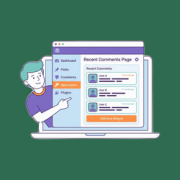
Are meaningful comments getting buried across your WordPress site? As your content grows, some of the best conversations, especially on older posts, can get lost. This means visitors may miss out on the vibrant discussions happening in your community. That’s where a recent comments page… Read More »
Struggling to get your edited photos from Lightroom onto your WordPress site without breaking your flow? Exporting images, saving them to folders, and then uploading them one by one can feel tedious and slow. Especially when all you want to do is share your work.… Read More »
When you start a new website, a free plan seems like an easy way to save money. However, you’ll soon discover that free plans have many strict limits and missing features. Most people who want a free website choose between WordPress.com, Wix, Google Sites, Blogger,… Read More »
Do you want to display all your WordPress posts on one page? Just like the index page of a book, this can help visitors find exactly the content they need even if your website has dozens or even hundreds of posts. In this article, we… Read More »
Recently, one of our users asked us how they can upload large images in WordPress. While this used to be a common issue years ago, most modern WordPress hosting providers now offer generous upload limits (often 64MB to 512MB) that accommodate most image sizes. In… Read More »
Adding a Google Calendar to your WordPress site is a great way to display upcoming events, appointments, or schedules so that your visitors always know what’s coming next. 📆 It’s a simple solution for business websites, school portals, nonprofits, or any site that needs an… Read More »
Are you wondering if an expensive WordPress theme is worth it? 🤔 In our opinion, picking your WordPress theme is one of the biggest decisions you’ll make when building your WordPress site. So it might be. But with so many premium options, how do you… Read More »
Used to store interaction and conversion data for campaigns in conjunction with Revenue Attribution.
1 year
_gat_omTracker*
Set, controlled and used by Google Analytics to collect and store data and then send that data to Google Analytics. OptinMonster provides the name if there is no existing tracker found on that page.
-
omCountdown-{id}-{elementId}
Used for countdown elements {elementId} in campaigns {id} to determine when it should complete.
-
om-{id}-closed / omSlideClosed-{id}
Used specifically with slide-in campaigns {id} to determine if it has been closed or not by a visitor.
30 days
om-success-cookie / omSuccessCookie
Used to determine if a visitor has successfully opted in to any campaign on your site to unlock content when using our Content Locking feature.
365 days
om-success-{id} / omSuccess-{id}
Used to determine if a visitor has successfully opted in to a campaign with the ID of {id} on your site.
365 days
omSeen-{id}
Used to determine if a visitor has been shown a campaign by the slug.
30 days
om-{id}
Used to determine if a visitor has interacted with a campaign ID of {id} on your site.
30 days
_omappvs
Used to determine when a new visitor becomes a returning visitor.