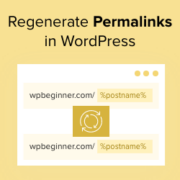
One of the scariest moments for a site owner is clicking a link and seeing an error page. Suddenly, your hard work seems gone, which frustrates visitors and hurts your traffic. We have moved servers many times at WPBeginner, and regenerating the permalinks is usually… Read More »
When we launched our first WordPress blog, slow loading times frustrated our visitors and hurt our search rankings. Discovering how to properly cache our website was a massive turning point for our traffic. We know that configuring caching settings can feel overwhelming for beginners. The… Read More »
Has your WordPress website been hacked? Hackers will often install a backdoor to make sure they can get back in even after you secure your website. Unless you can remove that backdoor, there’s no stopping them. In this article, we’ll show you how to find… Read More »
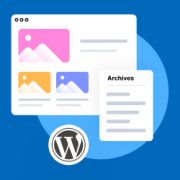
Every piece of content you publish deserves a chance to be discovered, even months or years later. But if your WordPress archives are just a basic list tucked away in your sidebar, you’re making it harder for visitors to find and enjoy your older posts.… Read More »
ClickFunnels can be a powerful funnel builder, but it often comes with higher ongoing costs and extra maintenance when your website already runs on WordPress. Many site owners find themselves paying for a separate platform, managing additional integrations, and maintaining multiple systems just to handle… Read More »
You hit publish on a new post, but it sits invisible in search results for days. It is a common frustration for many website owners who want immediate traffic. The good news is that adding an RSS sitemap can fix this by helping Google find… Read More »
Ever wonder how well your WordPress forms are really doing? You might get a few submissions here and there, but without data, it’s hard to know what’s working and what isn’t. We’ve had forms that looked great on paper but barely converted, and others that… Read More »
Creating an online quiz website is easier than most people think. Whether you want to build a BuzzFeed-style personality quiz site, create educational assessments for students, or launch a trivia site for your audience, you can have a fully functional quiz website launched in no… Read More »
If you’re looking for a way to build a community and boost engagement on your website, then accepting calendar events from users is a great place to start. This is a win-win situation: Your visitors get free promotion for their events, and you get to… Read More »
One of the biggest challenges in running an online store is making sure visitors actually stick around and buy something. Most of the time, you’ve got just a few seconds to grab their attention before they click away to a competitor. That puts a lot… Read More »
Used to store interaction and conversion data for campaigns in conjunction with Revenue Attribution.
1 year
_gat_omTracker*
Set, controlled and used by Google Analytics to collect and store data and then send that data to Google Analytics. OptinMonster provides the name if there is no existing tracker found on that page.
-
omCountdown-{id}-{elementId}
Used for countdown elements {elementId} in campaigns {id} to determine when it should complete.
-
om-{id}-closed / omSlideClosed-{id}
Used specifically with slide-in campaigns {id} to determine if it has been closed or not by a visitor.
30 days
om-success-cookie / omSuccessCookie
Used to determine if a visitor has successfully opted in to any campaign on your site to unlock content when using our Content Locking feature.
365 days
om-success-{id} / omSuccess-{id}
Used to determine if a visitor has successfully opted in to a campaign with the ID of {id} on your site.
365 days
omSeen-{id}
Used to determine if a visitor has been shown a campaign by the slug.
30 days
om-{id}
Used to determine if a visitor has interacted with a campaign ID of {id} on your site.
30 days
_omappvs
Used to determine when a new visitor becomes a returning visitor.