WordPress 5.4 was released earlier today, and it is the first major release of 2020. This new release is packed with a lot features, many of them are focused around the WordPress block editor. This release will massively improve the way you create content on… Read More »
Creating a website for your church can feel overwhelming, especially if you’re not a web designer. The good news is that plenty of user-friendly website builders make creating your own site possible, even if you don’t have any technical skills. Over the last few years,… Read More »
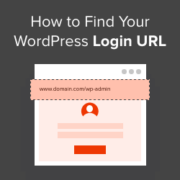
If you’re having trouble finding your WordPress login URL, you’re not the only one. It’s a small detail, but it can be surprisingly frustrating — especially when you’re eager to start working on your site. Unlike platforms that place login links right on the homepage,… Read More »
If you run a business like a restaurant or a small boutique, you may not need a full online store. Often, a simple online order form is the best way to let customers order food or specific products. This avoids the complexity of a shopping… Read More »
Remote work has transformed how businesses operate, making reliable conference calls, group video calls, and group team chats essential. However, with countless free and paid conference call services on the market, choosing the right platform can be a daunting task. As a company with over… Read More »
Like many WordPress users, we saw my first major WordPress error message when we were just starting out. That white screen of death was quite scary 😱! But after years of writing WordPress tutorials and helping countless website owners, we’ve learned that these errors are… Read More »
Do you want to sell gift cards on your website? Selling gift cards for your store, service, or digital products is an easy way for businesses to boost revenue and improve cash flow. In this article, we’ll share three different ways that you can use… Read More »
Maybe you want all messages copied to your assistant, specific messages sent to different departments, or simply a copy of the information users submit through your website. Whatever your reason, a contact form with multiple recipients can keep information flowing and your business right on… Read More »
I still remember the frustration of hitting a wall with Wix after building a small project. It worked fine until I needed a specific feature that just wasn’t possible with their available apps. That feeling of being trapped by your tools is exactly what I… Read More »
Our journey with WPBeginner started with a simple promise: to make learning WordPress easy for everyone. We know how overwhelming it can feel when you’re just starting out, especially with so many paid courses available. But after helping millions of users build their sites, we’ve… Read More »
Used to store interaction and conversion data for campaigns in conjunction with Revenue Attribution.
1 year
_gat_omTracker*
Set, controlled and used by Google Analytics to collect and store data and then send that data to Google Analytics. OptinMonster provides the name if there is no existing tracker found on that page.
-
omCountdown-{id}-{elementId}
Used for countdown elements {elementId} in campaigns {id} to determine when it should complete.
-
om-{id}-closed / omSlideClosed-{id}
Used specifically with slide-in campaigns {id} to determine if it has been closed or not by a visitor.
30 days
om-success-cookie / omSuccessCookie
Used to determine if a visitor has successfully opted in to any campaign on your site to unlock content when using our Content Locking feature.
365 days
om-success-{id} / omSuccess-{id}
Used to determine if a visitor has successfully opted in to a campaign with the ID of {id} on your site.
365 days
omSeen-{id}
Used to determine if a visitor has been shown a campaign by the slug.
30 days
om-{id}
Used to determine if a visitor has interacted with a campaign ID of {id} on your site.
30 days
_omappvs
Used to determine when a new visitor becomes a returning visitor.