We’ve seen this happen a lot: someone starts filling out a form on your WordPress site, then abandons it halfway through. Maybe the form asks for details they’ve already provided, or maybe it just feels too long. That’s where dynamic field population can help. It… Read More »
When we started WPBeginner, our media library was organized and clean. However, it quickly turned into a cluttered mess containing thousands of files. Many of these were unused image copies that consumed storage space and slowed down our backups. This increased our hosting costs and… Read More »
The “Your Connection is Not Private” error can be frustrating for both website owners and visitors because it blocks access to your site and raises security concerns. This error is displayed when the browser is not able to determine the security of the website you… Read More »
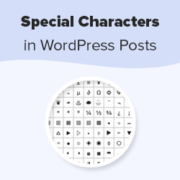
Special characters can transform your WordPress content from ordinary to professional. At WPBeginner, we often use a special character (») in our blog posts to guide readers through specific pages or tabs, like directing them to the Plugins » Installed Plugins page. This symbol makes… Read More »
Used to store interaction and conversion data for campaigns in conjunction with Revenue Attribution.
1 year
_gat_omTracker*
Set, controlled and used by Google Analytics to collect and store data and then send that data to Google Analytics. OptinMonster provides the name if there is no existing tracker found on that page.
-
omCountdown-{id}-{elementId}
Used for countdown elements {elementId} in campaigns {id} to determine when it should complete.
-
om-{id}-closed / omSlideClosed-{id}
Used specifically with slide-in campaigns {id} to determine if it has been closed or not by a visitor.
30 days
om-success-cookie / omSuccessCookie
Used to determine if a visitor has successfully opted in to any campaign on your site to unlock content when using our Content Locking feature.
365 days
om-success-{id} / omSuccess-{id}
Used to determine if a visitor has successfully opted in to a campaign with the ID of {id} on your site.
365 days
omSeen-{id}
Used to determine if a visitor has been shown a campaign by the slug.
30 days
om-{id}
Used to determine if a visitor has interacted with a campaign ID of {id} on your site.
30 days
_omappvs
Used to determine when a new visitor becomes a returning visitor.