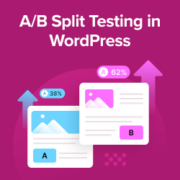
Launching a new landing page only to see low conversions can feel discouraging. You may find yourself wondering if a different headline, layout, or button color would work better. But without testing, it’s impossible to know for sure. That’s where A/B split testing comes in.… Read More »
Bloggers often monetize content on their websites using subscriptions or one-time payment models. They do this by restricting certain content to registered users. This is easy to set up if you have the right WordPress plugin. Fortunately, we’ve tested and worked with multiple plugins over… Read More »
We’re very excited to announce that the hard work over the past 8 months is finally coming close to paying off. We’re getting ready to release our newest product: OptinMonster in the coming weeks. You’re probably wondering what is this OptinMonster thing? Well, it is… Read More »
When you look at the browser tab of your new blog, you might notice a tiny favicon showing the WordPress logo next to your site’s name. Since this is the default setting for new WordPress websites, it’s a common sight, but it’s also a missed… Read More »
Is your website loading too slowly for your visitors? We know that even a one-second delay can send users running to your competitors. At WPBeginner, we take speed seriously to ensure the best user experience. While there are many premium tools available, you don’t always… Read More »
Losing a chunk of your search traffic can be a scary experience. A reader recently saw their traffic dip by 30%, and we quickly found the problem was something they hadn’t even noticed. Dozens of broken links were scattered across their content. These ‘dead links’… Read More »
Creating unique templates for category pages in WordPress is a great way to organize content and improve the user experience. This is especially helpful if you have various post categories like we do at WPBeginner. Custom category templates let you tailor how content is displayed… Read More »
There are times when you want to display widgets on other locations than your default sidebar. With such high demand for this hack, we will be sharing how you can create multiple dynamic sidebars that are widget ready for your WordPress blog.
If you are working on a website with lots of content in custom taxonomies and post types, then you would want to make it easy for your users to find it. One way to do this is by allowing your users to narrow down their… Read More »
Can you imagine your audience effortlessly downloading resources, connecting with you on social media, or finding your store location just by scanning a code with their smartphone? That’s the power of QR codes! QR codes are everywhere these days, and their usage is skyrocketing! Almost… Read More »
Used to store interaction and conversion data for campaigns in conjunction with Revenue Attribution.
1 year
_gat_omTracker*
Set, controlled and used by Google Analytics to collect and store data and then send that data to Google Analytics. OptinMonster provides the name if there is no existing tracker found on that page.
-
omCountdown-{id}-{elementId}
Used for countdown elements {elementId} in campaigns {id} to determine when it should complete.
-
om-{id}-closed / omSlideClosed-{id}
Used specifically with slide-in campaigns {id} to determine if it has been closed or not by a visitor.
30 days
om-success-cookie / omSuccessCookie
Used to determine if a visitor has successfully opted in to any campaign on your site to unlock content when using our Content Locking feature.
365 days
om-success-{id} / omSuccess-{id}
Used to determine if a visitor has successfully opted in to a campaign with the ID of {id} on your site.
365 days
omSeen-{id}
Used to determine if a visitor has been shown a campaign by the slug.
30 days
om-{id}
Used to determine if a visitor has interacted with a campaign ID of {id} on your site.
30 days
_omappvs
Used to determine when a new visitor becomes a returning visitor.