


Google Forms lets you build a form in minutes, but it never looks like part of your website. There’s little you can do after someone hits submit.
The right Google Forms alternative fixes both. Your form takes on your site’s fonts and colors, every entry is saved where you can actually use it, and a submission can trigger a payment, an email sequence, or a message to the right person on your team.
In this article, we’ll compare the best Google Forms alternatives for WordPress and help you pick the right one for your website.
Best Google Forms Alternatives – Quick Overview
If you’re in a hurry, here’s a quick comparison of our top picks:
| # | Plugin | Best For | Pricing | Free version |
|---|---|---|---|---|
| 🥇 | WPForms | On-brand forms with form abandonment tracking | $199.50 per year | ✅ |
| 🥈 | Fluent Forms | Standalone form pages on a small budget | $63 per year | ✅ |
| 🥉 | Jotform | HIPAA-compliant forms for clinics | $34/mo. | ✅ |
| 4 | HubSpot Form Builder | Hosted forms with a free CRM | $15/mo. | ✅ |
| 5 | Zoho Forms | Approval workflows at a low price | $12/mo. | ✅ |
| 6 | Typeform | One question per screen surveys | $39/mo. | ✅ |
How We Test and Review Google Forms Alternatives
We tested every tool on a real WordPress site and judged each one on two things: does it keep that Google Forms ease, and what does it add on top?
Looks like your site: We checked whether the form picks up your theme’s fonts and colors, or sits in a box like a Google Forms embed.
Where your entries go: We looked at whether answers save in your WordPress database, in the tool’s own account, or in a spreadsheet.
What happens after someone submits: We tested payments, email marketing connections, and sending different answers to different people.
Drop-off data: We checked whether the tool shows which question people quit on.
Limits and real cost: We compared free plans, submission caps, and response limits. These decide what you actually pay once your form gets busy.
Ease of use: We looked at how quickly a beginner can go from a blank page to a live form.
What Google Forms Can’t Do
Google Forms is free and fast, and that’s why so many people start there. But it has three limits that come from how it’s built, so no update will fix them.
When you embed a Google Form in your WordPress site, it doesn’t add the actual form. It displays a window looking at a page on docs.google.com. Your WordPress theme can’t style it, and the answers land in a Google Sheet instead of your WordPress admin or database.
Google Forms enables you to collect a form submissions and stops. It can’t take a payment, start an email sequence, create a user account, or send a sales question to one person and a support question to another.
There’s also no form abandonment data in Google Forms. You can’t see where users quit your form, so every fix you make is just a guess.
Every tool below fixes at least one of those three problems.
Now, let’s take a look at the best Google Forms alternatives.
1. WPForms – Best Google Forms Alternative for WordPress
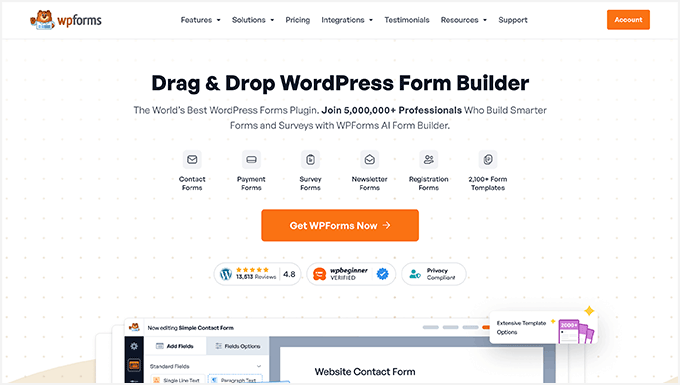
Testing process: For this article, we tested Form Pages, the Surveys and Polls addon, and the form analytics dashboard against Google Forms.
| Best For | Forms that match your site and show where people quit |
| Pricing | Free version available. Pro is $199.50 for the first year. |
| Pros | · 2,100+ form templates and an AI Form Builder · Form Pages addon turns any form into a branded full screen page · Surveys with NPS, Likert scales, and live poll results · Field-by-field report shows where people quit |
| Cons | · Form Pages, Surveys, and analytics need Pro · Renews at $399/year |
WPForms is the most beginner-friendly WordPress form plugin and the best Google Forms alternative. It is used by over 5 million websites, including our own.
For more details, see our complete WPForms review.
Our Experience
We use WPForms for every form on WPBeginner and our other sites.
Form Pages gave us the same shareable link Google Forms does, but on our own domain with our logo and colors.
The Surveys and Polls addon calculated our NPS automatically and showed results as charts and word clouds inside the dashboard.
The WPForms Analytics dashboard was the biggest upgrade over Google Forms. For every field, it shows views, time spent, errors, and how many people quit there.
If people do quit, the Form Abandonment addon still saves what they typed, so you can follow up with them.
WPForms Lite is free and handles basic forms, email notifications, and Stripe payments. But the features that replace Google Forms, like Form Pages and the analytics dashboard, need WPForms Pro.
Why we recommend WPForms: It’s the only WordPress form plugin on this list that fixes all three Google Forms gaps.
2. Fluent Forms – Best for Standalone Form Pages on a Budget
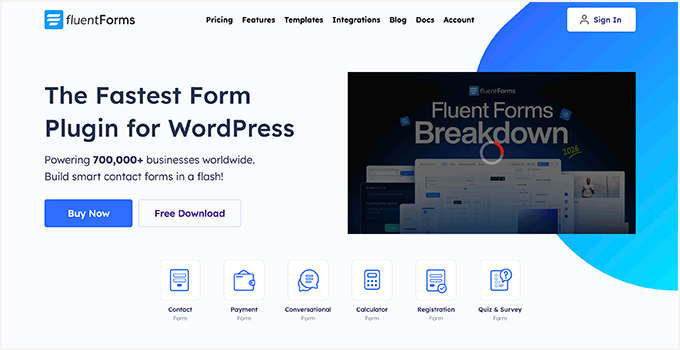
Testing process: We tested Fluent Forms’ Landing Page mode and Share tab to see how close it gets to a shareable Google Forms link.
| Best For | Branded form pages on a small budget |
| Pricing | Free version available. Pro is $63/year for one site. |
| Pros | · Landing Page mode gives any form its own URL · Share tab creates a QR code and social share links for your forms · Forms can open and close on a schedule |
| Cons | · Landing Pages need the Pro version · The $63 plan covers one site only |
Fluent Forms is a lightweight WordPress form plugin. It comes with a drag and drop builder, conditional logic, multi-step forms, and numeric calculations for quotes and order totals.
It also offers conversational forms that ask one question per screen, similar to Typeform, so you can run surveys without a separate tool.
Our Experience
We turned on Landing Pages in the modules settings, then enabled Form Landing Page Mode on a form. It got its own URL with our logo and a background image.
The Share tab gave us a custom URL, a QR code, and share links for Facebook, LinkedIn, and email. A Google Forms link previews as a grey Google icon. Ours previewed with our own branding.
We also set a registration form to close automatically on a scheduled date and time.
Why we recommend Fluent Forms: It’s the cheapest way to get branded, shareable form links on WordPress.
3. Jotform – Best for HIPAA-Compliant Forms
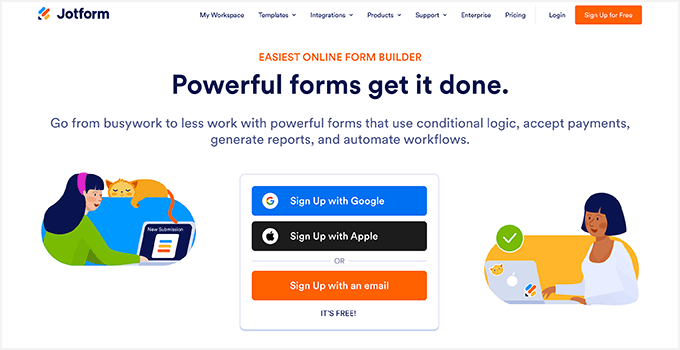
Testing process: We tested Jotform’s official WordPress plugin, its payment options, and the limits on its free plan.
| Best For | Clinics that need HIPAA-compliant forms |
| Pricing | Free Starter plan. Bronze is $408/year, but HIPAA compliance needs the Gold plan at $1,188/year. |
| Pros | · HIPAA-compliant plans · Official WordPress block, no embed code needed · Works with 30+ payment processors |
| Cons | · Free plan allows only 10 payment submissions a month · Forms stay on Jotform’s servers |
Jotform is an online form builder, so like Google Forms, your forms live on their servers. Clinics and medical practices often pick it because it offers HIPAA-compliant plans.
Unlike Google Forms, it accepts online payments through PayPal, Square, Stripe, and around 30 other processors.
Our Experience
We installed the Jotform WordPress plugin, which adds a Jotform block to the editor. It let us select a form from our Jotform account without pasting any embed code.
Its conditional logic is also useful. You can show or hide fields, run calculations, and skip pages based on answers.
The free plan is where it falls short. You get 5 forms and 100 submissions a month, but only 10 payment submissions. If you sell anything, you’ll hit that limit in the first week.
Paid plans cost a lot. Bronze is $408 a year, about what WPForms Pro costs on renewal, and it still caps you at 1,000 submissions a month.
Why we recommend Jotform: It has a WordPress plugin that makes it easy to add HIPAA-compliant forms in WordPress and collect patient information.
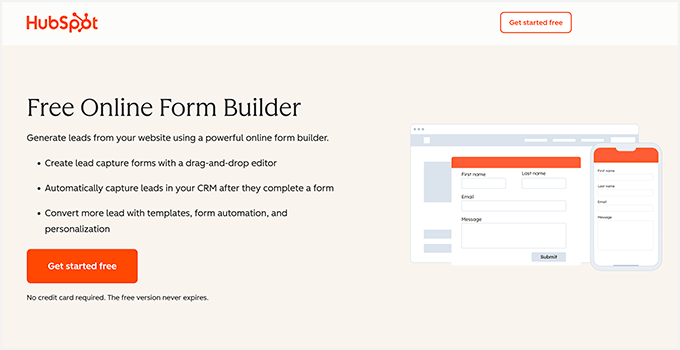
4. HubSpot Form Builder – Best Free Option With a CRM
Testing process: We built a hosted HubSpot form, sent test submissions, and checked how they landed in the CRM.
| Best For | Free hosted forms with a built-in CRM |
| Pricing | Free. Marketing Hub Starter removes branding from $15/month. |
| Pros | · Hosted form pages, no website needed · Every submission becomes a CRM contact · Official WordPress plugin |
| Cons | · Free forms show a HubSpot badge · Smart fields need Professional or Enterprise |
HubSpot Form Builder is free, and it is the closest match on this list to how people actually use Google Forms.
You can publish a form as a standalone hosted page and share the link, with no website needed at all. Unlike Google Forms, every submission on a HubSpot Form lands in a real CRM.
For details, see our complete HubSpot review.
Our Experience
Submissions don’t go into a spreadsheet. HubSpot turns each one into a contact record in its CRM.
When the same person filled in another form or opened one of our emails, HubSpot added that to the same record. So each lead’s full history stays in one place.
We then set up automatic follow-up emails for new submissions using HubSpot’s marketing tools.
The downside is branding. Free forms carry a HubSpot badge, and removing it means paying for Marketing Hub Starter.
Why we recommend HubSpot Form Builder: It’s the best free way to collect responses into a real CRM, and you can share the form as a hosted page or add it to WordPress with the official plugin.
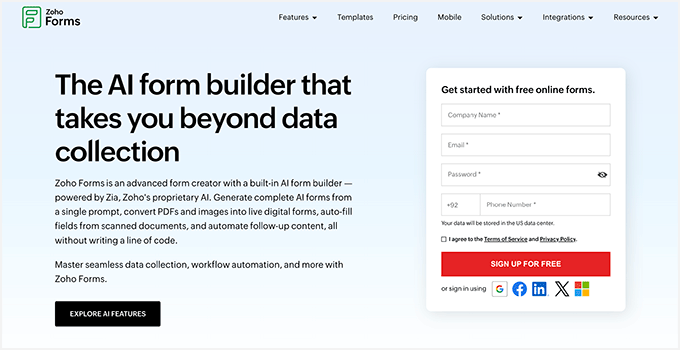
5. Zoho Forms – Best for Approval Workflows on a Budget
Testing process: We built a form from an industry template and tested Zoho’s approval workflows on new submissions.
| Best For | Approval workflows at a low price |
| Pricing | Free plan with 3 forms and 500 submissions per month. Basic starts at $12/mo. |
| Pros | · Approval workflows for new entries · Industry templates for healthcare, HR, education, and more · Connects with Zoho CRM, Desk, and Analytics |
| Cons | · Hosted on Zoho, not your WordPress site · Free plan allows only 3 forms |
Zoho Forms is a hosted form builder, just like Google Forms. It’s also the cheapest hosted option here once you start paying.
It comes with form templates for every major industry. There are ready-made form templates for healthcare, construction, education, HR, and eCommerce sites.
Our Experience
We started with one of their form templates, then used the drag and drop builder to add fields, set conditional logic, and split the form into pages.
Approvals stood out. Zoho held each entry until the right person approved it, so a leave request or purchase order waits for sign off. A submission can also create a task for whoever handles it next. Google Forms has no such features.
If you already use Zoho CRM, Desk, or Analytics, it’s easy to manage all user data in one place.
Why we recommend Zoho Forms: It’s the cheapest hosted tool on this list once you pay, and its approval workflows are the standout feature. We also like that they let you create automated workflows for new form submissions.
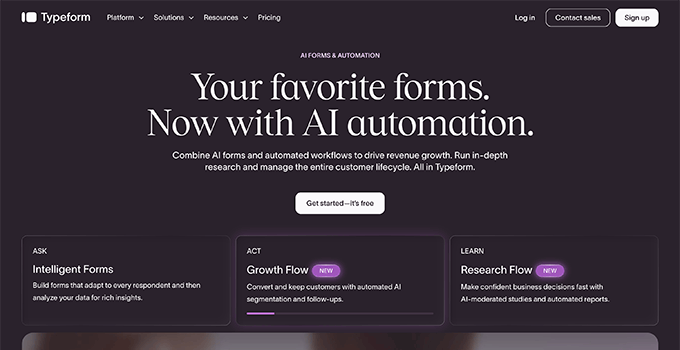
6. Typeform – Best for One Question per Screen Surveys
Testing process: We built multiple surveys in Typeform and tested Clarify with AI and the response limits on each plan.
| Best For | Good-looking surveys shared on their own link |
| Pricing | Limited free plan. Basic starts at $39/month. |
| Pros | · One question per screen with smooth transitions · Clarify with AI asks follow-ups on short answers · Templates for quizzes, surveys, and polls |
| Cons | · Responses are capped on every plan · Clarify with AI starts at $169/month |
Typeform is the best-looking form builder on this list. It shows one question per screen with a full page layout and smooth transitions, which makes long surveys feel shorter.
It comes with templates for quizzes, surveys, questionnaires, lead generation, polls, and giveaways.
Our Experience
We created a few survey forms with Typeform, changing question layouts and themes and adding conditional logic without much effort.
The best part was their Clarify with AI feature. It started asking a follow-up question whenever someone added a short answer, and it did it naturally.
The catch is response limits. Basic includes 100 responses a month, Plus includes 1,000, and Business includes 10,000. If you go over, you buy an add-on or the form stops taking answers.
Why we recommend Typeform: It creates beautiful looking forms for customer surveys. We wouldn’t recommend it for a simple contact form.
Which Is the Best Google Forms Alternative? (Expert Pick)
WPForms is the best Google Forms alternative for WordPress. Your form lives on your own domain, entries save to your database, and the field-by-field report shows which question people quit on.
Jotform, Typeform, Zoho Forms, and HubSpot all meter you in some way, so your bill grows as your form gets more popular. WPForms doesn’t.
If you want a free tool with a CRM behind it, pick HubSpot’s form builder. You get hosted forms, and every response becomes a contact.
FAQs About Google Forms Alternatives
Here are some frequently asked questions about Google Forms alternatives.
Can I embed a Google Form in WordPress, and why does it look wrong?
Yes, you can paste the embed code into a Custom HTML block. It looks wrong because the form is an iframe, which is a separate web page displayed inside your site’s page. Your theme’s fonts, colors, and CSS cannot reach inside it, so the form keeps Google’s styling.
The iframe also has a fixed height, so longer forms get their own scrollbar inside the box, and on phones the form is usually cut off or squeezed. There is no fix for this from your side.
Can I keep sending responses to Google Sheets after I switch to a form plugin?
Yes. Every tool in this article can send entries into a Google Sheet. In WPForms, you can connect it with the Google Sheets Addon, or through Uncanny Automator or Zapier if you want to send the data to other apps at the same time.
Why do my form notification emails go missing?
That’s because WordPress sends email using a basic PHP function that most hosts do not authenticate. This can lead to email deliverability failure. The fix is to send through a proper mail service using SMTP. Install WP Mail SMTP, connect a provider like SendLayer, Brevo, or Gmail, and your notifications get authenticated and delivered.
We hope this article helped you find the best Google Forms alternative for your business. You may also want to see our guide on how to create a contact form in WordPress and our expert pick of the best WordPress survey plugins.
If you liked this article, then please subscribe to our YouTube Channel for WordPress video tutorials. You can also find us on Twitter and Facebook.




Jiří Vaněk
I’ve used Google Forms many times, for example, for surveys, polls or collecting important data. It’s a perfect tool, but it doesn’t personalize well to the brand of the website and my brand. That’s why I eventually switched to WP Forms and I can’t praise it enough. Thanks to CSS, I now have forms, surveys, and many other elements styled exactly to match the website’s brand, and what I appreciate most is that everything is part of the website, so I don’t need to use third-party services. For me, it’s the ideal choice and one of the best plugins.
Moinuddin Waheed
I have used Google forms many times over for collecting user data in the past and it used to seem that this is the best and affordable way of collecting user data through forms though it was not good enough in terms of look and feel.
But ever since I am using wordpress and wpforms, it seems I could have done better had I transitioned to wpforms earlier.
Jiří Vaněk
Google Forms are great, no doubt about that, but they have a big drawback in terms of customizing the appearance and removing the Google branding. As you mentioned, WP Forms is on a completely different level in this regard. What I personally see as the biggest advantage is data security, because the data from the form on the website is processed directly on the site or sent to my email. This way, I’m not sharing any additional, sometimes sensitive, data with third parties, which I think is a huge benefit of WP Forms, even with the cost of a paid plugin. Data security is paramount.
Ron Wessels
Great piece. Thank you!
WPBeginner Support
You’re wlecome!
Admin