The most experienced team of WordPress experts and educators.
Over 16+ years of WordPress and web development experience.
The team that advises some of the largest WordPress plugins in the industry used by over 25 million websites.
Led by WPBeginner founder, Syed Balkhi, a well-respected WordPress expert.
Experience
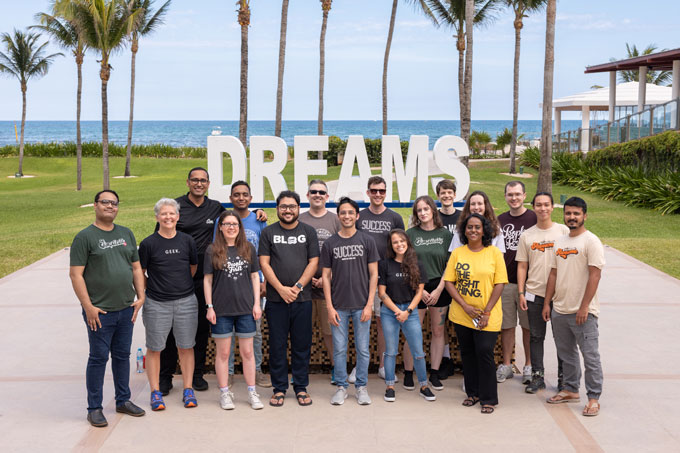
Our editorial staff includes a dedicated team of programmers, writers, video creators, and editors with over 16 years of experience in WordPress, web hosting, eCommerce, SEO, and online marketing.
Our editorial team manages every piece of content we publish at WPBeginner. Unlike other copycat tutorial websites, every person in our team is a true WordPress practitioner. You can learn more about our Editorial Process here.
The team is led by the most well-known and well-respected WordPress expert in the world, Syed Balkhi. He graduated from University of Florida and have been building WordPress websites since 2006.
Syed is also the founder of some of the most popular WordPress plugins in the market.
About WPBeginner
WPBeginner is the largest free WordPress resource for beginners to learn WordPress. We are part of the Awesome Motive family and reach over 100 million visitors every year. Our content is fact checked and reviewed by our Editorial team for accuracy and integrity. You can learn more about us and our editorial process.
Did you know that WordPress comes with a built-in theme and plugin editor? This plain code editor allows you to edit your theme and plugin files directly from the WordPress dashboard. While this may sound really helpful, we’ve seen how opening up the ability to… Read More »
Over the years, we’ve helped countless users build websites, and one feature that is consistently valuable is a staff directory. Whether you run a local business or a consulting firm, an employee directory allows potential clients and customers to see the faces behind your brand.… Read More »
You must have seen code snippets in different WPBeginner blog posts that we create to help our readers solve problems. However, displaying that code is not straightforward. That is because if you try to add code like regular text, then WordPress will not display it… Read More »
Sometimes you need more control over how your blog posts are ordered. We’ve been there ourselves, trying to highlight an important announcement, showcase a contest, or feature a critical update. By default, WordPress displays your posts in reverse chronological order, with the newest ones at… Read More »
It’s a frustrating feeling to create great content, only to have your images slow down your site and go completely unnoticed by search engines. Many business owners don’t realize that unoptimized images can hurt their rankings and turn visitors away before the page even loads.… Read More »
When new users first started with WordPress, a lot of them shared a similar concern: Should I use posts or pages for my content? If you’re scratching your head over this too, don’t worry. You’re not alone. It’s one of the most common questions we… Read More »
Just like banks and sensitive apps, your WordPress website can benefit from an extra layer of security by automatically logging out inactive users. In our experience, this is a simple yet effective way to prevent unauthorized access, especially if a user forgets to log out… Read More »
We came across a very interesting request from one of our readers recently. They asked us if it’s possible to change the number of posts displayed on their blog page to provide a better user experience for their audience. By default, all WordPress archive pages… Read More »
Trying to find your .htaccess file can be one of the most common frustrations when you start working on your WordPress site. You’re likely looking for it to fix a common error, but it seems to have vanished. If this sounds familiar, then you’re in… Read More »
WordPress 5.2 is expected to be released by the end of April 2019. We have been following the development and tested the first beta to try out new features that are on the way. This release will bring improvements to the block editor, site health… Read More »
Used to store interaction and conversion data for campaigns in conjunction with Revenue Attribution.
1 year
_gat_omTracker*
Set, controlled and used by Google Analytics to collect and store data and then send that data to Google Analytics. OptinMonster provides the name if there is no existing tracker found on that page.
-
omCountdown-{id}-{elementId}
Used for countdown elements {elementId} in campaigns {id} to determine when it should complete.
-
om-{id}-closed / omSlideClosed-{id}
Used specifically with slide-in campaigns {id} to determine if it has been closed or not by a visitor.
30 days
om-success-cookie / omSuccessCookie
Used to determine if a visitor has successfully opted in to any campaign on your site to unlock content when using our Content Locking feature.
365 days
om-success-{id} / omSuccess-{id}
Used to determine if a visitor has successfully opted in to a campaign with the ID of {id} on your site.
365 days
omSeen-{id}
Used to determine if a visitor has been shown a campaign by the slug.
30 days
om-{id}
Used to determine if a visitor has interacted with a campaign ID of {id} on your site.
30 days
_omappvs
Used to determine when a new visitor becomes a returning visitor.