The most experienced team of WordPress experts and educators.
Over 16+ years of WordPress and web development experience.
The team that advises some of the largest WordPress plugins in the industry used by over 25 million websites.
Led by WPBeginner founder, Syed Balkhi, a well-respected WordPress expert.
Experience
Our editorial staff includes a dedicated team of programmers, writers, video creators, and editors with over 16 years of experience in WordPress, web hosting, eCommerce, SEO, and online marketing.
Our editorial team manages every piece of content we publish at WPBeginner. Unlike other copycat tutorial websites, every person in our team is a true WordPress practitioner. You can learn more about our Editorial Process here.
The team is led by the most well-known and well-respected WordPress expert in the world, Syed Balkhi. He graduated from University of Florida and have been building WordPress websites since 2006.
Syed is also the founder of some of the most popular WordPress plugins in the market.
About WPBeginner
WPBeginner is the largest free WordPress resource for beginners to learn WordPress. We are part of the Awesome Motive family and reach over 100 million visitors every year. Our content is fact checked and reviewed by our Editorial team for accuracy and integrity. You can learn more about us and our editorial process.
There’s nothing worse than finding out your website has been compromised. The WordPress admin area is the main entry point for hackers, making it the most critical part of your site to protect. We know it can be stressful to think about brute force attacks… Read More »
Managing user registrations is an important part of running a WordPress site, especially if you have a membership site, online course platform, or community forum. One common task is finding and handling pending or unconfirmed users who have registered but haven’t yet completed the email… Read More »
Finding the right WordPress theme for an affiliate marketing site isn’t easy. Most themes are built for blogs or business websites, and they often don’t include the design features or layouts that work best for promoting products and earning commissions. We’ve been in the affiliate… Read More »
One of the key metrics that we track on WPBeginner and our other brands is outbound link clicks. This data helps us see how users are interacting with our site and where they’re clicking. Outbound links are the links that take users away from your… Read More »
When someone leaves their first comment on your WordPress site, they’ve already done something most visitors never do: they stopped reading and decided to engage. But after they hit ‘Submit Comment’, WordPress usually gives them a generic message and leaves the interaction there. That’s a… Read More »
Every WordPress site owner should know how to restore from backup – it’s one of those essential skills that can save your website when you need it most. Whether you’re moving to a new host, recovering from a problem, or just want to revert to… Read More »
Website security shouldn’t feel complicated or overwhelming. A good WordPress firewall plugin quietly protects your site in the background, so you can focus on growing your business instead of worrying about attacks. A firewall blocks common website threats before they can affect your website. However,… Read More »
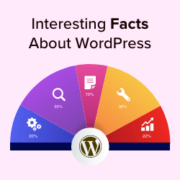
Want to know some cool WordPress facts? WordPress is now 19 years old, so we thought, what better way to celebrate the world’s most popular website-building platform than to create a list of top facts about WordPress in an infographic? In this article, we will… Read More »
Finding a great free WordPress theme can feel like searching through a massive clearance sale. There are hundreds of options, but not every free theme is actually worth your time. That’s why we actively test themes ourselves here at WPBeginner. We’ve sorted through the clutter… Read More »
Hitting a wall with a stubborn WordPress error can be incredibly frustrating, especially when you feel like you’ve tried every fix in the book. The thought of completely uninstalling your site can seem terrifying. You’re likely worried about losing all your hard work, your images,… Read More »
Used to store interaction and conversion data for campaigns in conjunction with Revenue Attribution.
1 year
_gat_omTracker*
Set, controlled and used by Google Analytics to collect and store data and then send that data to Google Analytics. OptinMonster provides the name if there is no existing tracker found on that page.
-
omCountdown-{id}-{elementId}
Used for countdown elements {elementId} in campaigns {id} to determine when it should complete.
-
om-{id}-closed / omSlideClosed-{id}
Used specifically with slide-in campaigns {id} to determine if it has been closed or not by a visitor.
30 days
om-success-cookie / omSuccessCookie
Used to determine if a visitor has successfully opted in to any campaign on your site to unlock content when using our Content Locking feature.
365 days
om-success-{id} / omSuccess-{id}
Used to determine if a visitor has successfully opted in to a campaign with the ID of {id} on your site.
365 days
omSeen-{id}
Used to determine if a visitor has been shown a campaign by the slug.
30 days
om-{id}
Used to determine if a visitor has interacted with a campaign ID of {id} on your site.
30 days
_omappvs
Used to determine when a new visitor becomes a returning visitor.