WPBeginner WordPress tutorials help you learn WordPress, so you can improve your website. Our step by step WordPress tutorials are easy to understand and will help you follow the WordPress best practices. Don't waste your time buying WordPress books or outdated WordPress tutorial PDFs that cover just the basics. Our WordPress tutorials are written by experts with 15+ years of WordPress experience, and it contains real-life examples and tips that allows you to learn WordPress faster. We also keep our tutorials up to date.
You can find our other latest free WordPress tutorials below, and you can always use the search feature on our site to find helpful WordPress tutorials faster.
If you don't see a WordPress tutorial that you're looking for, then please reach out to your team and let us know. All our WordPress tutorial ideas are suggested by our users over the last 13+ years.
If you run a business/agency or work as a freelancer, then you will need an easy way to send invoices to your clients. Generating these invoices right inside WordPress can help you save time and money and get paid faster. Although we don’t personally generate… Read More »
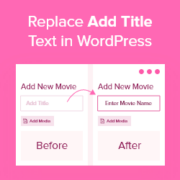
The default “Add Title” text in WordPress doesn’t do much to inspire better headlines. It’s just a placeholder, making it easy to ignore and not very helpful if you want consistent, high-quality content. Customizing that text can give your writers a clearer idea of what… Read More »
Categories provide an easy way to sort your WordPress content. However, there is so much more that you can do with them to make your website user-friendly and boost its SEO. At WPBeginner, we understand the importance of organizing content effectively, especially through categories. Over… Read More »
If you post sponsored content, it’s important to follow regulations by clearly labeling those posts. One easy way to do this is by adding a ‘Sponsored Post’ prefix to your titles. While we don’t do sponsored posts on WPBeginner, we have a similar feature. We… Read More »
Ever watched visitors browse your site, only to leave without getting in touch? It’s frustrating, especially when you know they’re interested but can’t seem to connect. A simple, well-timed popup can make all the difference. 💡 When placed thoughtfully, it puts your contact form right… Read More »
If you’re running a WordPress multisite, there may come a point when one of your sites needs to operate independently. That can happen when a site grows, requires different plugins, or simply needs complete control outside the network. Separating a site from multisite can feel… Read More »
If you’re a YouTube creator, you may be looking for a way to automatically post your videos to WordPress since this can greatly simplify the content creation process. By automating this task, you can save valuable time while expanding your site’s multimedia offerings. Fortunately, there… Read More »
You might have noticed that the category blocks in Gutenberg and the site editor widget in WordPress don’t display categories that are still empty, meaning categories without any published posts. While this default behavior keeps things clean, you might be missing out. In our experience,… Read More »
There are few things more frustrating than when WordPress keeps logging you out of your admin area. This is a common WordPress error that makes it nearly impossible to work on your website. It’s also been one of our pet peeves over the last 16+… Read More »
After our article that recommended users to stop using Feedburner, many users asked us how they can get the social sharing buttons like they had on their FeedBurner feeds. While most modern feed readers include social sharing capabilities, in this article, we will show you… Read More »
Used to store interaction and conversion data for campaigns in conjunction with Revenue Attribution.
1 year
_gat_omTracker*
Set, controlled and used by Google Analytics to collect and store data and then send that data to Google Analytics. OptinMonster provides the name if there is no existing tracker found on that page.
-
omCountdown-{id}-{elementId}
Used for countdown elements {elementId} in campaigns {id} to determine when it should complete.
-
om-{id}-closed / omSlideClosed-{id}
Used specifically with slide-in campaigns {id} to determine if it has been closed or not by a visitor.
30 days
om-success-cookie / omSuccessCookie
Used to determine if a visitor has successfully opted in to any campaign on your site to unlock content when using our Content Locking feature.
365 days
om-success-{id} / omSuccess-{id}
Used to determine if a visitor has successfully opted in to a campaign with the ID of {id} on your site.
365 days
omSeen-{id}
Used to determine if a visitor has been shown a campaign by the slug.
30 days
om-{id}
Used to determine if a visitor has interacted with a campaign ID of {id} on your site.
30 days
_omappvs
Used to determine when a new visitor becomes a returning visitor.