WPBeginner WordPress tutorials help you learn WordPress, so you can improve your website. Our step by step WordPress tutorials are easy to understand and will help you follow the WordPress best practices. Don't waste your time buying WordPress books or outdated WordPress tutorial PDFs that cover just the basics. Our WordPress tutorials are written by experts with 15+ years of WordPress experience, and it contains real-life examples and tips that allows you to learn WordPress faster. We also keep our tutorials up to date.
You can find our other latest free WordPress tutorials below, and you can always use the search feature on our site to find helpful WordPress tutorials faster.
If you don't see a WordPress tutorial that you're looking for, then please reach out to your team and let us know. All our WordPress tutorial ideas are suggested by our users over the last 13+ years.
Are you publishing great content but have no idea if anyone’s actually reading it? It’s frustrating to spend hours writing blog posts only to wonder if they’re making any impact. If you’re not using post-level analytics, you could be missing out on key insights. Like,… Read More »
When we built our own video membership site, the biggest hurdle wasn’t creating the content. It was finding a platform that could deliver lessons, manage students, and handle signups without unnecessary complexity. So here’s our hot take: most of us don’t get stuck because teaching… Read More »
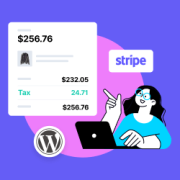
If you run an online store, then you may be legally required to collect sales tax, depending on factors like your location and sales volume. But taxes vary by country, state, and region, so figuring out the right tax rates for your products and services… Read More »
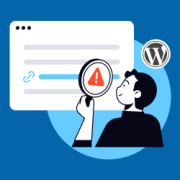
Picture this: You’re checking your WordPress site’s analytics one morning, and something seems off. Your traffic has dropped, and you discover your site is full of spammy links selling everything from fake designer bags to questionable pharmaceuticals. We have seen this firsthand on client websites.… Read More »
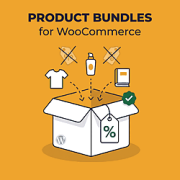
What if you could increase your WooCommerce sales simply by bundling products your customers already want to buy? Instead of selling items individually, you can combine complementary products into one convenient package, often at a discounted price. We use this strategy in our own WordPress… Read More »
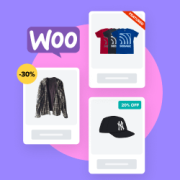
Every successful online store has one thing in common: they make it easy for customers to find their best products. But here’s the challenge – when all your products look the same, how do shoppers know which ones are on sale, newly added, or your… Read More »
By default, WooCommerce shows your product prices to everyone who visits your store. While this works for most online retailers, some businesses need more control over who sees their pricing. While helping online store owners, we’ve come across a few different cases where hiding prices… Read More »
Search analytics can mean two different things: what visitors search for on your site and what people search for on Google before they find it. Your site’s internal search can reveal what visitors want but can’t find, while Google search data shows which keywords are… Read More »
Shipping plays a major role in the success of any online store, and having control over which shipping methods appear in WooCommerce can make a real difference. While offering free shipping on every order may sound appealing, it can quickly reduce profit margins. At the… Read More »
Is your WordPress site loading slower than a snail, even after you’ve tried everything? You run a speed test, and there it is: the dreaded ‘Avoid enormous network payloads’ warning. It sounds super technical, but don’t worry. It basically just means your web page is… Read More »
Used to store interaction and conversion data for campaigns in conjunction with Revenue Attribution.
1 year
_gat_omTracker*
Set, controlled and used by Google Analytics to collect and store data and then send that data to Google Analytics. OptinMonster provides the name if there is no existing tracker found on that page.
-
omCountdown-{id}-{elementId}
Used for countdown elements {elementId} in campaigns {id} to determine when it should complete.
-
om-{id}-closed / omSlideClosed-{id}
Used specifically with slide-in campaigns {id} to determine if it has been closed or not by a visitor.
30 days
om-success-cookie / omSuccessCookie
Used to determine if a visitor has successfully opted in to any campaign on your site to unlock content when using our Content Locking feature.
365 days
om-success-{id} / omSuccess-{id}
Used to determine if a visitor has successfully opted in to a campaign with the ID of {id} on your site.
365 days
omSeen-{id}
Used to determine if a visitor has been shown a campaign by the slug.
30 days
om-{id}
Used to determine if a visitor has interacted with a campaign ID of {id} on your site.
30 days
_omappvs
Used to determine when a new visitor becomes a returning visitor.