WPBeginner WordPress tutorials help you learn WordPress, so you can improve your website. Our step by step WordPress tutorials are easy to understand and will help you follow the WordPress best practices. Don't waste your time buying WordPress books or outdated WordPress tutorial PDFs that cover just the basics. Our WordPress tutorials are written by experts with 15+ years of WordPress experience, and it contains real-life examples and tips that allows you to learn WordPress faster. We also keep our tutorials up to date.
You can find our other latest free WordPress tutorials below, and you can always use the search feature on our site to find helpful WordPress tutorials faster.
If you don't see a WordPress tutorial that you're looking for, then please reach out to your team and let us know. All our WordPress tutorial ideas are suggested by our users over the last 13+ years.
Over the years, we’ve helped countless users integrate different payment services on their WordPress sites and eCommerce stores. Among all the popular gateways, we believe you should consider offering the Klarna payment method. Klarna allows you to add financing and installment plans to your website.… Read More »
Getting people to join your WordPress email list can feel nearly impossible. Visitors scroll right past signup forms like they don’t even exist, and conversion rates stay low no matter how many headlines you try. That’s where interactive tools, like spin-to-win wheels, come in. 🎡… Read More »
Connecting PayPal Commerce with your WordPress site can streamline your payment processes, improve the user experience, and boost sales. It offers a reliable and secure way to handle transactions, making it an essential tool for eCommerce businesses, subscription services, and donation-based sites. We have been… Read More »
Have you ever forgotten your house key and felt stuck outside? Getting locked out of your WordPress website can feel a lot like that. It’s super frustrating, especially if hackers deleted your admin account. But don’t worry, you can get back in. Think of your… Read More »
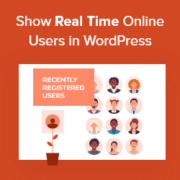
Ever visited a website and thought, “Wow, this place is active—I want to be part of it!”? That’s the power of showing off your newest members. Displaying recently registered users on your WordPress site creates a sense of community and encourages more people to join.… Read More »
Recently, one of our readers asked if it’s possible to create a subscription box service in WordPress. The answer is yes, and it’s easier than you might think. In fact, one business, Hello Subscription, built their entire subscription box directory with WordPress and WooCommerce. After… Read More »
When tracking your website traffic, it’s important to look for fake visitors or referrer spam. At WPBeginner and our other brands, we’ve experienced bot traffic on various occasions. These are visitors who come to your website and exit immediately. Referrer spam sends misleading data to… Read More »
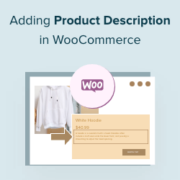
When you’re running a WooCommerce store, even small details can influence whether someone decides to buy. One of those is the product description, which can make a big difference in how quickly shoppers understand what you’re selling. Many store owners struggle with this because WooCommerce… Read More »
Ever noticed how the most successful content sites seem to always have fresh, relevant content? Here’s a secret: they’re not creating everything from scratch. After helping hundreds of WordPress bloggers, we’ve learned that smart content curation is often the key to consistent content delivery. Plus,… Read More »
Starting an online business doesn’t have to be expensive or complicated. One of the easiest ways to get started is by building an Amazon affiliate store with WordPress. It’s low-cost, beginner-friendly, and you can earn commissions without managing inventory or shipping. But setting up your… Read More »
Used to store interaction and conversion data for campaigns in conjunction with Revenue Attribution.
1 year
_gat_omTracker*
Set, controlled and used by Google Analytics to collect and store data and then send that data to Google Analytics. OptinMonster provides the name if there is no existing tracker found on that page.
-
omCountdown-{id}-{elementId}
Used for countdown elements {elementId} in campaigns {id} to determine when it should complete.
-
om-{id}-closed / omSlideClosed-{id}
Used specifically with slide-in campaigns {id} to determine if it has been closed or not by a visitor.
30 days
om-success-cookie / omSuccessCookie
Used to determine if a visitor has successfully opted in to any campaign on your site to unlock content when using our Content Locking feature.
365 days
om-success-{id} / omSuccess-{id}
Used to determine if a visitor has successfully opted in to a campaign with the ID of {id} on your site.
365 days
omSeen-{id}
Used to determine if a visitor has been shown a campaign by the slug.
30 days
om-{id}
Used to determine if a visitor has interacted with a campaign ID of {id} on your site.
30 days
_omappvs
Used to determine when a new visitor becomes a returning visitor.