Often beginners get confused when trying to pick the right WordPress plugins for their needs. We frequently get questions like what is the best WordPress plugin to build an online store, add testimonials, accept payments, create a contact form, and so much more. Unlike other sites, our expert team at WPBeginner tests and review the best WordPress plugins for each task and create step-by-step installation guides to make your life easier. We do the research, so you don't have to.
If you're just getting started, then you may want to start with our popular WordPress plugin guides:
We also have a WPBeginner Solutions Center where we have our expert reviews and our community reviews of top WordPress plugins and tools.
You can find our other latest WordPress plugin guides below, and you can always use the search feature on our site to find helpful WordPress tutorials faster.
If you don't see a WordPress plugin guide that you're looking for, then please reach out to your team and let us know. All our WordPress content ideas are suggested by our users over the last 15+ years.
Do you want to highlight your most loyal readers and boost engagement on your website? Displaying your top commenters in the sidebar is a great way to show appreciation. It also encourages new visitors to join the conversation. At WPBeginner, we have found that adding… Read More »
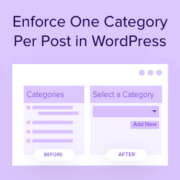
Are categories secretly sabotaging your site’s SEO? Categories are a great way to organize your content and help visitors find what they’re looking for. However, if your posts have multiple categories, then this can actually hurt your search engine rankings without you realizing it. If… Read More »
Adding visual elements like timelines to your site used to mean hours of custom coding or hiring expensive developers. That’s why we were excited to discover a plugin that lets you add a Facebook-style timeline to your site in minutes. If you want to showcase… Read More »
If you have ever run into WordPress storage limits, you are not alone. As your site grows, uploading more images, videos, or PDFs can start to use up your server space. This can increase your hosting costs or limit what you can upload. One of… Read More »
When writing your posts in WordPress, you will notice that the Publish meta box disappears if you scroll down a little. In order to hit the publish or update button, a user needs to scroll up and then click on those buttons. This little UI… Read More »
Inserting WordPress page content into another page or post allows you to show the same information in multiple locations across your website. Reusing content in this way can save time and ensure consistency. It can also help you boost your productivity when updating old material.… Read More »
Recently one of our users asked us what is Markdown? They heard about it from a friend who used Ghost blogging platform. Markdown is a simple markup language that converts plain text into HTML. Think of it as a much simpler text editor. In this… Read More »
Often users mainly use pages to build their WordPress sites (see the difference between posts and pages in WordPress). This allows them to build a static site with an optional blog page. However, it becomes harder to manage pages using the default interface on a… Read More »
Want an easy way to make your WordPress page lists more engaging? Adding thumbnails is a simple yet effective technique for boosting visual appeal and improving site navigation. Displaying featured images next to your page titles gives your visitors more information about the content, so they’re… Read More »
If you’re still using PowerPoint for your business presentations, you’re probably spending too much time fighting with formatting instead of focusing on your message. We’ve noticed how presentations often break during sharing, formatting gets messed up between different versions, and simple updates turn into time-consuming… Read More »
Used to store interaction and conversion data for campaigns in conjunction with Revenue Attribution.
1 year
_gat_omTracker*
Set, controlled and used by Google Analytics to collect and store data and then send that data to Google Analytics. OptinMonster provides the name if there is no existing tracker found on that page.
-
omCountdown-{id}-{elementId}
Used for countdown elements {elementId} in campaigns {id} to determine when it should complete.
-
om-{id}-closed / omSlideClosed-{id}
Used specifically with slide-in campaigns {id} to determine if it has been closed or not by a visitor.
30 days
om-success-cookie / omSuccessCookie
Used to determine if a visitor has successfully opted in to any campaign on your site to unlock content when using our Content Locking feature.
365 days
om-success-{id} / omSuccess-{id}
Used to determine if a visitor has successfully opted in to a campaign with the ID of {id} on your site.
365 days
omSeen-{id}
Used to determine if a visitor has been shown a campaign by the slug.
30 days
om-{id}
Used to determine if a visitor has interacted with a campaign ID of {id} on your site.
30 days
_omappvs
Used to determine when a new visitor becomes a returning visitor.