Often beginners get confused when trying to pick the right WordPress plugins for their needs. We frequently get questions like what is the best WordPress plugin to build an online store, add testimonials, accept payments, create a contact form, and so much more. Unlike other sites, our expert team at WPBeginner tests and review the best WordPress plugins for each task and create step-by-step installation guides to make your life easier. We do the research, so you don't have to.
If you're just getting started, then you may want to start with our popular WordPress plugin guides:
We also have a WPBeginner Solutions Center where we have our expert reviews and our community reviews of top WordPress plugins and tools.
You can find our other latest WordPress plugin guides below, and you can always use the search feature on our site to find helpful WordPress tutorials faster.
If you don't see a WordPress plugin guide that you're looking for, then please reach out to your team and let us know. All our WordPress content ideas are suggested by our users over the last 15+ years.
Do you like the autocomplete functionality in Facebook that lets you easily mention people, places, and pages that you want to tag? Wouldn’t it be nice if you could easily mention your older articles with a simple @ mention? In this article, we will show… Read More »
While optimizing client websites, we often find that embedded videos are a major cause of slow page load times. The issue is that browsers load the entire video player right away, even if a visitor never clicks the play button, which can really hurt your… Read More »
Post revisions provide you an easy way to undo changes, restore posts, and revert to old drafts. However, many users believe that too many revisions can increase their backup file sizes, increase post query times, and affect overall performance of their site. It is easy… Read More »
When you’re selling digital products, your customers often need invoices for their business records, tax purposes, or expense tracking. Easy Digital Downloads has a built-in invoice feature that many store owners overlook. Our partner brands like WPForms and Duplicator have been using it successfully for… Read More »
Do you find CAPTCHA hard to use and annoying? What if we told you there is a new method that’s just as effective in preventing spam, but significantly less annoying. In this article, we will show you how to add NoCAPTCHA to block comment spam… Read More »
There are currently more than 35,000 plugins available in WordPress.org directory. Each day plugins are removed for various reasons including guideline violations, security vulnerabilities, or plugin author requests. However, there is no system in place to notify sites using those plugins. In this article, we… Read More »
We’ve all opened our WordPress site and cringed at low-quality or off-brand images that should’ve been replaced long ago. If you’re seeing a blurry logo or an outdated screenshot, it’s probably time for a refresh. But replacing media files often feels more complicated than it… Read More »
Ever come across a site that has custom shapes for their user avatars or gravatars? Want to add the same style on your site? In the past, we have written about how to add round avatars using CSS, but that requires tweaking code. In this… Read More »
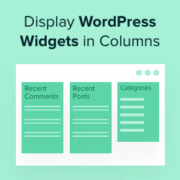
Widgets allow you to add dynamic content to areas you can’t edit using the standard WordPress content editor. People often add widgets to the sidebar, but you can show them in other areas in multiple columns. This approach allows you to organize and present content… Read More »
Have you ever spent ages crafting the perfect blog post, only to find that the beautiful, high-resolution images are making your site painfully slow? I’ve been there, and it’s frustrating to know that slow load times can drive visitors away before they even see your… Read More »
Used to store interaction and conversion data for campaigns in conjunction with Revenue Attribution.
1 year
_gat_omTracker*
Set, controlled and used by Google Analytics to collect and store data and then send that data to Google Analytics. OptinMonster provides the name if there is no existing tracker found on that page.
-
omCountdown-{id}-{elementId}
Used for countdown elements {elementId} in campaigns {id} to determine when it should complete.
-
om-{id}-closed / omSlideClosed-{id}
Used specifically with slide-in campaigns {id} to determine if it has been closed or not by a visitor.
30 days
om-success-cookie / omSuccessCookie
Used to determine if a visitor has successfully opted in to any campaign on your site to unlock content when using our Content Locking feature.
365 days
om-success-{id} / omSuccess-{id}
Used to determine if a visitor has successfully opted in to a campaign with the ID of {id} on your site.
365 days
omSeen-{id}
Used to determine if a visitor has been shown a campaign by the slug.
30 days
om-{id}
Used to determine if a visitor has interacted with a campaign ID of {id} on your site.
30 days
_omappvs
Used to determine when a new visitor becomes a returning visitor.