Often beginners get confused when trying to pick the right WordPress plugins for their needs. We frequently get questions like what is the best WordPress plugin to build an online store, add testimonials, accept payments, create a contact form, and so much more. Unlike other sites, our expert team at WPBeginner tests and review the best WordPress plugins for each task and create step-by-step installation guides to make your life easier. We do the research, so you don't have to.
If you're just getting started, then you may want to start with our popular WordPress plugin guides:
We also have a WPBeginner Solutions Center where we have our expert reviews and our community reviews of top WordPress plugins and tools.
You can find our other latest WordPress plugin guides below, and you can always use the search feature on our site to find helpful WordPress tutorials faster.
If you don't see a WordPress plugin guide that you're looking for, then please reach out to your team and let us know. All our WordPress content ideas are suggested by our users over the last 15+ years.
As a WordPress blog focused on website building, we sometimes come across readers who want to paste a code snippet or share a piece of code in the comments. However, WordPress does not come with any built-in syntax highlighting for comments, posts, or pages, which… Read More »
We have published thousands of blog posts here at WPBeginner, and we treat our images with as much care as our text. Adding a title attribute to your media is one of those small details that makes a big difference. While many users focus on… Read More »
Offering delivery time slots is an excellent way to boost the customer experience, improve order management, and increase sales for your WooCommerce store. Whether you are running a restaurant, grocery store, or eCommerce business, giving your customers the flexibility to choose when they receive their… Read More »
Managing downloadable files in WordPress may seem easy at first. But it quickly becomes difficult to control access, prevent file sharing, and keep everything organized. Without the right system, users can download the wrong files, and you may have no way to track or protect… Read More »
Are your WordPress contact forms working properly? If you’re like most website owners, you probably assume they are. But emails can be blocked, sent to spam, or never even leave your server. The truth is that many web hosts just aren’t reliable when it comes… Read More »
Running a WooCommerce store isn’t just about selling great products. You also need smart promotions to grow your business. I’ve worked with many store owners who fall into the same trap: relying on basic discount codes that reduce profits without encouraging long-term sales. That’s why… Read More »
Have you ever had problems with your WordPress website, but could not access the admin area to troubleshoot? This is a frustrating experience that many WordPress users face at some point. One common troubleshooting step is to deactivate all plugins and then reactivate them one… Read More »
Discounts work best when they’re easy for customers to use. If someone has to search for a code or type it in manually, it can be frustrating – and that takes away from the excitement of getting a deal. That’s why we recommend using auto-applying… Read More »
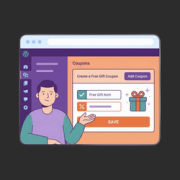
Everyone loves getting something extra for free. It’s a simple incentive that can quickly turn hesitation into a purchase. When shoppers see they’ll receive a bonus gift with their order, it often shifts their mindset from “I’ll think about it” to “I don’t want to… Read More »
You want to refresh your content, but you’re scared of breaking what’s already working. We know this problem all too well because WordPress doesn’t allow you to edit a live page without affecting it. That’s when we discovered a simple trick: duplicating pages and posts.… Read More »
Used to store interaction and conversion data for campaigns in conjunction with Revenue Attribution.
1 year
_gat_omTracker*
Set, controlled and used by Google Analytics to collect and store data and then send that data to Google Analytics. OptinMonster provides the name if there is no existing tracker found on that page.
-
omCountdown-{id}-{elementId}
Used for countdown elements {elementId} in campaigns {id} to determine when it should complete.
-
om-{id}-closed / omSlideClosed-{id}
Used specifically with slide-in campaigns {id} to determine if it has been closed or not by a visitor.
30 days
om-success-cookie / omSuccessCookie
Used to determine if a visitor has successfully opted in to any campaign on your site to unlock content when using our Content Locking feature.
365 days
om-success-{id} / omSuccess-{id}
Used to determine if a visitor has successfully opted in to a campaign with the ID of {id} on your site.
365 days
omSeen-{id}
Used to determine if a visitor has been shown a campaign by the slug.
30 days
om-{id}
Used to determine if a visitor has interacted with a campaign ID of {id} on your site.
30 days
_omappvs
Used to determine when a new visitor becomes a returning visitor.