Running an eCommerce store requires ongoing effort – it’s not a one-time setup. From security updates to product management, regular maintenance plays a critical role in your store’s long-term success. At WPBeginner, we’ve spent over 16 years helping users build and maintain high-performing online stores.… Read More »
Over the years, many users have reached out to us and our partner companies to ask about fixing broken WordPress databases. Keeping your WordPress website running smoothly requires a healthy database. If your database gets corrupted, then it can lead to many problems, including error… Read More »
The theme.json file is an important part of WordPress block themes, controlling many aspects of your site’s appearance and functionality. If you recently switched from a classic theme to a block one, you may be wondering what this file is all about and whether you… Read More »
Google is fundamentally changing how people discover information online. The experimental phase is over, and features powered by AI Search are now the default experience for millions of users. This shift toward “Zero-Click” searches can feel unsettling if you rely on organic traffic. We have… Read More »
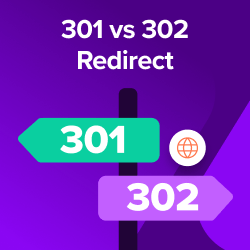
Figuring out whether to use a 301 or 302 redirect can feel like a high-stakes guessing game. We know the feeling well, as we’ve managed countless redirects since starting WPBeginner in 2009. Choosing the wrong one can quietly damage your site’s SEO, sending your search… Read More »
Securing your WordPress site against SQL injection attacks is necessary to safeguard your data and maintain your visitors’ trust. SQL injection is a common technique used by hackers to attack your database. Once they do that, hackers can read your sensitive data, modify it, and… Read More »
Starting an online store should be exciting, but we remember staring at our computer screens, paralyzed by one question: How do we actually get products to our customers? The technical side of WordPress was challenging enough without worrying about inventory and shipping. We’ve helped a… Read More »
Ever feel like your local business is invisible online? It’s a frustrating feeling we’ve seen countless times after helping thousands of small business owners here at WPBeginner. You’ve built a great local service, but if customers can’t find you, that means you’re missing out on… Read More »
Content syndication is a powerful way to share your content across different platforms and boost your reach. Many WordPress sites rely on syndication through RSS feeds to share content easily. This feature lets others subscribe to your site or even display your posts on other… Read More »
Recently, one of our users asked what the recommended server requirements are for running a WordPress website. The best thing about WordPress is that it will work in almost any kind of environment. However, when you’re picking a hosting solution for your site, it’s important… Read More »
Used to store interaction and conversion data for campaigns in conjunction with Revenue Attribution.
1 year
_gat_omTracker*
Set, controlled and used by Google Analytics to collect and store data and then send that data to Google Analytics. OptinMonster provides the name if there is no existing tracker found on that page.
-
omCountdown-{id}-{elementId}
Used for countdown elements {elementId} in campaigns {id} to determine when it should complete.
-
om-{id}-closed / omSlideClosed-{id}
Used specifically with slide-in campaigns {id} to determine if it has been closed or not by a visitor.
30 days
om-success-cookie / omSuccessCookie
Used to determine if a visitor has successfully opted in to any campaign on your site to unlock content when using our Content Locking feature.
365 days
om-success-{id} / omSuccess-{id}
Used to determine if a visitor has successfully opted in to a campaign with the ID of {id} on your site.
365 days
omSeen-{id}
Used to determine if a visitor has been shown a campaign by the slug.
30 days
om-{id}
Used to determine if a visitor has interacted with a campaign ID of {id} on your site.
30 days
_omappvs
Used to determine when a new visitor becomes a returning visitor.