Have you ever noticed that your WordPress site feels fast for you, but slow for someone halfway across the world? That lag can frustrate readers and quietly hurt your engagement and credibility. Building a successful blog isn’t just about great content. It’s about making sure… Read More »
Do you feel limited by the default WordPress gallery options? Often, standard galleries force users to load a completely new page just to see a larger version of an image, which can disrupt their browsing experience. A lightbox effect solves this by displaying your images… Read More »
In this article, we attempt to cover every aspect of email newsletters and WordPress for beginners. This includes the very basics to advanced tricks, recommended services & plugins, secret tips to increase opt-in rates, and much more.
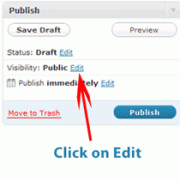
Because WordPress is a publishing platform, there are options for content visibility that most beginners overlook. Have you ever thought about creating a blog post that you don’t want everyone to read? Maybe just for family members or close friends? Or maybe just very special… Read More »
Integrating FeedBurner and Google Analytics is a must for every WordPress blog. In this article, we will show you how you can setup your WordPress blog feeds with FeedBurner and use it to help take your blog to the next level.
Ever wanted to showcase an important article on your WordPress site, keeping it front and center for all visitors to see? Sticky posts are the solution to this problem. We’ve used sticky posts countless times in our blogging projects to highlight everything from major announcements… Read More »
As you all know that one of the services we provide is our Free WordPress Blog Setup. In this service, we setup professional emails for our clients. Well in this tutorial we will show you how you can manage your professional emails efficiently using Gmail.
While working on client sites or testing plugins, we’ve often had to peek behind the scenes of WordPress. One of the lesser-known but super handy places to look is the hidden options panel. This page isn’t linked anywhere in the dashboard. But it holds a… Read More »
If you are worried about updating your WordPress website, you are not alone. Many beginners tell us they are concerned that an update might cause problems to their website. However, after working with WordPress for so many years, we are convinced that keeping your website… Read More »
Search Engine Optimization (SEO) for a WordPress blog is different than SEO for static websites, mainly because of the social nature of blogging technology. It is less about buying links or tricking inadequate search technology. SEO for WordPress blogs is more focused on the technical infrastructure of your site, and your ability to write creative articles that are noteworthy for others to read and link to.
Used to store interaction and conversion data for campaigns in conjunction with Revenue Attribution.
1 year
_gat_omTracker*
Set, controlled and used by Google Analytics to collect and store data and then send that data to Google Analytics. OptinMonster provides the name if there is no existing tracker found on that page.
-
omCountdown-{id}-{elementId}
Used for countdown elements {elementId} in campaigns {id} to determine when it should complete.
-
om-{id}-closed / omSlideClosed-{id}
Used specifically with slide-in campaigns {id} to determine if it has been closed or not by a visitor.
30 days
om-success-cookie / omSuccessCookie
Used to determine if a visitor has successfully opted in to any campaign on your site to unlock content when using our Content Locking feature.
365 days
om-success-{id} / omSuccess-{id}
Used to determine if a visitor has successfully opted in to a campaign with the ID of {id} on your site.
365 days
omSeen-{id}
Used to determine if a visitor has been shown a campaign by the slug.
30 days
om-{id}
Used to determine if a visitor has interacted with a campaign ID of {id} on your site.
30 days
_omappvs
Used to determine when a new visitor becomes a returning visitor.