We know the sinking feeling of finding the perfect name for a new project, only to discover someone else already registered it. That sudden roadblock can make you want to scrap your entire idea and start from scratch. Please do not lose hope just yet.… Read More »
Images play an important role in making your content more engaging and easier to understand. However, getting everything to display correctly can be tricky. Issues often come up when adding featured images, creating galleries, or placing visuals inside your posts, especially as your site grows.… Read More »
Due to the Coronavirus (COVID-19) pandemic, there is a lot of uncertainty in the world, especially for small business owners. Many small businesses are being forced to adapt and make critical changes just to survive. During these tough times, the world seems uncontrollable. That’s why… Read More »
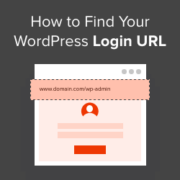
If you’re having trouble finding your WordPress login URL, you’re not the only one. It’s a small detail, but it can be surprisingly frustrating — especially when you’re eager to start working on your site. Unlike platforms that place login links right on the homepage,… Read More »
Like many WordPress users, we saw my first major WordPress error message when we were just starting out. That white screen of death was quite scary 😱! But after years of writing WordPress tutorials and helping countless website owners, we’ve learned that these errors are… Read More »
Our journey with WPBeginner started with a simple promise: to make learning WordPress easy for everyone. We know how overwhelming it can feel when you’re just starting out, especially with so many paid courses available. But after helping millions of users build their sites, we’ve… Read More »
A logo is a key part of your brand’s identity, so it’s important that it looks professional and reflects what your brand stands for. But hiring a designer can be expensive, and not everyone has graphic design skills. The good news is that you don’t… Read More »
Installing a WordPress theme is one of the first steps in creating your business website or blog. You’ll need to get it right if you want your site to look professional and work properly. But if you’re a beginner, you may be wondering how to… Read More »
Most of us on the WPBeginner team can remember staring at our first blank code editor, completely overwhelmed by all the HTML tags, CSS properties, and JavaScript functions we needed to learn. But that was a long time ago, and since then, we’ve helped thousands… Read More »
Google AdSense is one of the easiest ways to earn money from your website. Over the years, we’ve guided many bloggers through monetization struggles, and AdSense has proven to be a dependable solution. With Google AdSense, you can automatically sell your website’s ad space to… Read More »
Used to store interaction and conversion data for campaigns in conjunction with Revenue Attribution.
1 year
_gat_omTracker*
Set, controlled and used by Google Analytics to collect and store data and then send that data to Google Analytics. OptinMonster provides the name if there is no existing tracker found on that page.
-
omCountdown-{id}-{elementId}
Used for countdown elements {elementId} in campaigns {id} to determine when it should complete.
-
om-{id}-closed / omSlideClosed-{id}
Used specifically with slide-in campaigns {id} to determine if it has been closed or not by a visitor.
30 days
om-success-cookie / omSuccessCookie
Used to determine if a visitor has successfully opted in to any campaign on your site to unlock content when using our Content Locking feature.
365 days
om-success-{id} / omSuccess-{id}
Used to determine if a visitor has successfully opted in to a campaign with the ID of {id} on your site.
365 days
omSeen-{id}
Used to determine if a visitor has been shown a campaign by the slug.
30 days
om-{id}
Used to determine if a visitor has interacted with a campaign ID of {id} on your site.
30 days
_omappvs
Used to determine when a new visitor becomes a returning visitor.