The most experienced team of WordPress experts and educators.
Over 16+ years of WordPress and web development experience.
The team that advises some of the largest WordPress plugins in the industry used by over 25 million websites.
Led by WPBeginner founder, Syed Balkhi, a well-respected WordPress expert.
Experience
Our editorial staff includes a dedicated team of programmers, writers, video creators, and editors with over 16 years of experience in WordPress, web hosting, eCommerce, SEO, and online marketing.
Our editorial team manages every piece of content we publish at WPBeginner. Unlike other copycat tutorial websites, every person in our team is a true WordPress practitioner. You can learn more about our Editorial Process here.
The team is led by the most well-known and well-respected WordPress expert in the world, Syed Balkhi. He graduated from University of Florida and have been building WordPress websites since 2006.
Syed is also the founder of some of the most popular WordPress plugins in the market.
About WPBeginner
WPBeginner is the largest free WordPress resource for beginners to learn WordPress. We are part of the Awesome Motive family and reach over 100 million visitors every year. Our content is fact checked and reviewed by our Editorial team for accuracy and integrity. You can learn more about us and our editorial process.
Over the years, we’ve helped thousands of beginners launch their first websites through WPBeginner. The most common reaction we hear is, “I wish I knew it could be this easy!” Many people put off creating their websites because they think they need technical skills or… Read More »
When you first set up your site, WordPress lists your categories alphabetically. But is that really the best way to showcase your content? We’ve found that customizing the category order can make a big difference. It lets you highlight your most popular topics, guide visitors… Read More »
In WordPress, your posts can be organized into different categories and tags. You can even create subcategories for further organization. Using categories and subcategories can help your readers find the content they’re most interested in and improve your website’s SEO rankings. Over the past 16… Read More »
I still remember the frustration of sharing a new blog post on Twitter, only to see a broken image placeholder instead of our carefully designed graphic. It’s a small glitch that can make your brand look unprofessional and cost you valuable clicks. This happens when… Read More »
Have you ever wanted to find out which WordPress theme a site is using? Readers often ask us to help them find the name of a theme they’ve seen on someone else’s website. This allows them to use exactly the same design and layout on… Read More »
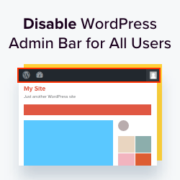
Some readers have asked us how to disable the WordPress admin bar. While it’s a small tweak, some users prefer to do this for various reasons, such as maintaining a cleaner user interface or enhancing the user experience for non-admin users. By default, you can… Read More »
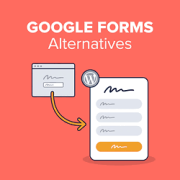
Google Forms lets you build a form in minutes, but it never looks like part of your website. There’s little you can do after someone hits submit. The right Google Forms alternative fixes both. Your form takes on your site’s fonts and colors, every entry… Read More »
WordPress comes with a built-in user management system. This lets you add users with different roles and permission levels. In our 16+ years of experience managing a successful WordPress blog, we’ve added multiple new users and authors. The process has now become very simple, and… Read More »
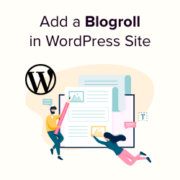
When we first started WPBeginner, one of the most useful features on our site was the blogroll – a curated list of resources that helped our readers discover other valuable WordPress content. Today, we still use blogrolls across our sites to share partner links and… Read More »
WooCommerce has a built-in search feature, but it’s not very good at finding products. By replacing it with a smarter and faster search tool, you can improve the user experience and drive more sales in your WooCommerce store. A powerful search functionality helps customers find… Read More »
Used to store interaction and conversion data for campaigns in conjunction with Revenue Attribution.
1 year
_gat_omTracker*
Set, controlled and used by Google Analytics to collect and store data and then send that data to Google Analytics. OptinMonster provides the name if there is no existing tracker found on that page.
-
omCountdown-{id}-{elementId}
Used for countdown elements {elementId} in campaigns {id} to determine when it should complete.
-
om-{id}-closed / omSlideClosed-{id}
Used specifically with slide-in campaigns {id} to determine if it has been closed or not by a visitor.
30 days
om-success-cookie / omSuccessCookie
Used to determine if a visitor has successfully opted in to any campaign on your site to unlock content when using our Content Locking feature.
365 days
om-success-{id} / omSuccess-{id}
Used to determine if a visitor has successfully opted in to a campaign with the ID of {id} on your site.
365 days
omSeen-{id}
Used to determine if a visitor has been shown a campaign by the slug.
30 days
om-{id}
Used to determine if a visitor has interacted with a campaign ID of {id} on your site.
30 days
_omappvs
Used to determine when a new visitor becomes a returning visitor.