The most experienced team of WordPress experts and educators.
Over 16+ years of WordPress and web development experience.
The team that advises some of the largest WordPress plugins in the industry used by over 25 million websites.
Led by WPBeginner founder, Syed Balkhi, a well-respected WordPress expert.
Experience
Our editorial staff includes a dedicated team of programmers, writers, video creators, and editors with over 16 years of experience in WordPress, web hosting, eCommerce, SEO, and online marketing.
Our editorial team manages every piece of content we publish at WPBeginner. Unlike other copycat tutorial websites, every person in our team is a true WordPress practitioner. You can learn more about our Editorial Process here.
The team is led by the most well-known and well-respected WordPress expert in the world, Syed Balkhi. He graduated from University of Florida and have been building WordPress websites since 2006.
Syed is also the founder of some of the most popular WordPress plugins in the market.
About WPBeginner
WPBeginner is the largest free WordPress resource for beginners to learn WordPress. We are part of the Awesome Motive family and reach over 100 million visitors every year. Our content is fact checked and reviewed by our Editorial team for accuracy and integrity. You can learn more about us and our editorial process.
When running a website, it is important to keep your audience engaged and informed. One way to do that is to display timely announcements at the top or bottom of the website. Adding announcements is an effective way to direct user attention and boost conversions.… Read More »
Connecting Slack with WordPress can significantly enhance your website management workflow. This integration allows you to receive real-time notifications about important events on your site directly in your Slack channels. Whether it’s a new sale on your WooCommerce store, a customer support request, or a… Read More »
Want to turn your WooCommerce stores into steady income streams? Subscriptions are the key that transforms unpredictable one-time sales into reliable monthly revenue. The thing is, WooCommerce doesn’t handle recurring payments right out of the box. You need to add this functionality yourself, but it’s… Read More »
Protecting your WordPress website from online threats is crucial. One way we improve security at WPBeginner is by using HTTP security headers. These provide an additional layer of security, acting as a shield against common attacks and vulnerabilities. These headers work behind the scenes, instructing… Read More »
If you’re an aspiring WordPress theme designer, mastering CSS is key to unlocking greater control, customization, and efficiency in your workflow. Luckily, WordPress automatically adds CSS classes that you can utilize in your themes. Several of these CSS classes are automatically added to the <body>… Read More »
Content theft is one of the most frustrating problems we’ve had to deal with over the years on WPBeginner. Stolen content can confuse your readers, hurt your search rankings, and devalue the hard work you’ve put into creating it. But here’s the good news: you… Read More »
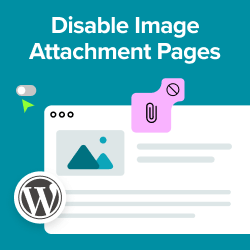
Did you know WordPress creates a separate page for every single image you upload? These attachment pages often have no content and look broken to visitors. Even worse, search engines might index them instead of your high-quality posts, which can hurt your SEO rankings. We… Read More »
For a long time, we treated our RSS feed as a simple content stream for our subscribers. But after digging into our stats, we discovered a frustrating problem: thousands were reading, but almost no one was clicking back to our site. Worse, we found our… Read More »
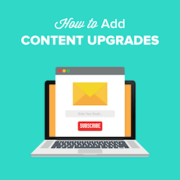
If you are looking for ways to grow your email list, then offering content upgrades works like a charm. A content upgrade is bonus material that your readers can get by signing up for your email list. For instance, this could be an eBook, checklist,… Read More »
However, even high-quality photos can feel static if they don’t engage your visitors when they move their mouse over them. Adding a hover animation is a small detail that makes your content look more professional. You might think this requires custom code, but we have… Read More »
Used to store interaction and conversion data for campaigns in conjunction with Revenue Attribution.
1 year
_gat_omTracker*
Set, controlled and used by Google Analytics to collect and store data and then send that data to Google Analytics. OptinMonster provides the name if there is no existing tracker found on that page.
-
omCountdown-{id}-{elementId}
Used for countdown elements {elementId} in campaigns {id} to determine when it should complete.
-
om-{id}-closed / omSlideClosed-{id}
Used specifically with slide-in campaigns {id} to determine if it has been closed or not by a visitor.
30 days
om-success-cookie / omSuccessCookie
Used to determine if a visitor has successfully opted in to any campaign on your site to unlock content when using our Content Locking feature.
365 days
om-success-{id} / omSuccess-{id}
Used to determine if a visitor has successfully opted in to a campaign with the ID of {id} on your site.
365 days
omSeen-{id}
Used to determine if a visitor has been shown a campaign by the slug.
30 days
om-{id}
Used to determine if a visitor has interacted with a campaign ID of {id} on your site.
30 days
_omappvs
Used to determine when a new visitor becomes a returning visitor.