The most experienced team of WordPress experts and educators.
Over 16+ years of WordPress and web development experience.
The team that advises some of the largest WordPress plugins in the industry used by over 25 million websites.
Led by WPBeginner founder, Syed Balkhi, a well-respected WordPress expert.
Experience
Our editorial staff includes a dedicated team of programmers, writers, video creators, and editors with over 16 years of experience in WordPress, web hosting, eCommerce, SEO, and online marketing.
Our editorial team manages every piece of content we publish at WPBeginner. Unlike other copycat tutorial websites, every person in our team is a true WordPress practitioner. You can learn more about our Editorial Process here.
The team is led by the most well-known and well-respected WordPress expert in the world, Syed Balkhi. He graduated from University of Florida and have been building WordPress websites since 2006.
Syed is also the founder of some of the most popular WordPress plugins in the market.
About WPBeginner
WPBeginner is the largest free WordPress resource for beginners to learn WordPress. We are part of the Awesome Motive family and reach over 100 million visitors every year. Our content is fact checked and reviewed by our Editorial team for accuracy and integrity. You can learn more about us and our editorial process.
Download links are a simple way to offer PDFs, templates, guides, and other files directly from your WordPress site. They’re perfect for building trust, growing your email list, and giving real value to your audience. The good news is that adding download links to WordPress… Read More »
Building WordPress sites has never been easier, and block patterns are a big part of that. When we first discovered them, we saw their potential to speed up our workflow. We now use block patterns like reusable blocks for CTAs and coupon offer buttons—they’ve become… Read More »
Would you like to customize your WooCommerce product search results page? By default, WordPress and WooCommerce have limited search capabilities. By customizing your product search results, you’ll be able to increase sales and grow your business. In this article, we’ll show a few easy ways… Read More »
Have you ever seen that dreaded ‘Error 521’ message pop up when trying to visit your website? Unfortunately, it is a pretty common issue for anyone using WordPress and Cloudflare, and it can affect thousands of websites every single day. The bad news? If you… Read More »
Whether you’re running a subscription service, an online membership site, or simply need to process regular donations, accepting recurring payments on your WordPress site can streamline your revenue. These payments ensure a steady cash flow and help you build long-term customer relationships. We sell several… Read More »
Slow loading times frustrate visitors and hurt your Google rankings. Even a one-second delay can cost you subscribers and sales. Minification sounds technical, but it is simply a way to make your website code smaller so it loads faster. We use this technique on our… Read More »
WordPress 6.0 Beta arrived a few days ago, and it is expected to be released on May 24th, 2022. It will be the second major release of 2022 and will come with many new features and improvements. We have been closely monitoring the development and… Read More »
There are many WordPress event plugins, which one works for you depends on your requirement. In our comparison, Sugar Calendar came out as the best WordPress event plugin for most sites, The Events Calendar proved to be better for large event sites needing many addons,… Read More »
A well-designed sales page can be a game-changer for your business by turning casual visitors into paying customers and boosting your bottom line. At WPBeginner, we’ve helped countless WordPress users create various types of pages, but sales pages consistently stand out as one of the… Read More »
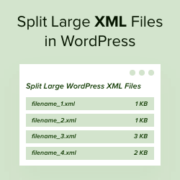
Setting up a new blog or moving your WordPress site can be exciting, but sometimes you might hit a frustrating roadblock: your WordPress export file is too big to import into your new website. We’ve seen this problem many times when setting up blog sites… Read More »
Used to store interaction and conversion data for campaigns in conjunction with Revenue Attribution.
1 year
_gat_omTracker*
Set, controlled and used by Google Analytics to collect and store data and then send that data to Google Analytics. OptinMonster provides the name if there is no existing tracker found on that page.
-
omCountdown-{id}-{elementId}
Used for countdown elements {elementId} in campaigns {id} to determine when it should complete.
-
om-{id}-closed / omSlideClosed-{id}
Used specifically with slide-in campaigns {id} to determine if it has been closed or not by a visitor.
30 days
om-success-cookie / omSuccessCookie
Used to determine if a visitor has successfully opted in to any campaign on your site to unlock content when using our Content Locking feature.
365 days
om-success-{id} / omSuccess-{id}
Used to determine if a visitor has successfully opted in to a campaign with the ID of {id} on your site.
365 days
omSeen-{id}
Used to determine if a visitor has been shown a campaign by the slug.
30 days
om-{id}
Used to determine if a visitor has interacted with a campaign ID of {id} on your site.
30 days
_omappvs
Used to determine when a new visitor becomes a returning visitor.