The most experienced team of WordPress experts and educators.
Over 16+ years of WordPress and web development experience.
The team that advises some of the largest WordPress plugins in the industry used by over 25 million websites.
Led by WPBeginner founder, Syed Balkhi, a well-respected WordPress expert.
Experience
Our editorial staff includes a dedicated team of programmers, writers, video creators, and editors with over 16 years of experience in WordPress, web hosting, eCommerce, SEO, and online marketing.
Our editorial team manages every piece of content we publish at WPBeginner. Unlike other copycat tutorial websites, every person in our team is a true WordPress practitioner. You can learn more about our Editorial Process here.
The team is led by the most well-known and well-respected WordPress expert in the world, Syed Balkhi. He graduated from University of Florida and have been building WordPress websites since 2006.
Syed is also the founder of some of the most popular WordPress plugins in the market.
About WPBeginner
WPBeginner is the largest free WordPress resource for beginners to learn WordPress. We are part of the Awesome Motive family and reach over 100 million visitors every year. Our content is fact checked and reviewed by our Editorial team for accuracy and integrity. You can learn more about us and our editorial process.
If you have added multiple bloggers to your site, then a blog post checklist can help ensure everyone writes in the same style and remembers all the important details. ✔ At WPBeginner, we use a blog post checklist ourselves, and it has helped us maintain… Read More »
Accepting Google Pay on your WordPress site can improve your customers’ overall shopping experience. From our own experience running online stores, we know how important it is to offer multiple payment options to cater to the different preferences of your customer base. By providing Google… Read More »
When visitors use your WordPress website’s search bar, they expect to find helpful, relevant content. But if the results are empty, or worse, completely off target, they may get frustrated and leave your site to find answers elsewhere. That’s why it’s important to fix it… Read More »
Building a loyal audience takes time and effort—but turning that support into income shouldn’t mean giving up control. When I started helping creators build their own membership sites, I saw how platforms like Patreon could limit growth and take a larger cut than expected. That… Read More »
The WordPress block editor is great for creating content, but one important thing it’s missing is a collaborative feature. This feature is important for efficient teamwork, especially if you’re running a multi-author blog like WPBeginner. Thankfully, we’ve found an easy, codeless way to add this… Read More »
Selling digital downloads online should be easy. Whether you’re offering ebooks, online courses, photos, art, or music, WordPress can make it simple. With WordPress, you can manage and sell your digital products securely. It lets you set everything up quickly and ensures your downloads are… Read More »
Have you ever read a blog post and wanted an easy way to jump to the next one? That is where the next/previous links come in handy. These simple navigation links keep readers engaged by guiding them to more content on your site without making… Read More »
As online business owners, we know that some payment methods work better than others. ACH payments (also called eChecks or direct bank transfers) are a great choice for US businesses. Unlike credit cards, this bank-to-bank system can significantly lower transaction fees, making it ideal for… Read More »
Featured images make your site look polished and professional. However, it is easy to forget to add one when you are focused on writing. At WPBeginner, we realized early on that posts without thumbnails look incomplete. They can also break your blog layout and get… Read More »
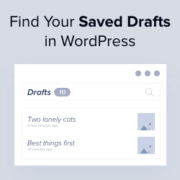
Have you ever written a great blog post, but then couldn’t find it in WordPress? This happens to many people, and it can be very frustrating. Since we run a WordPress blog, we know this problem all too well. Thankfully, we’ve learned some good ways… Read More »
Used to store interaction and conversion data for campaigns in conjunction with Revenue Attribution.
1 year
_gat_omTracker*
Set, controlled and used by Google Analytics to collect and store data and then send that data to Google Analytics. OptinMonster provides the name if there is no existing tracker found on that page.
-
omCountdown-{id}-{elementId}
Used for countdown elements {elementId} in campaigns {id} to determine when it should complete.
-
om-{id}-closed / omSlideClosed-{id}
Used specifically with slide-in campaigns {id} to determine if it has been closed or not by a visitor.
30 days
om-success-cookie / omSuccessCookie
Used to determine if a visitor has successfully opted in to any campaign on your site to unlock content when using our Content Locking feature.
365 days
om-success-{id} / omSuccess-{id}
Used to determine if a visitor has successfully opted in to a campaign with the ID of {id} on your site.
365 days
omSeen-{id}
Used to determine if a visitor has been shown a campaign by the slug.
30 days
om-{id}
Used to determine if a visitor has interacted with a campaign ID of {id} on your site.
30 days
_omappvs
Used to determine when a new visitor becomes a returning visitor.