The most experienced team of WordPress experts and educators.
Over 16+ years of WordPress and web development experience.
The team that advises some of the largest WordPress plugins in the industry used by over 25 million websites.
Led by WPBeginner founder, Syed Balkhi, a well-respected WordPress expert.
Experience
Our editorial staff includes a dedicated team of programmers, writers, video creators, and editors with over 16 years of experience in WordPress, web hosting, eCommerce, SEO, and online marketing.
Our editorial team manages every piece of content we publish at WPBeginner. Unlike other copycat tutorial websites, every person in our team is a true WordPress practitioner. You can learn more about our Editorial Process here.
The team is led by the most well-known and well-respected WordPress expert in the world, Syed Balkhi. He graduated from University of Florida and have been building WordPress websites since 2006.
Syed is also the founder of some of the most popular WordPress plugins in the market.
About WPBeginner
WPBeginner is the largest free WordPress resource for beginners to learn WordPress. We are part of the Awesome Motive family and reach over 100 million visitors every year. Our content is fact checked and reviewed by our Editorial team for accuracy and integrity. You can learn more about us and our editorial process.
WordPress 4.9 was released just few hours ago. It is the second and last major WordPress release of 2017 with some exciting new features and enhancements. In this article, we will show you what’s new in WordPress 4.9 and which features you should try after… Read More »
Seeing the ‘Unable to establish a secure connection’ error in WordPress can be frustrating. This common error typically occurs when you try to install or update a plugin or theme from the official WordPress.org directory. In our experience, understanding the potential causes of the error… Read More »
Running a multi-author WordPress site is great until the media library becomes a mess. It is frustrating when authors accidentally delete each other’s images, causing chaos right before a launch. Preventing this is easier than you might think. You can easily restrict permissions so authors… Read More »
Recently, one of our WooCommerce users asked about removing the v=XXXX string from their WordPress URLs. These random numbers and letters appear as parameters in your permalinks, making URLs look messy. Thankfully, we’ve found several simple ways to remove these version strings and clean up… Read More »
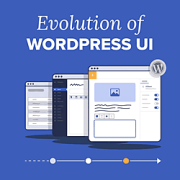
If you’ve opened your WordPress dashboard since WordPress 7.0 arrived in May 2026, you may have noticed a new look. It’s the first refresh of the admin design since WordPress 3.8 in 2013, but it’s far from the first time the WordPress interface has changed.… Read More »
A website is more than just a virtual business card. It’s a gateway to reaching a global audience and expanding your life coaching business. An effective website can help you showcase your expertise, publish thoughtful content, book coaching sessions, and build an online community. We… Read More »
If you’re running a hotel, an event site, or a travel agency, one feature we always recommend adding in WordPress is a weather forecast. Think about it. Visitors planning their trips or events often have one burning question: ‘What will the weather be like?’ By… Read More »
When we first started working with WordPress, adding JavaScript and CSS felt simple enough. You just dropped the code straight into your theme or plugin and moved on. But over the years, we (and many of our readers) learned the hard way that this shortcut… Read More »
Do you worry that old timestamps on comments make your content look outdated? Even if you recently updated a post, a comment from five years ago might convince a visitor that the information is no longer relevant. This often stops new readers from joining the… Read More »
Finding the right WordPress theme as a writer isn’t easy. You want something clean and easy to read, but it also needs to support your business goals—especially if you plan to make money from your writing. Over the years, we’ve worked with a wide range… Read More »
Used to store interaction and conversion data for campaigns in conjunction with Revenue Attribution.
1 year
_gat_omTracker*
Set, controlled and used by Google Analytics to collect and store data and then send that data to Google Analytics. OptinMonster provides the name if there is no existing tracker found on that page.
-
omCountdown-{id}-{elementId}
Used for countdown elements {elementId} in campaigns {id} to determine when it should complete.
-
om-{id}-closed / omSlideClosed-{id}
Used specifically with slide-in campaigns {id} to determine if it has been closed or not by a visitor.
30 days
om-success-cookie / omSuccessCookie
Used to determine if a visitor has successfully opted in to any campaign on your site to unlock content when using our Content Locking feature.
365 days
om-success-{id} / omSuccess-{id}
Used to determine if a visitor has successfully opted in to a campaign with the ID of {id} on your site.
365 days
omSeen-{id}
Used to determine if a visitor has been shown a campaign by the slug.
30 days
om-{id}
Used to determine if a visitor has interacted with a campaign ID of {id} on your site.
30 days
_omappvs
Used to determine when a new visitor becomes a returning visitor.