The most experienced team of WordPress experts and educators.
Over 16+ years of WordPress and web development experience.
The team that advises some of the largest WordPress plugins in the industry used by over 25 million websites.
Led by WPBeginner founder, Syed Balkhi, a well-respected WordPress expert.
Experience
Our editorial staff includes a dedicated team of programmers, writers, video creators, and editors with over 16 years of experience in WordPress, web hosting, eCommerce, SEO, and online marketing.
Our editorial team manages every piece of content we publish at WPBeginner. Unlike other copycat tutorial websites, every person in our team is a true WordPress practitioner. You can learn more about our Editorial Process here.
The team is led by the most well-known and well-respected WordPress expert in the world, Syed Balkhi. He graduated from University of Florida and have been building WordPress websites since 2006.
Syed is also the founder of some of the most popular WordPress plugins in the market.
About WPBeginner
WPBeginner is the largest free WordPress resource for beginners to learn WordPress. We are part of the Awesome Motive family and reach over 100 million visitors every year. Our content is fact checked and reviewed by our Editorial team for accuracy and integrity. You can learn more about us and our editorial process.
Learning how to use FTP or File Transfer Protocol, can make managing your WordPress website much easier. FTP allows you to quickly upload files from your computer to your site without relying on your WordPress dashboard. For beginners, FTP might seem a bit technical, but… Read More »
When visitors land on your blog, the goal is to keep them reading as long as possible. But if they have to constantly click through to the next page, it creates friction that can cause them to leave before exploring more of your content. That’s… Read More »
Do you want to add a click to load GIF player on your WordPress website? Animated GIF images take longer to load which affects page speed and user experience. That’s why many popular blogging platforms don’t auto-load GIFs in their apps. In this article, we… Read More »
A wedding website does more than share dates and locations. It sets the tone for your celebration and gives guests a first glimpse of what your big day will feel like. With the right WordPress wedding theme, you can bring that feeling to life quickly… Read More »
Getting that prime spot at the very top of Google search results can feel like a secret reserved for SEO experts. It is easy to watch competitors grab those clicks and wonder how they do it. After testing different strategies across our own Awesome Motive… Read More »
Running a multi-author website requires a lot of trust, but accidents happen when you have many cooks in the kitchen. We learned quickly that even experienced writers can mistakenly delete a published post when trying to remove a draft. By default, WordPress gives authors full… Read More »
Recently, one of our readers asked a question that many WordPress users wonder about: how do you turn off PHP errors on your site? PHP error warnings and notices are helpful for developers because they reveal problems in your code. However, when these errors appear… Read More »
Are you looking for the best Black Friday and Cyber Monday deals on your favorite WordPress products. These next few days are the perfect time to buy premium WordPress plugins, themes, hosting, and other web tools to grow your business. To help you find the… Read More »
A well-styled menu can make a big difference. It can improve the overall look of your site, make it easier for visitors to find what they’re looking for, and even encourage them to click on certain pages. Here at WPBeginner, we’ve seen all sorts of… Read More »
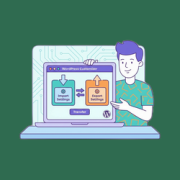
Have you spent hours getting your WordPress theme to look just right, only to realize you have to do it all over again for another website? Trust us, we’ve been there! It’s a problem we see all the time while helping people with their WordPress… Read More »
Used to store interaction and conversion data for campaigns in conjunction with Revenue Attribution.
1 year
_gat_omTracker*
Set, controlled and used by Google Analytics to collect and store data and then send that data to Google Analytics. OptinMonster provides the name if there is no existing tracker found on that page.
-
omCountdown-{id}-{elementId}
Used for countdown elements {elementId} in campaigns {id} to determine when it should complete.
-
om-{id}-closed / omSlideClosed-{id}
Used specifically with slide-in campaigns {id} to determine if it has been closed or not by a visitor.
30 days
om-success-cookie / omSuccessCookie
Used to determine if a visitor has successfully opted in to any campaign on your site to unlock content when using our Content Locking feature.
365 days
om-success-{id} / omSuccess-{id}
Used to determine if a visitor has successfully opted in to a campaign with the ID of {id} on your site.
365 days
omSeen-{id}
Used to determine if a visitor has been shown a campaign by the slug.
30 days
om-{id}
Used to determine if a visitor has interacted with a campaign ID of {id} on your site.
30 days
_omappvs
Used to determine when a new visitor becomes a returning visitor.