


Typeform’s free plan caps you at 10 responses a month across all your forms. Luckily, there are plenty of alternatives available that are free or cheaper.
We recommend Tally as the best overall alternative. If you want to keep your forms on WordPress, Quill Forms and WPForms offer the same chat-style layout and keep your data on your own server.
We built the same five-question form in all seven Typeform alternatives. Below, we’ll show how each one works, what it costs, and which one fits your needs.
💡Quick Pick: The Best Typeform Alternatives
| Pick | Best For | Pricing |
|---|---|---|
| Tally | Leaving Typeform without paying anything | Free (unlimited responses), Pro $24/month |
| Fillout | Sending answers into Airtable, Notion, or Google Sheets | Free (1,000 responses/month), paid from $180/year |
| Youform | Unlimited free responses with landing pages included | Free (unlimited responses), Pro $29/month or $240/year |
| Jotform | The biggest template library | Free (100 submissions/month), paid from $34/month billed yearly |
| Quill Forms | The Typeform look on your own WordPress site | Free (unlimited responses), paid from $99/year |
| WPForms | Every other kind of form a business site needs | Free (unlimited responses), chat-style layout needs Pro at $399/year |
| Fluent Forms | Free chat-style forms on WordPress | Free (chat-style layout included), paid from $79/year |
We opened each form on the front end to see how the chat-style layout behaved and what branding appeared.
We also checked every response cap and price against the vendor’s own pricing page on October 27, 2026, since these numbers change often.
Why Look for a Typeform Alternative?
Typeform’s free plan is the usual reason people start looking. It allows 10 responses a month across all your forms, so a single busy week can use up your entire month.
Paid plans climb quickly from there. Basic is $28 a month for 100 responses, Plus is $56 for 1,000, and Business is $91 for 10,000, all billed yearly. Paying month to month costs $39, $79 and $129.
Typeform also keeps its own branding on your forms until you reach the Plus plan. And it stores every response on its servers, while a WordPress form plugin keeps customer data in your own site’s database.
If You Want a Hosted Tool Like Typeform
Typeform is a fully hosted platform. Which means the forms and the data stays on their servers. You build the form on their site, you get a link to share, and nothing touches your WordPress install.
If you are looking for a similar tool, the following four options work the same way.
1. Tally – Best for Leaving Typeform Without Paying
| Best For | Anyone who wants Typeform’s one-question-at-a-time feel for free |
| Pricing | Free with unlimited forms and responses. Pro is $24/month, Business is $74/month. |
| Pros | • Unlimited forms and unlimited responses on the free plan • Payments, signatures, and file uploads included for free • Connects to Google Sheets, Notion, Airtable, Zapier, and Make at no cost • Built and hosted in the EU, which helps with GDPR |
| Cons | • The one-question-at-a-time layout isn’t a setting, so you build it with page breaks • A small “Made with Tally” badge stays on free forms |
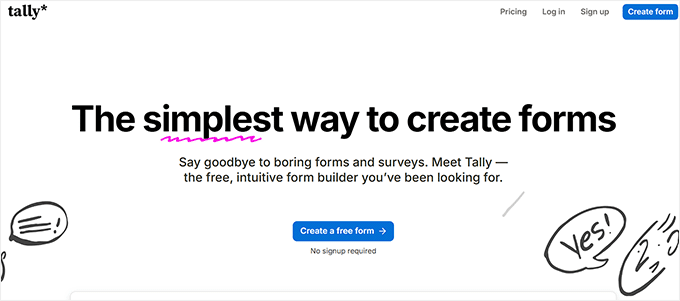
Tally is the first name people find when they search for a Typeform replacement, and it now powers forms for over 2,500,000 teams.
That popularity comes down to the free plan, since it includes things most form builders charge for, like Stripe payments, signatures, file uploads, conditional logic, and calculations.
We built our five-question form on that free plan. We loved the editor which works just like a text document. You type a question, press enter, then type a slash to pick the answer type, so building a form moves quickly once you learn the pattern.
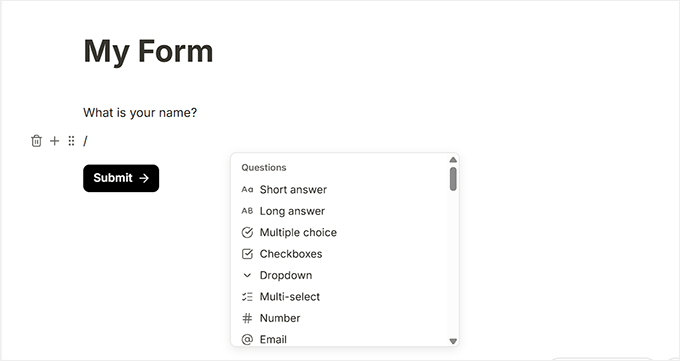
Tally has a no one-question-at-a-time setting. It allows your forms to show every question on one scrolling page, and the Customize panel only covers colors, fonts, and widths.
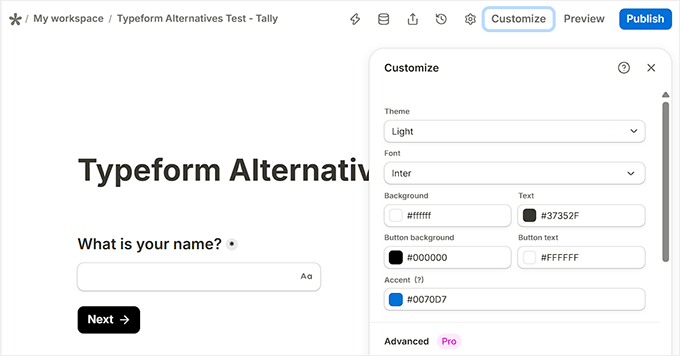
To get the Typeform feel, you insert a “New page” block between each question, which meant four page breaks for our five questions.
Each question then appears on its own screen with a Next button.
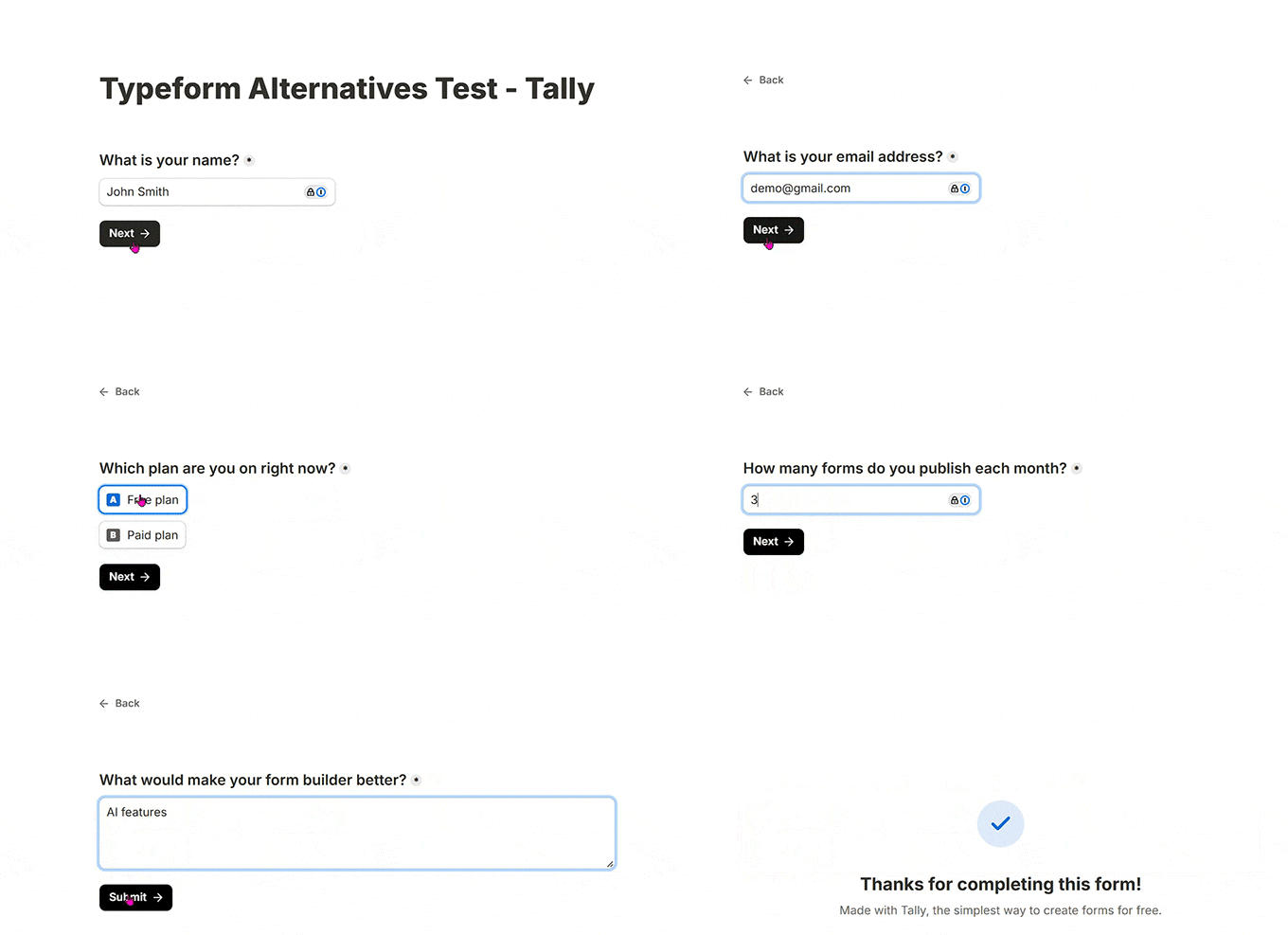
Beyond the layout, we hit no caps during testing, which matches what Tally promises.
On free plans it shows a “Made with Tally” badge. To remove it you will need to upgrade to a pro plan.
If you’re moving off Typeform to stop paying, Tally is the one to try first.
2. Fillout – Best for Connecting Forms to Your Other Tools
| Best For | Teams that need answers to land in Airtable, Notion, or Google Sheets |
| Pricing | Free with 1,000 responses/month. Starter $180/year, Pro $480/year, Business $900/year. |
| Pros | • 1,000 free responses a month, which is 100 times Typeform’s free cap • Unlimited forms and unlimited team members on every plan, including free • Strong connections to Airtable, Notion, and Google Sheets • Payments, conditional logic, and file uploads work on the free plan |
| Cons | • Response caps still apply until the $900/year Business plan • Paying monthly instead of yearly costs more |
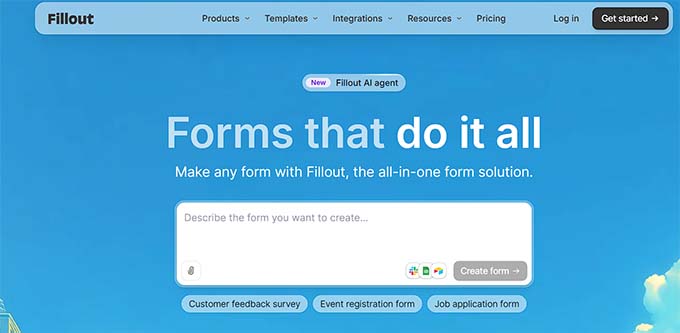
Fillout does one job better than the rest here, and that is getting form answers into the tools your team already works in.
Its connections to Airtable, Notion, and Google Sheets are the deepest of any free option here, so the answers arrive as usable rows rather than something you export later.

Paid plans mostly buy you a higher response cap, and Pro removes Fillout’s branding. Fillout’s prices are yearly rates, so paying month to month costs more. For instance, the Starter plan works out at $19 a month instead of $15 when paid yearly.
3. Youform – Best for Unlimited Free Responses
| Best For | Anyone who wants unlimited responses free and a landing page with it |
| Pricing | Free with unlimited forms and responses. Pro $29/month or $240/year, Business $89/month or $720/year. |
| Pros | • Unlimited forms, responses, and landing pages on the free plan • Conditional logic, calculations, and signatures cost nothing • Connects to Google Sheets, Slack, Zapier, Calendly, and Cal.com for free |
| Cons | • The free plan is limited to one user, so there’s no team access • Custom domains and branding removal both need Pro |
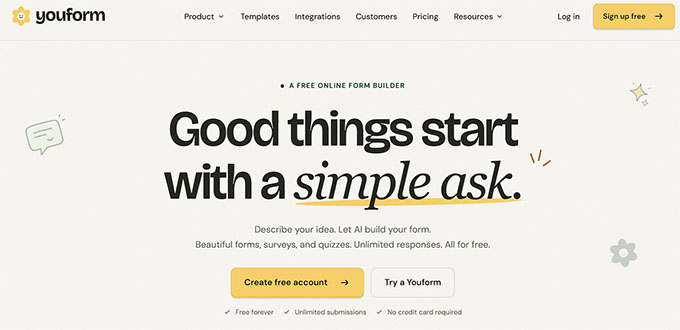
Youform gives you unlimited forms and responses for free, just like Tally. Plus, it builds AI-generated forms and landing pages.
We tried its AI builder and were impressed by how quickly it turned a simple description into a ready-to-edit form and landing page.
You can publish and host those landing pages for free, too. This helps when you want a standalone page to collect signups or leads without building one on your own website.

Paid tiers mostly buy branding control and team seats.
Pro removes Youform’s branding and adds custom domains, Stripe payments, and up to three team members, while Business adds email and SMS verification with five seats.
4. Jotform – Best for the Biggest Template Library
| Best For | Starting from a ready-made template instead of a blank form |
| Pricing | Free with 5 forms and 100 submissions/month. Bronze $34/month, Silver $39/month, billed yearly. |
| Pros | • One of the largest template libraries of any form builder • The free plan allows 100 submissions a month, compared with Typeform’s 10 • Extra tools included free, like a store builder, tables, and a PDF editor |
| Cons | • The free plan caps you at 5 forms • Paid plans start higher than everything else in this group |
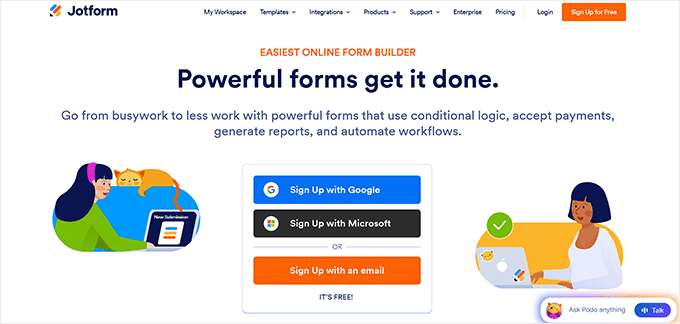
Jotform’s biggest strength is its huge library of templates. If you need a standard form, such as an order form, job application, or medical intake, you can start with a ready-made template and customize it instead of building from scratch.
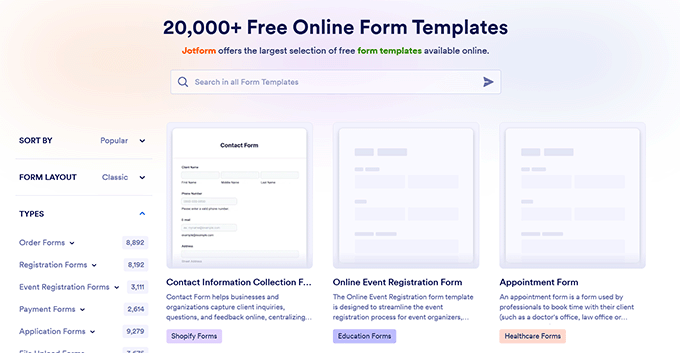
Jotform also offers a store builder, tables, visual reports, and a PDF editor at no extra cost. Its AI integrations extend those features further.
For example, you can use the Jotform Claude App to draft replies and summarize form responses, or the ChatGPT App to analyze submissions and generate follow-up messages.
The trade-off is price. Jotform has a lot to offer, but its paid plans cost more than the three alternatives above. That makes it a better fit if you value its templates and built-in tools more than keeping costs low.
Alternative: Formbricks is the open-source alternative, giving you access to its code and the option to host it on your own server instead of relying on a third-party service.
If Your Site Runs on WordPress
Everything above stores your answers on someone else’s servers. However, if you run a WordPress website, then using one of the plugins below keeps responses in your site’s database.
For many businesses this means freedom to use the data according to their own privacy and terms. It also assures that user data is not shared across servers not owned or run by the same business.
5. Quill Forms – Best for the Typeform Look on WordPress
| Best For | Getting Typeform’s exact feel on a site you control |
| Pricing | Free core on WordPress.org with unlimited responses. Basic $99/year, Plus $199/year, Enterprise $399/year. |
| Pros | • Every form is one question at a time by default, with no setting to find • Unlimited forms and responses on every plan • No plugin branding on the free version’s forms |
| Cons | • A small plugin with around 3,000 active installs, so the community is limited • Rating, signature, and file upload fields all need a paid plan |
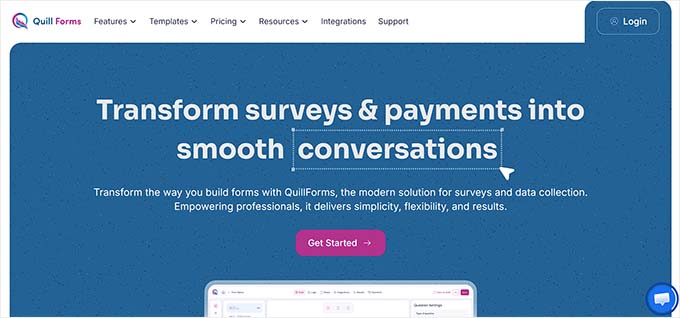
Quill Forms brings Typeform’s chat-style layout to WordPress, and that focus is clear from the start. Every form displays one question at a time, with no special mode to enable or addon to buy.
Paid plans add features such as jump logic, calculators, payments, and integrations. However, the core chat-style layout is available for free.
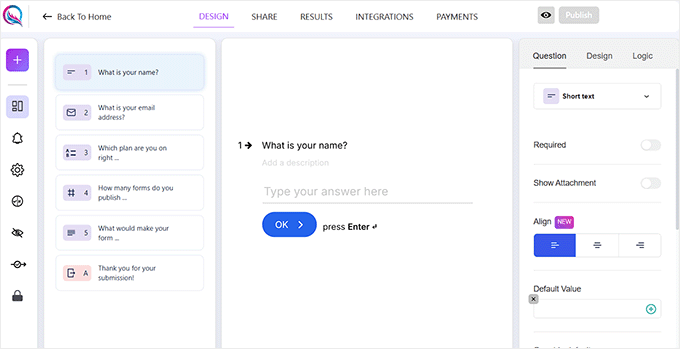
We confirmed this when building our own five-question form, which took four steps. We created the form, gave it a title, added five question blocks, and published it.
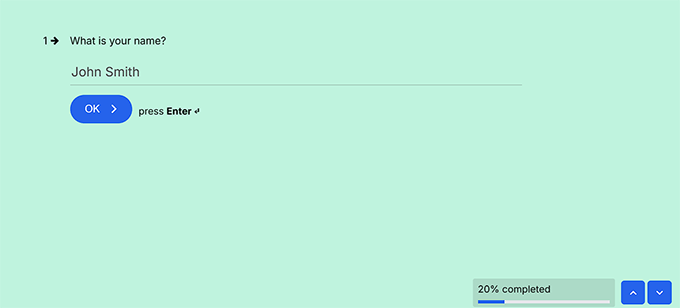
On the front end, the form opened with the first question, a progress counter in the corner, and an OK button with a “press Enter” hint.
We also checked the published form and found no Quill Forms branding, even on the free plan.
However, there are two trade-offs to consider before choosing Quill Forms.
First, it is much smaller than established WordPress form builders, with around 3,000 active installs and 44 reviews. Its 4.8-star rating is promising, but its track record is based on a smaller user base.
Second, the free version covers core fields like short text, long text, email, number, multiple choice, dropdown, date, and slider. But rating, signature, and file upload fields require a paid license starting at $99.
If you need any of these, factor that cost into your decision from the beginning.
6. WPForms – Best for Every Other Kind of Form
| Best For | Business sites that need one plugin to handle every form, not only chat-style ones |
| Pricing | Free WPForms Lite. The Conversational Forms addon needs Pro at $399/year. |
| Pros | • Over 2,100 templates and an AI form builder • Turns any existing form into a chat-style one with a single toggle • Payments, surveys, analytics, and spam protection in one plugin |
| Cons | • The chat-style layout needs the Pro plan • A “powered by wpforms” line shows on the conversational form’s footer unless you switch it off |
WPForms offers chat-style forms through its Conversational Forms addon, which requires the Pro plan. Tally and Fluent Forms offer similar layouts for free, so WPForms makes the most sense if you need its other features too.
Pro has over 2,100 templates, Stripe and PayPal payment fields, survey reporting, NPS, star rating, and form analytics. The AI form builder is a part of every version, including WPForms Lite.
It’s the plugin we use on our own websites for contact forms and annual user surveys. You can learn more in our full WPForms review.
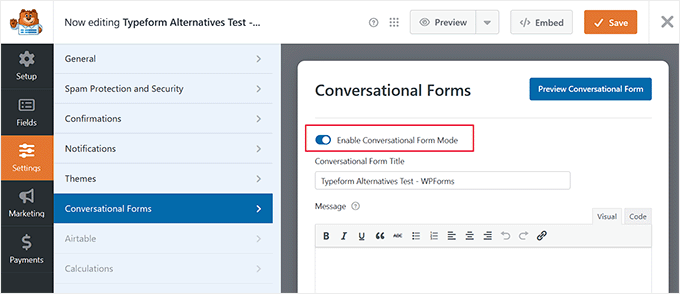
Setting up our five-question form was simple. We built it with the drag-and-drop editor, enabled Conversational Forms in Settings, and saved it. Our guide on creating conversational forms in WordPress shows you each step.
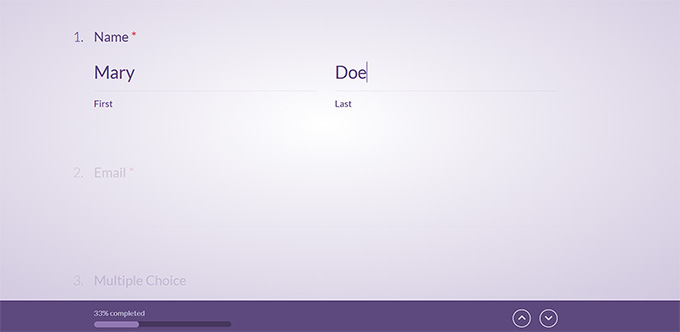
WPForms then gave it a dedicated page with a welcome screen and Start button. The published form displayed one question per screen, a numbered question list, and a progress bar.
We did notice a “powered by WPForms” label along the bottom, even on the paid plan. You can remove it by switching off the branding option in the Conversational Forms settings.
Against Typeform itself, the difference comes down to where your answers go and how much form you get for the money.
Typeform’s Business plan is $91 a month and still caps you at 10,000 responses, while WPForms has no submission limits at any price.
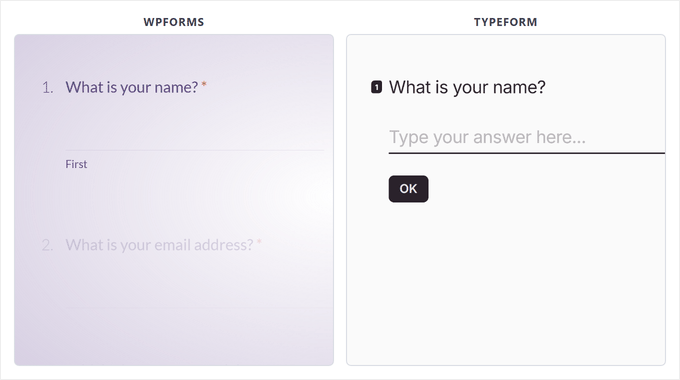
But Typeform’s chat-style layout is the whole product, and in WPForms it’s one addon inside a much larger toolkit.
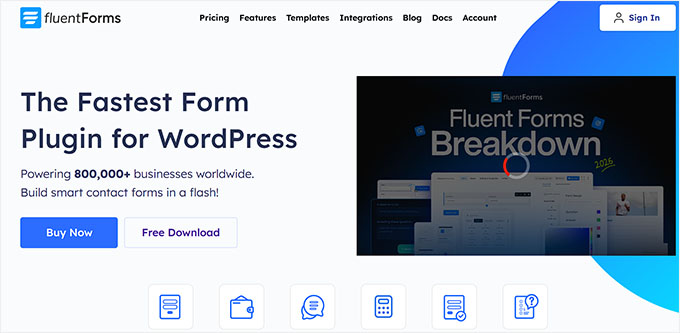
7. Fluent Forms – Best Free Chat-Style Forms on WordPress
| Best For | WordPress users who want a chat-style form without paying for one |
| Pricing | Free core on WordPress.org. Single site $79/year, 5 sites $159/year, unlimited sites $299/year. |
| Pros | • The chat-style layout is in the free plugin, not behind a paid addon • 800,000 active installs and a 4.8 star rating • The free version also has conditional logic, an AI form builder, and form analytics • Migration tools for moving over from WPForms, Contact Form 7, Gravity Forms, or Ninja Forms |
| Cons | • The free plugin has 25+ input fields, where paid plans have 55+ • Quiz and survey modules, user registration, and multi-step forms all need a paid plan |
Fluent Forms is one of the most affordable ways to create chat-style forms in WordPress because its free plugin includes the conversational layout, with no paid addon required.
Creating our five-question form confirmed that. We built it in the form editor, enabled the conversational layout, and published it.
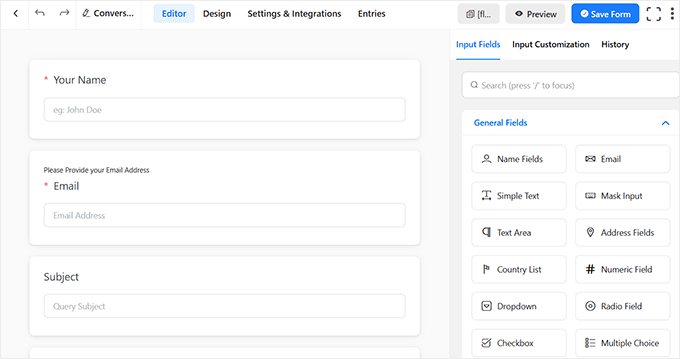
The result was a form that displayed one question at a time, without needing to pay for an upgrade.
Fluent Forms also has a much larger user base than Quill Forms, with 800,000 active installs and a 4.8-star rating. If you later need its premium features, paid plans start at $79 per year.
General WordPress Form Builders
If you already use one of these form plugins, check its paid plans before you switch. Some include a chat-style layout on a higher tier, and each has a different strength.
- Formidable Forms is ideal for advanced, data-driven forms, such as mortgage and BMI calculators. Plans start at $79 per year, but conversational forms require the $399 Business plan.
- Gravity Forms suits developers and agencies that need complex workflows and user-submitted content. Plans start at $59 per year.
- Ninja Forms lets you start with a free core plugin and add features as needed. Its Plus plan, at $99 per year, includes conversational forms.
- Google Forms is a free, simple option for surveys and quizzes, with responses that can flow into Google Sheets. However, you get limited control over the form’s design.
Which Typeform Alternative Should You Use?
If you want a free hosted tool and you’re leaving Typeform over price, use Tally.
But if your site runs on WordPress and you want the Typeform look specifically, we recommend Quill Forms.
And if you need payments, AI form building, surveys, and every other kind of form alongside the chat-style one, you can opt for WPForms.
Typeform Alternatives FAQs
Is there a free alternative to Typeform?
Yes, and several of them are more generous than Typeform’s own free plan. Tally and Youform both give you unlimited forms and unlimited responses for free, Fillout allows 1,000 responses a month, and Quill Forms has a free core plugin for WordPress with no response cap.
On WordPress, Fluent Forms gives you the chat-style layout in its free plugin as well.
Is Jotform or Typeform better?
Jotform gives you more for free, with 5 forms and 100 submissions a month against Typeform’s 10 responses, and it ships with a much larger template library.
Typeform is the better pick if the one-question-at-a-time experience itself is what you’re paying for, since that layout is the whole product rather than one feature among many.
Is Tally or Typeform better?
Tally is better on price, because unlimited forms and unlimited responses cost nothing. Typeform is better if you want the chat-style layout without building it, since Tally needs a page break between each question to get the same effect.
What is the difference between WPForms and Typeform?
WPForms is a WordPress plugin that stores every response in your own site’s database and covers a wide range of form types, from payments to surveys. Typeform is a web application known for its one-question-at-a-time forms, and it stores your responses on its own servers.
Further Reading for Using Forms in WordPress
We hope this article helped you find the best Typeform alternative. Next up, you may also want to go through our guides on:
- WPForms vs. Gravity Forms vs. Formidable Forms
- How to Add Autocomplete for Address Fields in WordPress
- Best Contact Form Plugins for WordPress (Free & Paid)
- How to Create a Contact Form in WordPress
If you liked this article, then please subscribe to our YouTube Channel for WordPress video tutorials. You can also find us on Twitter and Facebook.




Have a question or suggestion? Please leave a comment to start the discussion.