When we started our journey years ago, we used to create separate pages for different audiences manually. That is, until we discovered dynamic content. We learned that it’s one of the most underrated tricks that a website owner can use. 😎 At WPBeginner, we use… Read More »
Does the thought of changing your WordPress DNS settings make you nervous? You’re not alone. For many beginners, DNS feels like a scary technical barrier. It often seems like one wrong click could take your entire website offline. We have managed domains and DNS records… Read More »
Have you seen shoppers add products to their carts only to disappear without completing their purchases? As eCommerce store owners ourselves, we sure have. So we know it can be devastating. The numbers are eye-opening: according to recent studies, the average shopping cart abandonment rate… Read More »
At the end of 2023, we switched our email marketing tool from Mailchimp to Drip. Many of our email newsletter subscribers have since asked us to write about why we decided to switch. When it comes to email marketing, choosing the right email marketing service… Read More »
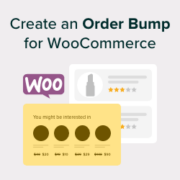
When we launched our first eCommerce store years ago, we were leaving money on the table without even knowing it. Like many store owners, we focused only on getting customers to buy our main products. That was until we discovered order bumps. If you’re running… Read More »
Managing customer relationships can feel like a huge headache for WordPress site owners. You’ve got customer emails in one place, contact form submissions somewhere else, and sales data scattered across different platforms. It’s easy to see why many businesses struggle to stay organized and end… Read More »
Improving communication on your WordPress site with a chat plugin can boost user engagement and customer service. Whether you want to provide instant support, answer customer queries, or engage visitors in real-time conversations, the right chat plugin can transform your website. To help you find… Read More »
Adding video to your site feels like a major upgrade, but it often comes with a hidden cost. That excitement quickly fades when you realize your pages are suddenly taking forever to load. A slow website sends visitors straight to the back button, killing your… Read More »
Managing wholesale orders in WordPress can be easy if you have the right setup. But without the proper tools, it quickly becomes a hassle for both you and your customers. When bulk buyers have to browse page after page just to find what they need,… Read More »
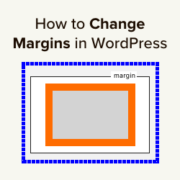
Changing margins in WordPress is a simple way to improve your site’s design. Margins create space between elements, making your content more readable and visually appealing. As a general best practice, we always use margins and spacing when designing our WordPress sites. We’ve noticed that… Read More »
Used to store interaction and conversion data for campaigns in conjunction with Revenue Attribution.
1 year
_gat_omTracker*
Set, controlled and used by Google Analytics to collect and store data and then send that data to Google Analytics. OptinMonster provides the name if there is no existing tracker found on that page.
-
omCountdown-{id}-{elementId}
Used for countdown elements {elementId} in campaigns {id} to determine when it should complete.
-
om-{id}-closed / omSlideClosed-{id}
Used specifically with slide-in campaigns {id} to determine if it has been closed or not by a visitor.
30 days
om-success-cookie / omSuccessCookie
Used to determine if a visitor has successfully opted in to any campaign on your site to unlock content when using our Content Locking feature.
365 days
om-success-{id} / omSuccess-{id}
Used to determine if a visitor has successfully opted in to a campaign with the ID of {id} on your site.
365 days
omSeen-{id}
Used to determine if a visitor has been shown a campaign by the slug.
30 days
om-{id}
Used to determine if a visitor has interacted with a campaign ID of {id} on your site.
30 days
_omappvs
Used to determine when a new visitor becomes a returning visitor.