When we first started using ChatGPT and other OpenAI tools on our WordPress sites, we were amazed at how much time we could save. Tasks like writing blog posts, creating email copy, and generating images became so much easier. But it wasn’t smooth sailing from… Read More »
One of the biggest challenges we see WooCommerce store owners face is cart abandonment. Customers browse your products, add items to their cart, and then disappear when they’re redirected to the cart page. It happens more often than you’d think. A simple way to improve… Read More »
Choosing a WordPress contact form plugin often comes down to finding the right fit for your site. But three names keep coming up in conversations with other website owners: WPForms, Gravity Forms, and Formidable Forms. While these contact form builders are all powerful with strong… Read More »
Do you want to use icon fonts in the WordPress post editor? Icon fonts allow you to easily use images and symbols in text. They are lightweight and won’t slow down your site, and they can be easily scaled to any size and styled like… Read More »
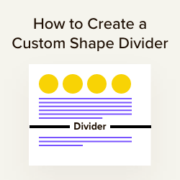
Ever notice how some websites just feel more engaging to scroll through? There’s often a subtle design element at work – shape dividers that create smooth, flowing transitions between different sections. These curved, angled, or zigzag lines might seem like a small detail, but they… Read More »
Visitors are constantly searching your WordPress site for answers, products, tutorials, or resources. If your search tool can’t deliver the right results quickly, you risk losing them to competing sites. Here’s the problem: the default WordPress search is pretty limited. It only searches post titles… Read More »
Used to store interaction and conversion data for campaigns in conjunction with Revenue Attribution.
1 year
_gat_omTracker*
Set, controlled and used by Google Analytics to collect and store data and then send that data to Google Analytics. OptinMonster provides the name if there is no existing tracker found on that page.
-
omCountdown-{id}-{elementId}
Used for countdown elements {elementId} in campaigns {id} to determine when it should complete.
-
om-{id}-closed / omSlideClosed-{id}
Used specifically with slide-in campaigns {id} to determine if it has been closed or not by a visitor.
30 days
om-success-cookie / omSuccessCookie
Used to determine if a visitor has successfully opted in to any campaign on your site to unlock content when using our Content Locking feature.
365 days
om-success-{id} / omSuccess-{id}
Used to determine if a visitor has successfully opted in to a campaign with the ID of {id} on your site.
365 days
omSeen-{id}
Used to determine if a visitor has been shown a campaign by the slug.
30 days
om-{id}
Used to determine if a visitor has interacted with a campaign ID of {id} on your site.
30 days
_omappvs
Used to determine when a new visitor becomes a returning visitor.