Running an online store often means you need to find ways to stand out and increase customer retention. One effective approach is to offer coupon codes or promotions. At WPBeginner, we have been negotiating deals on our favorite products for years. We use coupons to… Read More »
You have spent hours designing your WooCommerce store. The products look great, and your site is ready for customers. But if people can’t find you on Google, your hard work won’t turn into sales. Your store is barely getting any customers, while your competitors get… Read More »
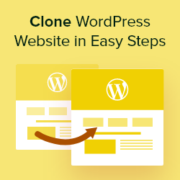
One of the first things we do when we want to revamp a website is cloning that site to a staging or local environment. This way, we can create an exact replica of the site we’re working on without affecting the live version. If you’re… Read More »
In August, we decided to do something that had never been done before in the WordPress community. We created the WPBeginner Growth Accelerator, first-ever growth fund for WordPress-focused businesses. Today, I’m extremely excited to announce the first round of WPBeginner accelerator companies. Aside from announcement,… Read More »
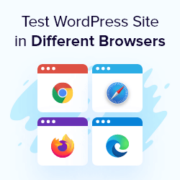
Ensuring your WordPress site looks great and functions properly across different browsers is necessary to provide a consistent user experience. Browser compatibility issues can affect site performance, layout, and user engagement. Testing your site in various browsers helps you identify and fix these issues before… Read More »
In martial arts, every detail counts — from the discipline of its practitioners to the way schools promote their teachings. So, having your online presence resonate with the philosophies of this ancient practice is important. With this in mind, we have handpicked the most stunning… Read More »
Used to store interaction and conversion data for campaigns in conjunction with Revenue Attribution.
1 year
_gat_omTracker*
Set, controlled and used by Google Analytics to collect and store data and then send that data to Google Analytics. OptinMonster provides the name if there is no existing tracker found on that page.
-
omCountdown-{id}-{elementId}
Used for countdown elements {elementId} in campaigns {id} to determine when it should complete.
-
om-{id}-closed / omSlideClosed-{id}
Used specifically with slide-in campaigns {id} to determine if it has been closed or not by a visitor.
30 days
om-success-cookie / omSuccessCookie
Used to determine if a visitor has successfully opted in to any campaign on your site to unlock content when using our Content Locking feature.
365 days
om-success-{id} / omSuccess-{id}
Used to determine if a visitor has successfully opted in to a campaign with the ID of {id} on your site.
365 days
omSeen-{id}
Used to determine if a visitor has been shown a campaign by the slug.
30 days
om-{id}
Used to determine if a visitor has interacted with a campaign ID of {id} on your site.
30 days
_omappvs
Used to determine when a new visitor becomes a returning visitor.