We once watched a session recording of a visitor angrily clicking an unlinked image over and over. That single eye-opening moment showed us exactly why our page was losing sales. Guessing what your visitors want is stressful and often costs you money. Heatmap tools take… Read More »
The beta version of WordPress 4.5 was released last week. We followed the development closely, and we are excited to report that WordPress 4.5 is expected to be released during the second week of April, 2016. In this article, we will highlight what’s coming in… Read More »
Are you wondering whether to use WordPress or static HTML for your business website? With AI, static HTML may look like the easiest way to get started. But what happens when you need to add a booking form, an online store, or another feature? Each… Read More »
When we first set up our WordPress blog, we spent a lot of time experimenting with different themes. Although we now have a custom design, we know the ins and outs of picking the perfect WordPress theme for a blog or business website. There are… Read More »
Do you want to uninstall a WordPress plugin from your website? Over time, it’s normal to collect plugins you no longer use. But leaving them on your site isn’t harmless. Unused plugins can slow down your website, increase your backup size, and even create security… Read More »
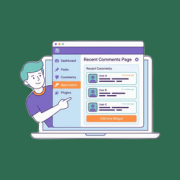
Are meaningful comments getting buried across your WordPress site? As your content grows, some of the best conversations, especially on older posts, can get lost. This means visitors may miss out on the vibrant discussions happening in your community. That’s where a recent comments page… Read More »
Struggling to get your edited photos from Lightroom onto your WordPress site without breaking your flow? Exporting images, saving them to folders, and then uploading them one by one can feel tedious and slow. Especially when all you want to do is share your work.… Read More »
When you start a new website, a free plan seems like an easy way to save money. However, you’ll soon discover that free plans have many strict limits and missing features. Most people who want a free website choose between WordPress.com, Wix, Google Sites, Blogger,… Read More »
Do you want to display all your WordPress posts on one page? Just like the index page of a book, this can help visitors find exactly the content they need even if your website has dozens or even hundreds of posts. In this article, we… Read More »
Recently, one of our users asked us how they can upload large images in WordPress. While this used to be a common issue years ago, most modern WordPress hosting providers now offer generous upload limits (often 64MB to 512MB) that accommodate most image sizes. In… Read More »
Used to store interaction and conversion data for campaigns in conjunction with Revenue Attribution.
1 year
_gat_omTracker*
Set, controlled and used by Google Analytics to collect and store data and then send that data to Google Analytics. OptinMonster provides the name if there is no existing tracker found on that page.
-
omCountdown-{id}-{elementId}
Used for countdown elements {elementId} in campaigns {id} to determine when it should complete.
-
om-{id}-closed / omSlideClosed-{id}
Used specifically with slide-in campaigns {id} to determine if it has been closed or not by a visitor.
30 days
om-success-cookie / omSuccessCookie
Used to determine if a visitor has successfully opted in to any campaign on your site to unlock content when using our Content Locking feature.
365 days
om-success-{id} / omSuccess-{id}
Used to determine if a visitor has successfully opted in to a campaign with the ID of {id} on your site.
365 days
omSeen-{id}
Used to determine if a visitor has been shown a campaign by the slug.
30 days
om-{id}
Used to determine if a visitor has interacted with a campaign ID of {id} on your site.
30 days
_omappvs
Used to determine when a new visitor becomes a returning visitor.