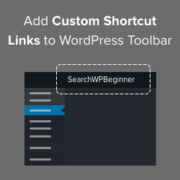
Would you like to customize the WordPress admin toolbar? The admin bar contains handy links to some of the most used admin pages. However, you might like to add your own shortcuts to the pages you use most when working on your site. In this… Read More »
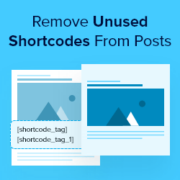
Have you ever seen a random tag like [gallery_shortcode] pop up in the middle of a blog post? That’s an unused shortcode – leftover code from old plugins or themes that you no longer use. Here’s something that many WordPress users don’t realize: when you… Read More »
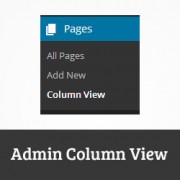
The main difference between posts and pages is that pages can be hierarchical. However when displayed in WordPress, child pages of a page are displayed with a — before them. This works well for most users, but for websites that has lots of pages and… Read More »
Yet another year is about to come to an end. We want to thank you guys for supporting WPBeginner for 4+ years of our existence. As we look back at the year of 2013, it was full of success and joy for the WPBeginner team.… Read More »
Spreading the holiday spirit through your WordPress site can create a warm and engaging atmosphere for your visitors, improving their online experience during this festive season. Whether you are running a blog, eCommerce store, blog, or nonprofit website, there are plenty of creative ways to… Read More »
This is a guest post by Josh Pollock The Pinterest-like grid display of posts has been a popular design for WordPress blog index pages for a while. It is popular not only because it mimics the look of the popular social media site, but also… Read More »
Recently one of our users complained to us about WordPress post pagination hiding the full content in their RSS feed. After doing a quick research, it turns out that this is a WordPress core bug (#10984) that was reported 4 years ago and is still… Read More »
Hello Everyone, Syed Balkhi here. Today I’m proud to announce the launch of WPBeginner Glossary, a central place that lists and explain the most commonly used terminology in WordPress tutorials and WordCamp sessions. If you were ever puzzled by strange WordPress terms or abbreviations, then… Read More »
Comments allow users to engage with the content on your website. That’s why we believe that it is important to style your comments layout and comment form, so it is user-friendly as well as good looking. Recently, a user asked us how they can add… Read More »
We’ve found that setting fallback featured images for WordPress categories is a huge time-saver, especially for blogs with a high volume of content. If you have articles that don’t have a featured image, or if you want all the posts in a category to have similar… Read More »
Used to store interaction and conversion data for campaigns in conjunction with Revenue Attribution.
1 year
_gat_omTracker*
Set, controlled and used by Google Analytics to collect and store data and then send that data to Google Analytics. OptinMonster provides the name if there is no existing tracker found on that page.
-
omCountdown-{id}-{elementId}
Used for countdown elements {elementId} in campaigns {id} to determine when it should complete.
-
om-{id}-closed / omSlideClosed-{id}
Used specifically with slide-in campaigns {id} to determine if it has been closed or not by a visitor.
30 days
om-success-cookie / omSuccessCookie
Used to determine if a visitor has successfully opted in to any campaign on your site to unlock content when using our Content Locking feature.
365 days
om-success-{id} / omSuccess-{id}
Used to determine if a visitor has successfully opted in to a campaign with the ID of {id} on your site.
365 days
omSeen-{id}
Used to determine if a visitor has been shown a campaign by the slug.
30 days
om-{id}
Used to determine if a visitor has interacted with a campaign ID of {id} on your site.
30 days
_omappvs
Used to determine when a new visitor becomes a returning visitor.